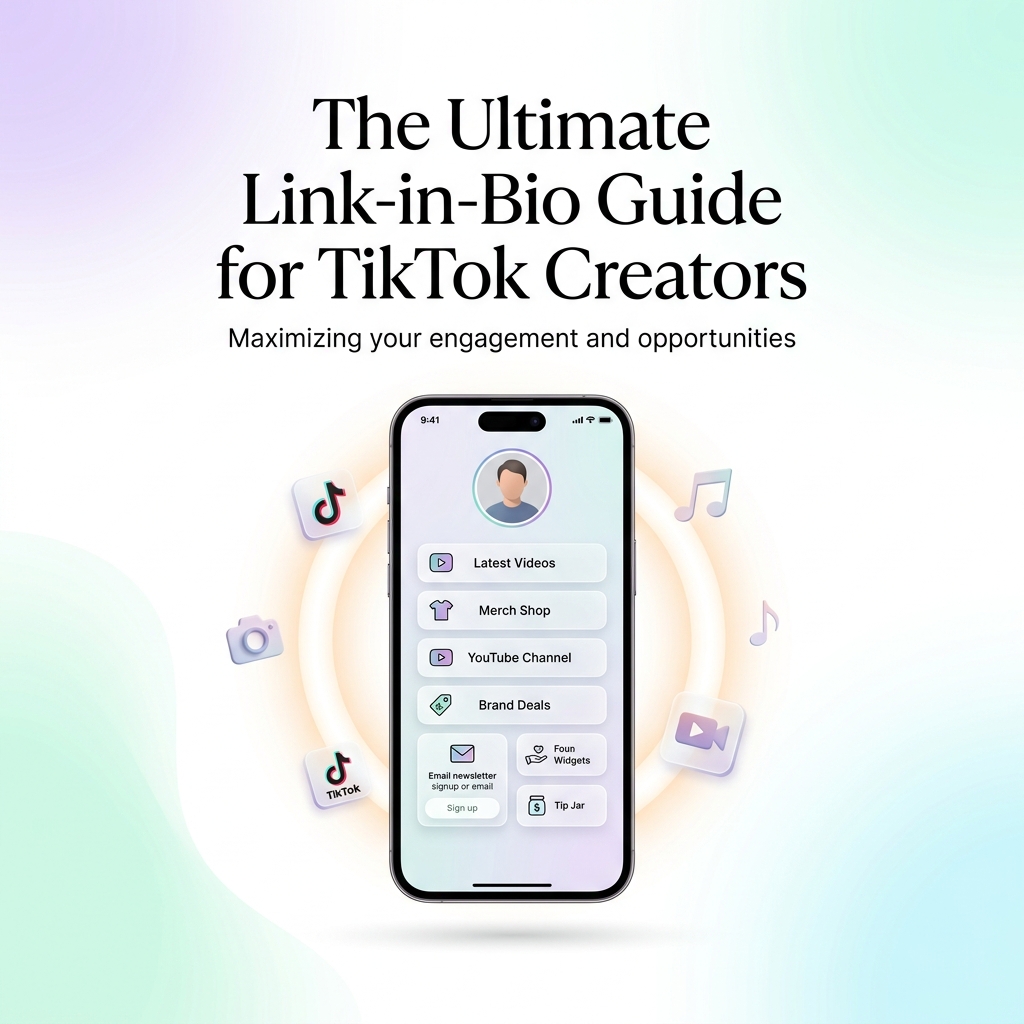
The Ultimate Link-in-Bio Guide for TikTok Creators
With over 1.5 billion active users, TikTok is the undisputed titan of short-form video discovery. A single 15-second viral video can generate millions of impressions, tens of thousands of profile visits, and an avalanche of new followers overnight.
However, every experienced creator knows the brutal truth of short-form video: Views alone do not pay the bills, nor do they guarantee a sustainable long-term business.
When scrollers land on your profile after watching a viral video, you have a fraction of a second to turn that temporary curiosity into a permanent connection. Because TikTok restricts profile descriptions to a mere 80 characters and offers only one clickable link slot, your link in bio is the single most important asset in your creator toolkit.
In 2026, top-performing TikTok creators no longer rely on cluttered dark link trees or generic third-party lists. Instead, they deploy sleek, high-converting light-themed bio hubs that capture email leads, showcase digital products, highlight brand deals, and cross-promote secondary social channels.
In this ultimate guide, we unpack everything you need to know to build, design, and optimize a world-class light-themed link-in-bio page for TikTok using OnlyLink.
1. The TikTok Creator Dilemma: Converting Views into Owned Equity
TikTok’s For You Page (FYP) algorithm is incredible for top-of-funnel discovery, but it comes with distinct structural challenges:
- Algorithm Dependency: Reach fluctuates constantly. Relying solely on TikTok views leaves your entire income vulnerable to sudden algorithm shifts.
- In-App Walled Garden: Post captions on TikTok cannot contain active hyperlinks. If you mention a product or video in your caption, users must navigate to your profile bio to access the link.
- Character Restrictions: With only 80 characters available in your profile bio, you cannot explain multiple offers, list discount codes, or detail your portfolio directly on TikTok.
The Solution: The Light-Theme Creator Bio Ecosystem
Your bio link acts as a bridge, transforming passive video scrollers into an owned community. When a user clicks your link in bio, they transition from TikTok’s dark, fast-paced video feed into your personal digital showroom.
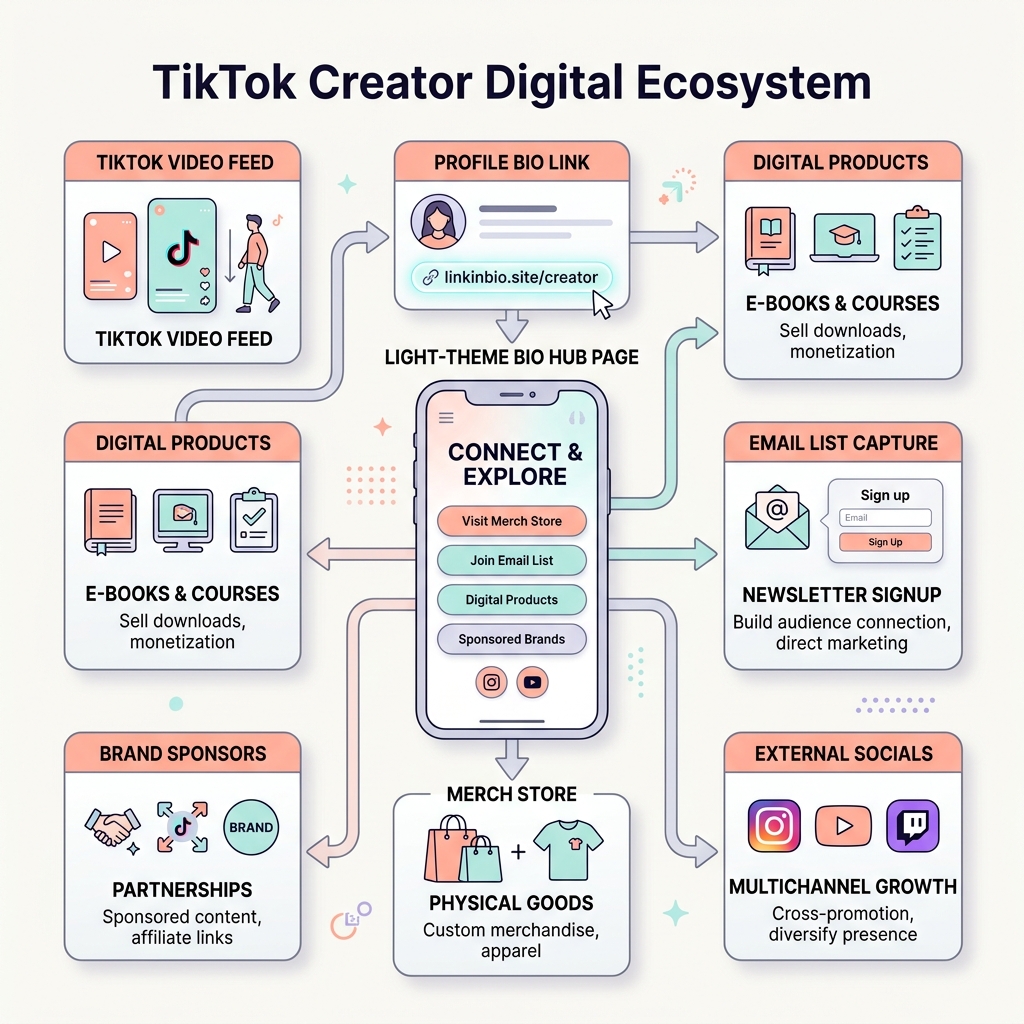
By hosting a centralized bio hub on OnlyLink, you can direct traffic into five revenue-generating channels:
- 📦 Digital Goods & Commerce: Presets, templates, e-books, and physical merch.
- 📬 Owned Audience Capture: Direct newsletter and SMS subscriber forms.
- 🤝 Brand Partnerships: Media kit access, sponsorship contact info, and affiliate codes.
- 🎬 Multi-Platform Funnels: Directing traffic to YouTube, Spotify, and Instagram.
- ☕ Direct Fan Support: Tip jars and subscription memberships.
2. Why Light Theme Visual Aesthetics Win on TikTok
Visual design plays a decisive role in landing page conversion rates. While dark themes can work for gaming or nightlife niches, light theme aesthetics consistently achieve higher conversion rates for modern TikTok creators across lifestyle, education, beauty, tech, productivity, and fitness.
Here is why light theme visuals perform better for TikTok bio landing pages:
1. High Visual Contrast Against TikTok’s Native Dark Mode UI
TikTok’s mobile video interface is inherently dark and overlay-heavy. When a user taps your bio link and opens your OnlyLink page, transitioning to a clean, bright, luminous light-themed design instantly signals a change in context. It creates a refreshed, premium experience that captures attention immediately.
2. Superior Legibility Outdoors & On Mobile Displays
Over 95% of TikTok consumption happens on mobile phones—frequently on the go under bright ambient sunlight. Light backgrounds with high-contrast typography (dark charcoal or deep navy text on soft off-white canvas) deliver superior legibility without forcing users to strain their eyes or max out screen brightness.
3. Modern Glassmorphism & Soft Pastel Micro-Accents
Modern light UI design leverages soft pastel gradients (light lavender, soft teal, warm peach) combined with translucent glassmorphism cards. This aesthetic aligns perfectly with modern iOS and Android design standards, creating a trustworthy, polished vibe.
3. The Anatomy of a High-Converting TikTok Bio Page
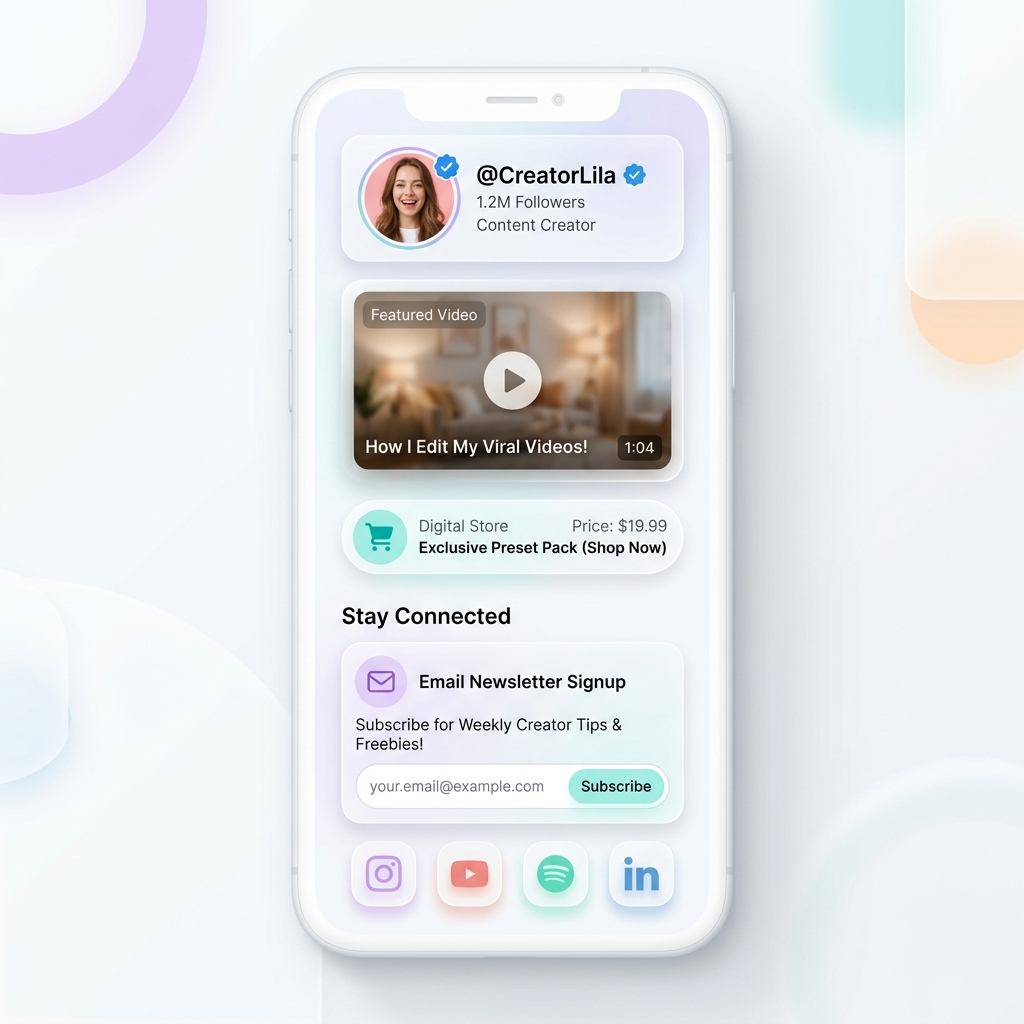
To maximize your click-through rates (CTR), structure your light-themed OnlyLink page using these battle-tested layout principles:
A. The Hero Profile Header
- Profile Image: Use a sharp, high-resolution headshot with a light background or subtle pastel ring accent. Ensure your avatar matches your TikTok profile photo for visual consistency.
- Verified Creator Handle & Tagline: Display your
@handlealong with a 1-line value proposition (e.g., “Helping creators scale to $10k/mo | New Playbook Below 👇”).
B. Pinned Light-Theme Feature Card
Place your primary campaign or highest-value offer at the top of your page inside a featured glassmorphism card.
- Featured Video Embed: Embed your latest YouTube video or TikTok highlight directly onto the page.
- Pulse Badge: Add an subtle animated indicator like
🔥 TRENDING NOWor⚡ FREE DOWNLOADto draw instant visual focus.
C. Categorized Action Buttons & Product Cards
Organize secondary links using clean, light-bordered cards rather than an endless column of identical buttons:
- Direct Digital Purchases: Display product thumbnail, title, and price (e.g., “Preset Pack — $19.99”).
- Embedded Email Capture Box: Allow visitors to enter their email and subscribe without leaving your bio page.
D. Compact Social Media Footer
Position secondary social links (YouTube, Instagram, X, Spotify, LinkedIn) in a clean horizontal icon bar at the bottom of the page to avoid diluting your primary call-to-actions.
4. 5 Proven Monetization Strategies for TikTok Creators
Your light-themed bio hub should be engineered to turn traffic into revenue. Here are 5 ways creators monetize their OnlyLink profile:
| Revenue Channel | Best Product Type | Expected Conversion Rate |
|---|---|---|
| Digital Products | Notion templates, Lightroom presets, workout guides | 3% – 8% |
| Lead Capture | Free e-books, cheat sheets, exclusive Discord invites | 15% – 30% |
| Affiliate Marketing | Organized product recommendation cards with promo codes | 4% – 10% |
| Brand Deals | Pinned media kit download & direct booking link | High B2B Value |
| Fan Contributions | Integrated Tip Jar / Buy Me a Coffee button | 2% – 5% |
1. Sell Micro-Digital Products Directly
Short-form video viewers love instant gratification. Offering low-ticket digital products ($5 to $29) directly through your bio link yields incredible conversion rates. Examples include:
- Beauty/Fashion: Outfit link guides & Lightroom mobile presets.
- Tech/Productivity: Daily planner Notion templates & shortcut cheat sheets.
- Fitness: 30-day home workout PDF guides.
2. Capture Email Leads with Freebies
Algorithms change, but your email list belongs to you forever. Offer a high-value “lead magnet” (a free PDF guide, mini-course, or checklist) in exchange for an email address. By embedding the signup form directly into your light-themed bio page, you eliminate extra clicks and maximize lead collection.
3. Monetize Brand Partnerships & Affiliates
When followers ask “Where did you get that shirt?” or “What camera do you use?”, don’t rely on generic comments. Create a dedicated “Shop My Favorites” section on your OnlyLink page featuring organized affiliate cards with discount code badges.
5. Common TikTok Bio Link Mistakes (And How to Fix Them)
Avoid these common pitfalls that cost creators thousands of lost clicks every month:
| Common Mistake | Why It Harms Conversions | The OnlyLink Light-Theme Fix |
|---|---|---|
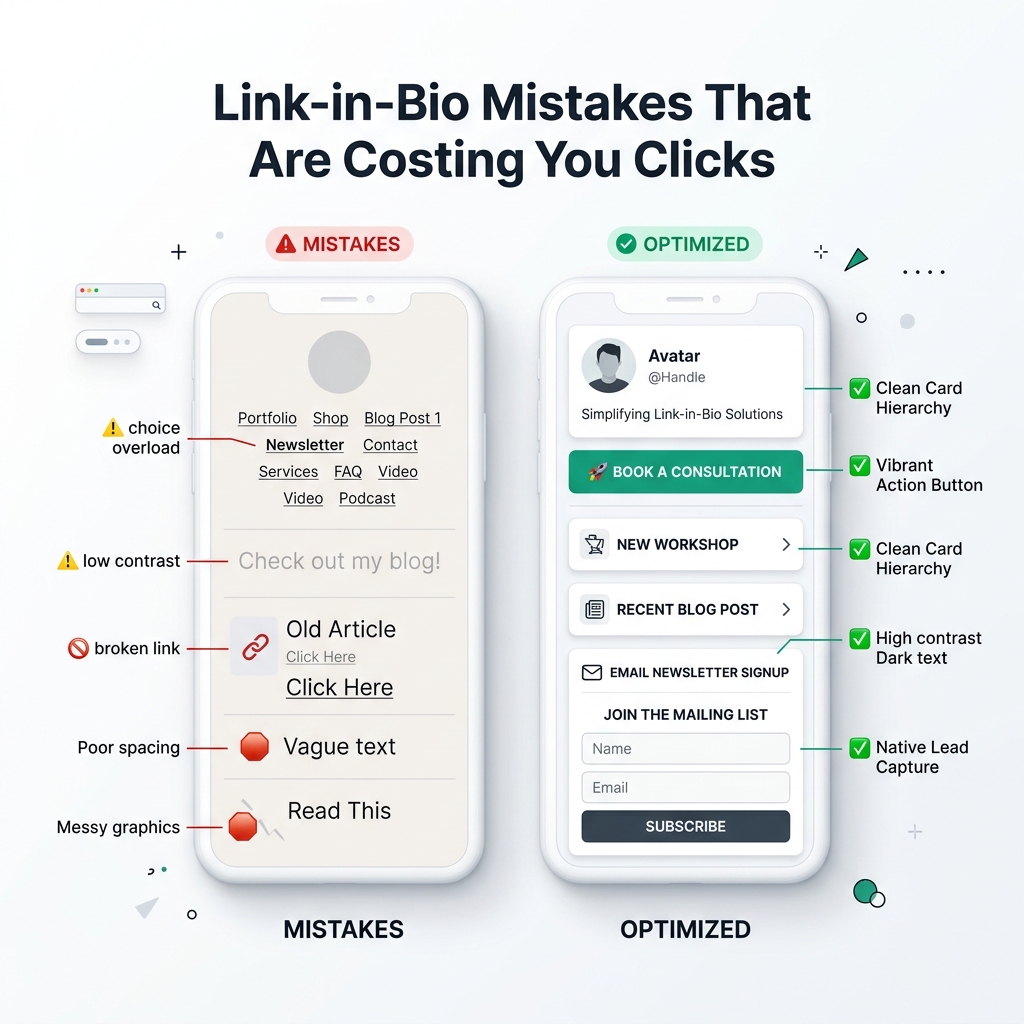
| Overcrowded Link Tree | 15+ plain links trigger decision paralysis | Limit top area to 4–6 prioritized cards with clear visual hierarchy |
| Dark Low-Contrast Backgrounds | Muddy text, poor readability outdoors | Use bright, clean light themes with high contrast dark typography |
| No Clear Call-to-Action | Visitors don’t know where to click first | Add directional copy and animated badge pulses on your top offer |
| Sending Traffic to Heavy Websites | Slow load times cause 50%+ bounce rate | Deploy lightweight, sub-second OnlyLink micro-landing pages |
| Unlinked External Platforms | Missed cross-promotion opportunities | Use a clean horizontal social icon row at the footer |
6. How to Set Up Your TikTok Light-Theme Bio Hub in 5 Minutes
Building a modern light-theme bio link page with OnlyLink is fast and straightforward:
- Claim Your Custom URL: Register your custom link at
onlylink.click/yourname. - Select a Light Aesthetic Theme: Choose from modern light presets featuring soft pastel accents, glassmorphism cards, and clean typography.
- Add Your Primary Value Links: Upload your top product cards, embedded lead capture forms, and latest video previews.
- Copy Your OnlyLink URL to TikTok: Navigate to
TikTok > Edit Profile > Websiteand paste your new link. - Add a Bio Directional Pointer: Update your TikTok bio text to include a clear CTA pointing down (e.g., "👇 Grab the free creator toolkit below").
Conclusion: Own Your Creator Destiny in 2026
Short-form video on TikTok is the ultimate discovery engine of our era, but your link in bio is where real community and revenue are built. By switching to a clean, light-themed bio landing page powered by OnlyLink, you turn fleeting views into lasting audience relationships and sustainable income.
Ready to upgrade your TikTok profile? Create your free OnlyLink light-themed bio hub today and take complete control of your digital identity!
Ready to build your link in bio?
Create your free OnlyLink page in under a minute unlimited links, analytics and custom designs.
Get started freeKeep reading
Link-in-Bio Mistakes That Are Costing You Clicks
Discover the top 7 high-friction bio link mistakes killing your social media conversions and learn how to fix …
How Often Should You Update Your Link-in-Bio Page?
Discover the ideal update frequency for your link-in-bio page based on your creator persona, content output, …