
Showcase GitHub, LinkedIn, and Your Projects in One Place
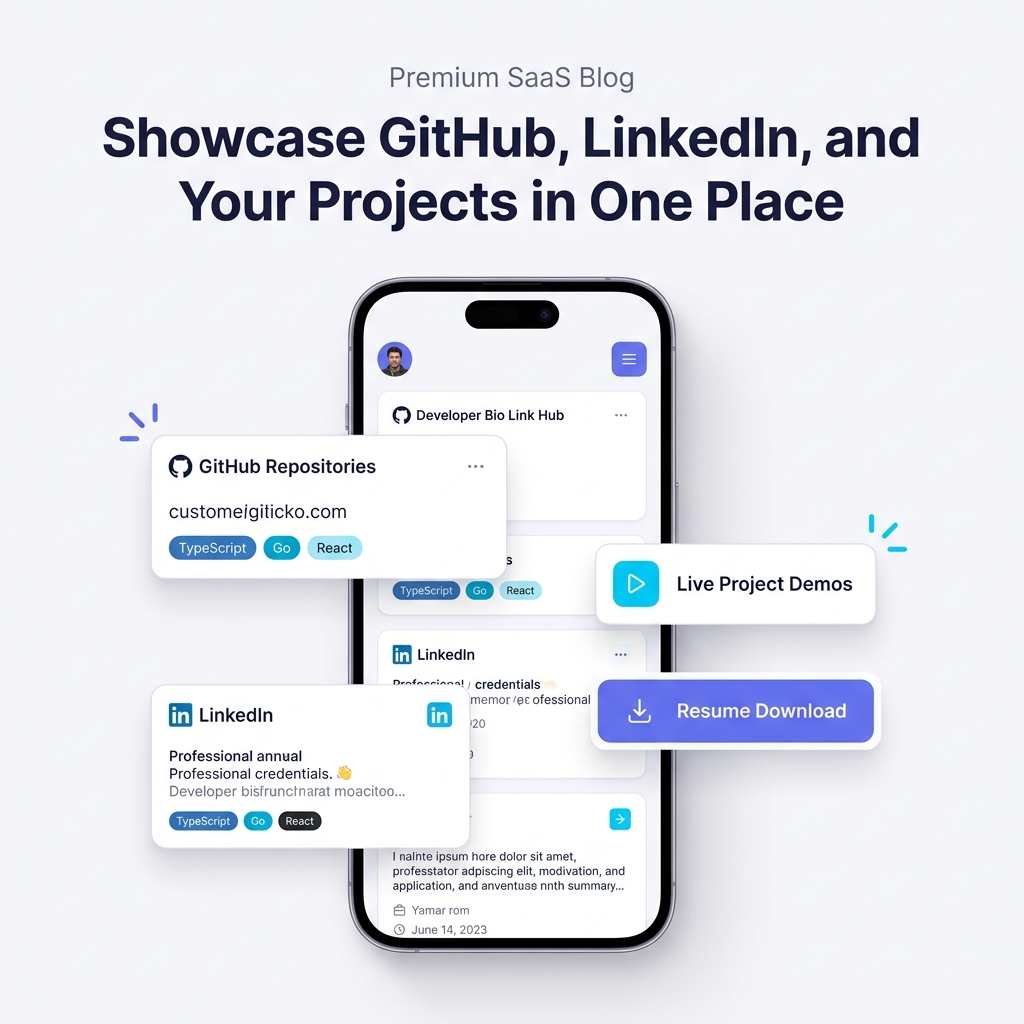
As a developer, software engineer, or tech professional in 2026, your digital identity is spread across multiple platforms.
Your code lives on GitHub, your career history and endorsements live on LinkedIn, your deployed applications run on Vercel, Fly.io, or AWS, and your PDF resume is stored in Google Drive. When tech recruiters, engineering managers, or prospective freelance clients ask to review your work, sending them four separate links creates immediate friction.
Studies show that technical recruiters spend an average of 6 to 10 seconds on an initial candidate screening. If a recruiter has to jump between browser tabs, hunt for a hidden resume download button, or wait for a slow desktop web app to render, they will move on to the next profile.
To stand out in today’s competitive hiring environment, you need to showcase your GitHub repositories, LinkedIn credentials, live project demos, and resume in one unified, recruiter-friendly place.
The Scattered Developer Footprint vs. A Unified Bio Link Hub
Why does digital footprint fragmentation hurt developers?
When you share your personal links across social media bios, job applications, cold emails, or forum profiles, visitors experience link friction. A recruiter visiting your LinkedIn profile might never find your live side projects, while a fellow engineer starring your GitHub repo might never see your professional work history or resume.
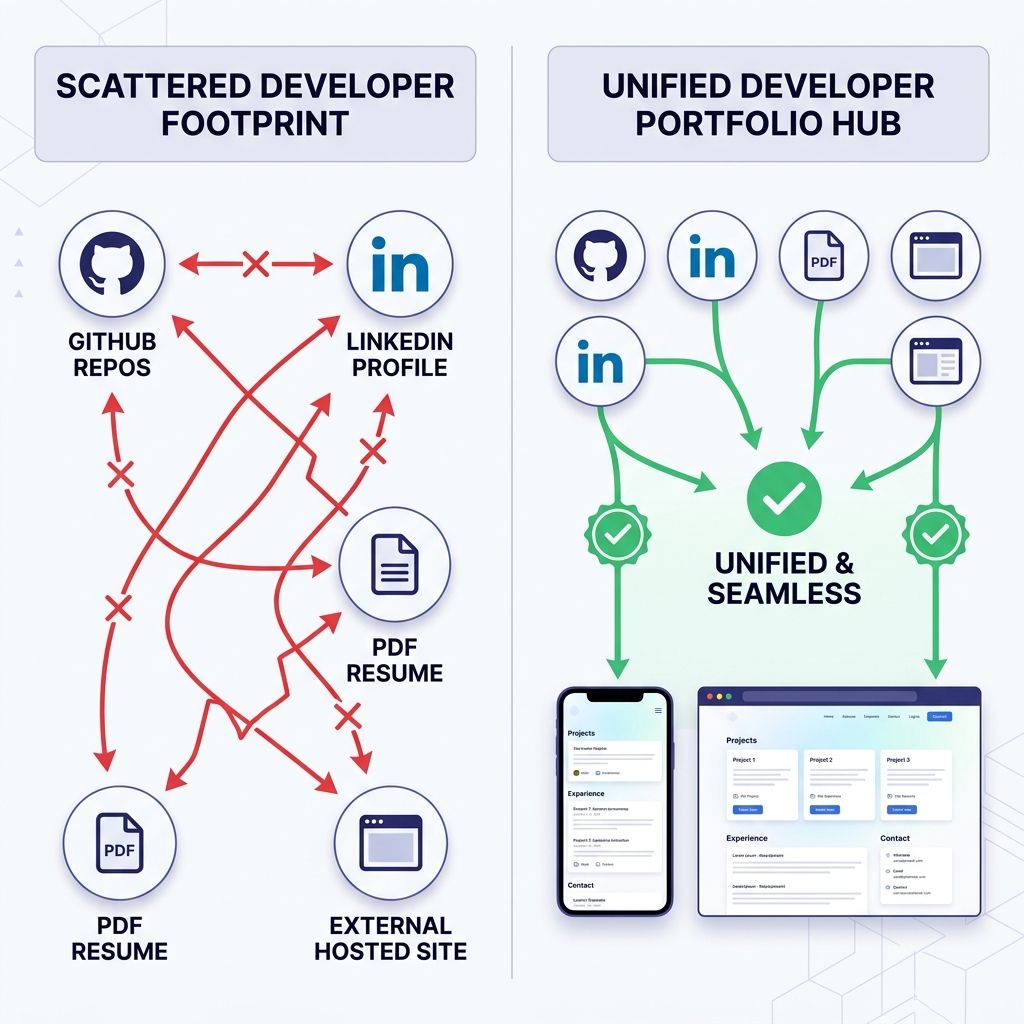
Traditional Scattered Footprint:
- ❌ Multiple Disjointed Links: Forcing recruiters to open 4+ tabs to see your GitHub, LinkedIn, resume, and blog.
- ❌ Hidden Live Demos: Storing code in GitHub without an easy 1-click link to test the live running application.
- ❌ Mobile Friction: Complex custom websites built with heavy 3D canvases that take 5+ seconds to load on mobile connections.
- ❌ Low Contrast UI: Dark mode themes with low text contrast that cause eye strain under bright office lighting.
Unified Light-Theme Developer Hub:
- ✅ Single Source of Truth: One clean URL (
yourname.onlylink.click) connecting every aspect of your professional career. - ✅ Instant Mobile Load Speed: Sub-second rendering optimized for fast recruiter screening on mobile devices and laptops.
- ✅ 1-Click Resume & GitHub Access: Direct action buttons for downloading your PDF resume, viewing GitHub repos, and contacting you via email or LinkedIn.
- ✅ Crisp Light-Theme Readability: High-contrast typography and clean white surface cards that look polished on every screen.
For a deeper look into recruiter preferences, read our guide on building a developer portfolio recruiters will love.
The 4 Core Pillars of a Unified Developer Hub
To convert profile views into interview invitations or client inquiries, structure your single-link portfolio around four fundamental pillars:
1. GitHub Repositories & Tech Stack Badges
Rather than dumping links to 30 unmaintained repositories, curate your top 2 to 4 projects. For each featured project, include clear tech stack badges (TypeScript, Go, React, PostgreSQL, Docker) so hiring teams instantly recognize your skill alignment.
- Source Code Link: Direct button to the GitHub repository.
- Live Demo Link: 1-click button to the working deployment.
- Key Metrics: Highlight quantifiable outcomes (e.g., “Optimized GraphQL query layer to reduce response times by 40%”).
2. LinkedIn Credentials & Career Highlights
Integrate your LinkedIn identity into your portfolio hub:
- Current Role & Headline: (e.g., “Senior Backend Engineer — Distributed Systems & Microservices”).
- Core Competencies: Categorized skills covering languages, frameworks, cloud architecture, and databases.
- Social Proof: Highlight recommendations, certifications, or notable open-source contributions.
3. Interactive Live Project Demos & Case Studies
Code repositories prove you can write syntax; live demos prove you can ship functional software. Embedding live previews or 1-click demo URLs directly on your bio link hub allows recruiters to interact with your work without setting up a local dev environment.
Here is an example of a high-impact project card formatted for your bio link hub:
### 🚀 DevHub — Real-Time Developer Collaboration Platform
- **Live Demo:** [devhub-demo.onlylink.click](https://onlylink.click)
- **Source Code:** [github.com/yourusername/devhub](https://github.com)
- **Tech Stack:** `TypeScript` `Next.js` `WebSockets` `PostgreSQL` `Docker`
- **The Challenge:** Existing developer whiteboarding tools suffered from 200ms+ lag.
- **Key Outcome:** Engineered a custom CRDT algorithm with WebSocket fallback that reduced latency to <30ms for 5,000+ active sessions.
4. 1-Click Resume Download & Contact Options
Place primary action buttons right at the top of your profile card:
- 📄 Download PDF Resume (Primary highlighted button)
- 💼 LinkedIn Profile
- 🐙 GitHub Profile
- ✉️ Direct Email Contact
Why Light-Theme Visuals Deliver Superior Recruiter Experience
Visual hierarchy and color contrast send a strong signal about your design awareness and attention to UX detail. While dark mode is popular in code editors, clean light-theme design is the gold standard for executive presentations and tech documentation (such as Stripe, Vercel, and Apple docs).
Benefits of Light-Theme UI for Developer Portfolios:
- WCAG AAA Contrast Compliance: Deep slate text (
#0F172A) set against clean off-white background surfaces (#FAFAFC) delivers maximum legibility. - Daylight & Mobile Usability: Recruiters review candidates on phone screens during commutes or under bright office lighting where light themes eliminate glare.
- Professional SaaS Aesthetics: Clean white cards paired with soft indigo (
#6366F1) or cyan accent buttons look modern, crisp, and high-end.
How to Build Your Unified Developer Hub in 5 Minutes with OnlyLink
Building a recruiter-optimized single link hub doesn’t require spending days configuring custom web servers or CSS frameworks. With OnlyLink.click, you can set up your unified developer page in five simple steps:
- Claim Your Developer URL: Register your unique personal link (e.g.,
dev-alex.onlylink.click). - Select a Light-Theme Template: Choose a high-contrast layout designed specifically for tech talent and engineers.
- Add Primary Action Buttons: Link your PDF resume, GitHub profile, LinkedIn account, and email address.
- Create Featured Project Cards: Add your top projects with live demo links, repository URLs, and tech stack tags.
- Add Your Link Everywhere: Put your new OnlyLink URL in your LinkedIn bio, GitHub profile, X handle, and email signature.
Related Developer & Portfolio Guides
Explore more strategies for showcasing your work online:
- Create a Developer Portfolio That Recruiters Will Love
- How Freelancers Can Showcase Their Portfolio with One Link
- Build Your Personal Brand with a Professional Bio Link
- Why Your Social Media Profile Needs More Than Just One Link
Consolidate Your Developer Identity Today
Don’t let scattered links and friction-heavy portfolio sites hold back your career. Unify your GitHub, LinkedIn, live projects, and resume into a single high-converting, light-themed bio hub with OnlyLink.click.
Ready to build your link in bio?
Create your free OnlyLink page in under a minute unlimited links, analytics and custom designs.
Get started freeKeep reading
How Wedding Photographers Can Organize Packages, Galleries, and Booking Inquiries
Learn how wedding photographers can streamline packages, curate real client galleries, and capture high-value …
How Teachers Can Create a Central Hub for Online Classes and Learning Resources
End the 20-tab link chaos. Discover how modern teachers, professors, and tutors build a high-speed, …