
QR Codes 101: Bringing Your Bio Link Offline
Your bio link lives online — but your audience does not spend every moment scrolling through their feed. They attend events, buy products off shelves, pick up flyers, and hand out business cards. QR codes are the bridge that connects your physical world to your digital hub, turning any printed surface into a gateway to your OnlyLink bio page.
In this guide, you will learn everything you need to know about QR codes: how they work, where to use them, and how to set yours up in minutes with OnlyLink.
What Is a QR Code and Why Does It Matter for Your Bio Link?
A QR (Quick Response) code is a two-dimensional barcode that any smartphone camera can instantly read — no app required. When scanned, it redirects the user to a URL. For creators, freelancers, and small businesses, that URL is your bio link page.
Think of your QR code as a physical doorbell to your digital home. Instead of asking someone to manually type a URL or search your handle, a single scan takes them directly to your full link hub: your portfolio, store, social profiles, newsletter, and more.
Why pair a QR code with your bio link?
- Zero friction: Scanning is faster than typing any URL.
- Works everywhere: Business cards, packaging, posters, menus, merch — no screen required.
- Trackable: Every scan can be tracked as a conversion event in your analytics dashboard.
- Always up-to-date: Because the QR code points to your live OnlyLink page, updating your links never requires reprinting.
How the QR Code → Bio Link Funnel Works
The workflow is simple and incredibly powerful:
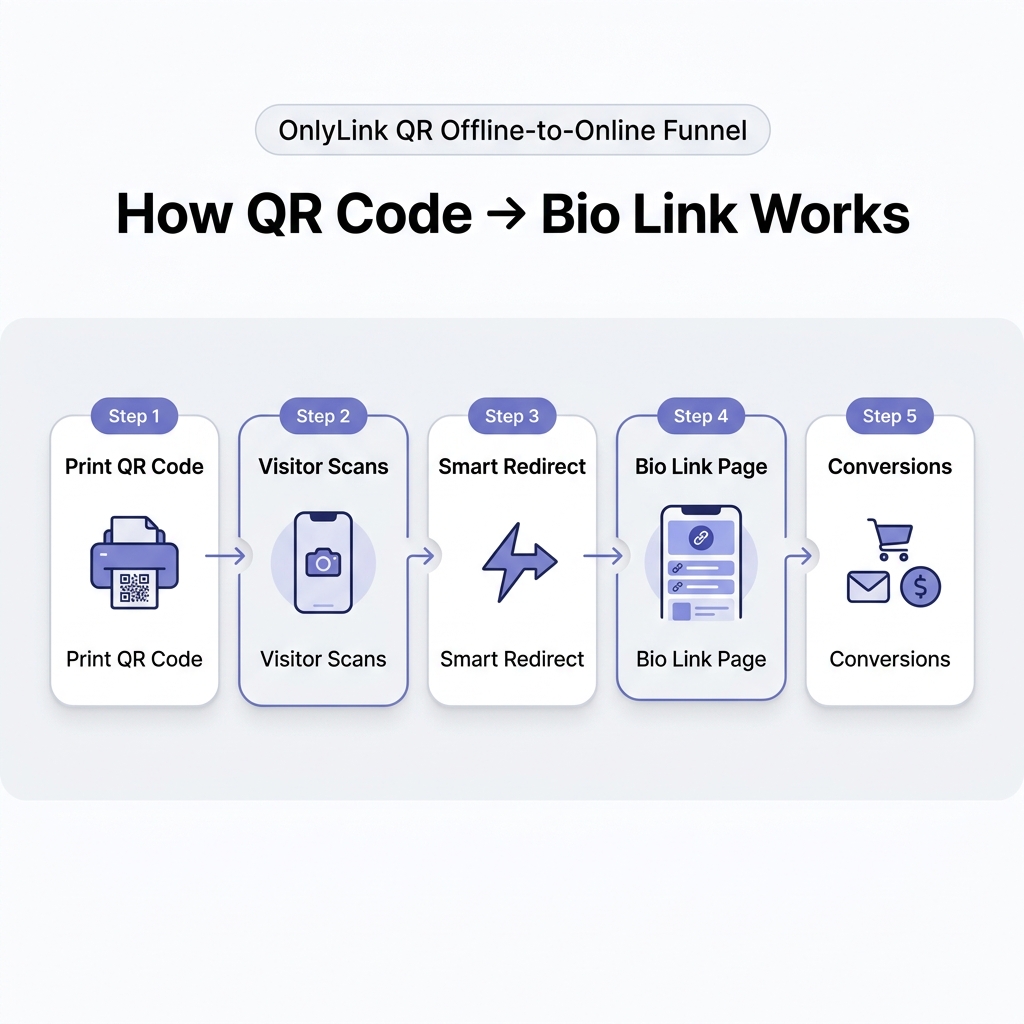
- Print your QR code — embed it on any physical material.
- Visitor scans — their smartphone camera opens the link instantly.
- Smart redirect — OnlyLink routes them to your live bio page.
- Bio link page — they see your curated hub of links, media, and offers.
- Conversions — they buy, subscribe, follow, or book — right from their phone.
This funnel works whether you are a musician handing out flyers at a concert, a small business owner printing packaging inserts, or a real estate agent leaving cards at open houses.
Where to Use Your OnlyLink QR Code
The beauty of QR codes is their versatility. Any physical surface can become a conversion point.
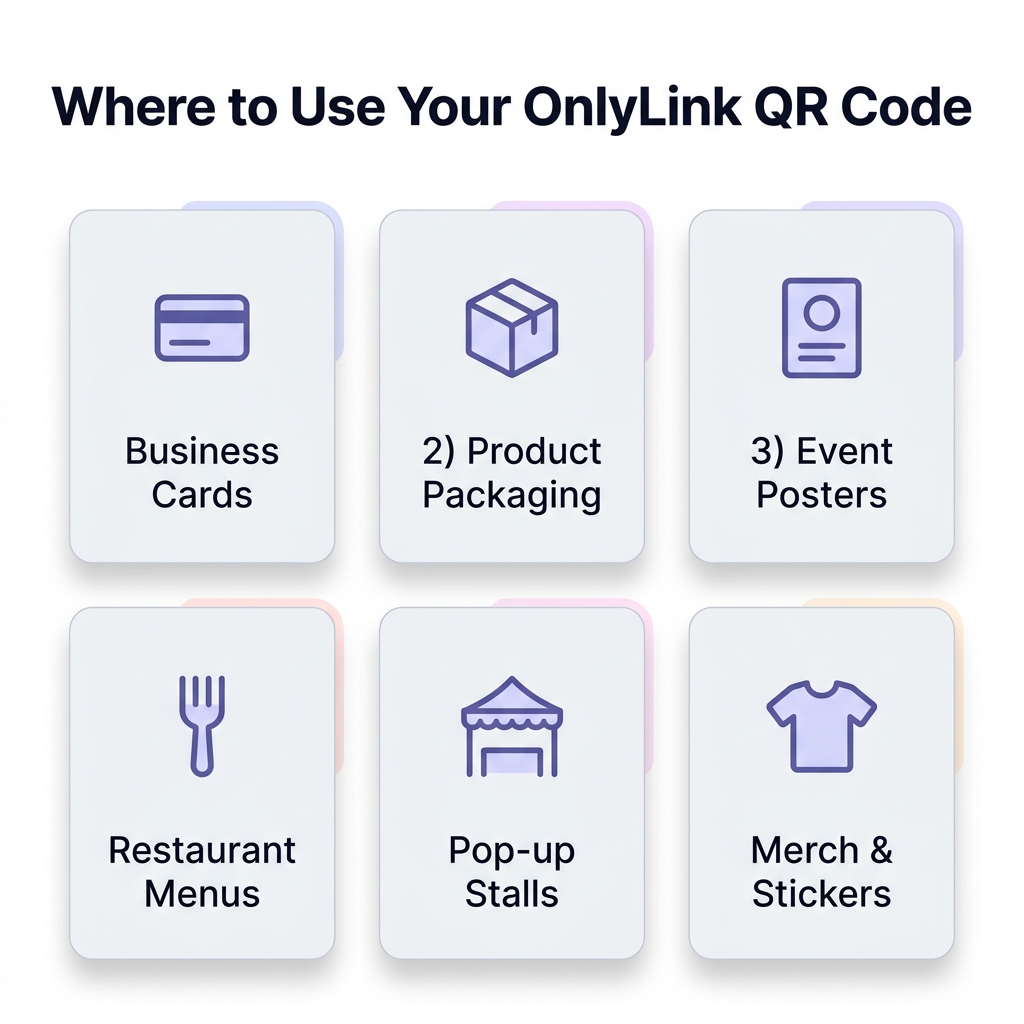
1. Business Cards
Replace a cluttered list of social handles and URLs with a single clean QR code. Prospects scan it and land on your professional hub, which houses everything: your portfolio, contact form, and booking link.
Pro tip: Add a one-liner beneath the QR code — “Scan to see my work” — to remove any hesitation.
2. Product Packaging
If you sell physical products — candles, supplements, skincare, handmade goods — a QR code on your packaging is one of the most underutilized marketing tools available. Direct buyers to:
- Your full product range.
- A loyalty program signup.
- A video tutorial or recipe.
- Your review or feedback form.
3. Event Posters & Flyers
Whether you are promoting a workshop, a gig, or a pop-up, a QR code on your poster lets passersby immediately access event details, tickets, and your social profiles without needing to write down a thing.
4. Restaurant & Café Menus
If you are a food creator, chef, or hospitality business, adding a QR code to your table tent or printed menu can route diners to:
- Your recipe blog or cooking tutorials.
- Reservation or delivery links.
- Your social channels and latest content.
5. Pop-up Stalls & Markets
At a pop-up market or trade fair, you cannot hand a device to every visitor. A printed QR code on your stall banner or table sign works around the clock, pointing every passerby to your bio page where they can explore your full catalogue and place orders later.
6. Merch & Stickers
Branded merchandise with embedded QR codes acts as walking advertising. A tote bag, sticker pack, or T-shirt featuring your QR code means every person who sees that merch in public becomes a potential new follower.
QR Code Best Practices: What Makes a Great QR Code?
Not all QR codes are equally effective in the wild. Follow these guidelines to maximize scan rates.
Size Matters
A QR code must be at least 2 cm × 2 cm to be reliably scanned from a normal reading distance. For large-format posters, scale it up accordingly — aim for at least 5% of the overall design width.
Contrast Is Non-Negotiable
Your QR code must have strong contrast between the dark modules and the light background. Stick to dark code on white or very light backgrounds. Avoid placing QR codes on busy photographic backgrounds or low-contrast color combinations.
Always Include a Call to Action
A QR code with no context gets ignored. Always pair it with a short, action-oriented label:
- “Scan to visit my shop”
- “Scan to book a free call”
- “Scan to get 20% off”
Test Before You Print
Scan your QR code on multiple devices — iOS and Android — before committing to a print run. Confirm that the redirect reaches your live bio page quickly. OnlyLink’s sub-second page load speed ensures visitors land on your hub before they change their mind.
Use Error Correction
QR codes support error correction levels (L, M, Q, H). Opt for Level M or Q for print materials where the code may get worn, bent, or partially obscured. This means the code remains scannable even if up to 30% of it is damaged.
Comparison: Static URL vs. QR Code + Smart Bio Link
| Feature | Printed Static URL | QR Code + OnlyLink Bio Page |
|---|---|---|
| Ease of Access | Must type manually | One-tap scan, instant redirect |
| Update Flexibility | Requires reprinting | Update links anytime without reprinting |
| Analytics | None | Full scan tracking & conversion data |
| Content Richness | Text URL only | Full hub: video, links, social, store |
| First Impression | Forgettable | Professional, branded, memorable |
| Conversion Rate | Low | Significantly higher |
How to Generate Your QR Code with OnlyLink
Getting your bio link QR code through OnlyLink is built directly into the platform — no third-party generator needed.
- Sign up or log in at OnlyLink.click.
- Customize your bio page — add your links, profile photo, social icons, and brand colors.
- Open your QR Code settings in the dashboard — OnlyLink automatically generates a high-resolution vector QR code tied to your profile URL.
- Download your QR code in SVG or PNG format for crisp, print-ready quality at any size.
- Embed it anywhere — drop it into Canva, Adobe Illustrator, or hand it to your print shop.
Your QR code will always point to your live OnlyLink page, meaning every future update to your bio links is immediately reflected — with zero reprinting required.
Real-World QR Code Success Stories
The Musician at the Merch Table
Jake, an indie musician, added his OnlyLink QR code to every piece of merch at his shows. Fans who bought a T-shirt could scan the tag to instantly follow all his social profiles, stream his latest album, and pre-order his next show tickets. After three months, his Spotify monthly listeners doubled — driven almost entirely by offline scans.
The Freelance Photographer
Maria placed her QR code on the back of her print business cards and handed them out at weddings and corporate events. Instead of a plain website URL, every scan took potential clients to her full OnlyLink hub: portfolio gallery, package pricing, testimonials, and an instant booking link. Her inquiry rate increased by over 40%.
The Small Café
A local café placed table tents with QR codes on every table. Scanning directed diners to the café’s OnlyLink page featuring the weekly specials video, a loyalty card signup, and links to their Instagram and Google Reviews page. Within a month, their Google review count tripled.
Frequently Asked Questions About QR Codes & Bio Links
Do I need a special app to scan a QR code? No. All modern iOS and Android devices can scan QR codes natively with the built-in camera app. No third-party app is required.
What if I update my bio links after printing? That is the power of a smart bio link. Your QR code points to your OnlyLink URL, and your links are managed from the dashboard. Change what visitors see at any time — no reprinting needed.
Can I track who scans my QR code? Yes. OnlyLink provides real-time analytics, so you can see traffic spikes correlated with offline campaigns, events, or product launches.
How small can a QR code be and still work? Generally, 2 cm × 2 cm is the minimum for reliable scanning from a normal distance. For print materials read from further away, scale accordingly.
Should my QR code match my brand colors? Branded QR codes (using brand colors for the modules) are possible but require careful implementation to maintain sufficient contrast and scannability. Always test on multiple devices before print.
Conclusion: Take Your Bio Link Beyond the Screen
Your online bio link is one of your most powerful digital assets — but it does not have to stay digital. With a QR code generated through OnlyLink, every printed surface you touch becomes a channel to your full link hub: your store, social profiles, newsletter, booking page, and more.
In a world where attention is fragmented across online and offline spaces, QR codes give you a seamless way to capture intent exactly when and where it happens.
Ready to put your bio link everywhere? Create your free OnlyLink page and download your QR code today — and start bridging the gap between your offline world and your digital brand.
Ready to build your link in bio?
Create your free OnlyLink page in under a minute unlimited links, analytics and custom designs.
Get started freeKeep reading
Glassmorphism, Gradients, and Wallpapers: Bio Page Design Trends for 2026
Explore the top bio page design trends dominating 2026 — glassmorphism effects, gradient color palettes, and …
How to Design a Bio Page That Matches Your Personal Brand
Master the art of bio link design. Learn how to craft a light-theme personal brand design system, harmonize …