Mistakes That Are Costing You Bio Link Clicks (And How to Fix Them)
You spend hours scripting engaging short-form video content, designing high-converting graphics, writing compelling captions, and building a loyal social media community. Yet, when casual scrollers land on your profile and tap your bio link, what happens next?
For the vast majority of creators, freelancers, e-commerce stores, and digital brands, this is where the traffic leakage happens.
Your bio link is the single most valuable digital bridge between social media platforms (Instagram, TikTok, YouTube, X, and LinkedIn) and your owned digital business—your e-commerce shop, newsletter, portfolio, podcast, or booking platform.
However, simple setup errors, poor visual hierarchy, slow load speeds, and confusing button choices can quietly drain your Click-Through Rate (CTR) by up to 70%.
If you are getting high profile impressions but frustratingly low website visits, sales, or lead signups, your page might be committing these critical errors. Here are the top mistakes that are costing you bio link clicks—and exactly how to fix them today.
1. The Hick’s Law Trap: Choice Overload & Decision Paralysis
The Mistake
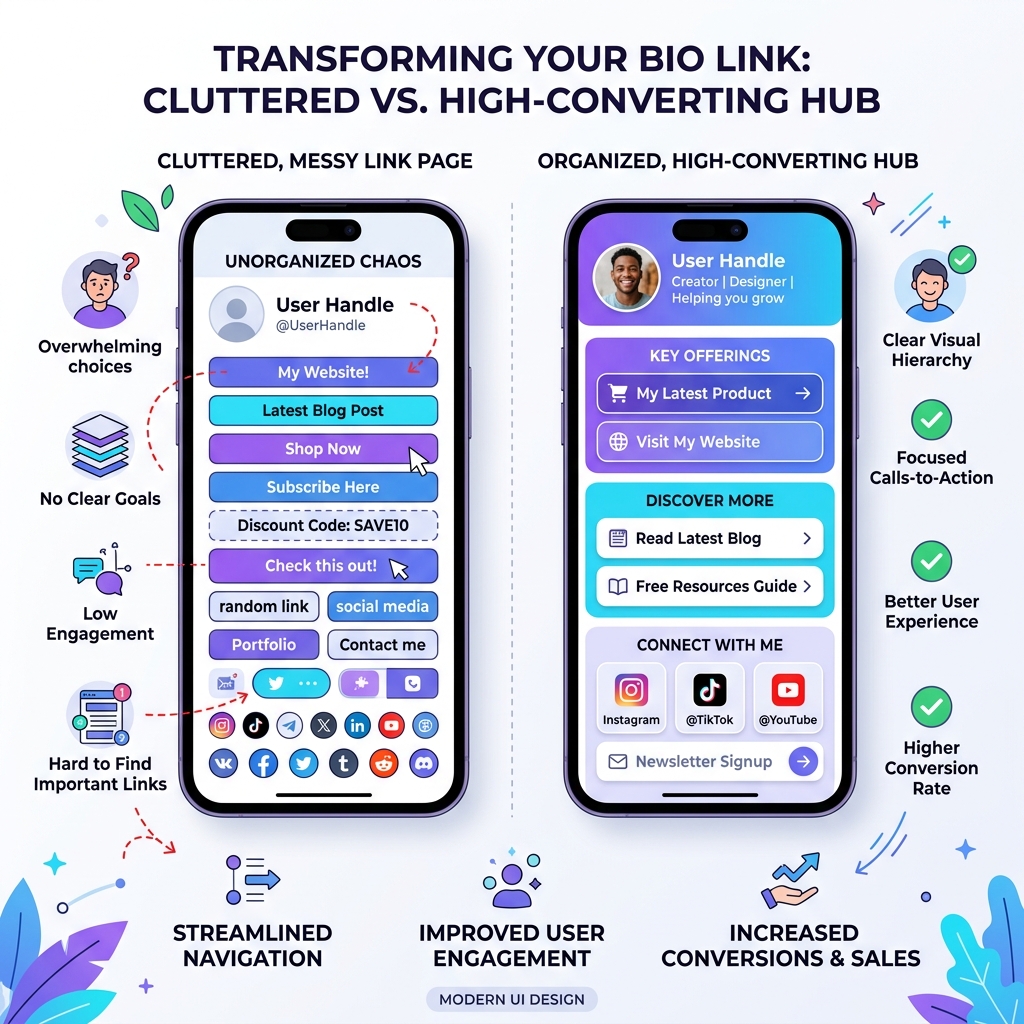
Piling 20 to 30 unorganized, identical link buttons onto your page, expecting visitors to scroll through a never-ending wall of URLs.
In behavioral psychology, Hick’s Law dictates that the time required to make a decision increases logarithmically with the number and complexity of choices. When mobile scrollers tap your bio link and encounter an endless list of unprioritized options, cognitive overload sets in. Facing too many decisions, the easiest action for the user is to tap the back button without clicking anything.
The Fix
- Adhere to the Rule of 5 to 7: Keep your active top-level primary links limited to 5–7 high-priority actions.
- Utilize Collapsible Collections: Group secondary resources (such as past podcast episodes, archived portfolio pieces, or affiliate codes) into organized dropdown collections or sub-folders.
- Establish a Singular Hero Goal: Place your #1 primary campaign (e.g., your new course launch, free lead magnet, or featured product drop) at the very top with distinct visual highlighting.
2. Passive, Vague Call-to-Actions (CTAs) That Fail to Spark Curiosity
The Mistake
Labeling your bio buttons with passive single-word nouns such as “Website”, “Store”, “Podcast”, or “Latest Video”.
Visitors do not click on links simply because they exist; they click because of what value or outcome awaits them on the other side. Passive labels force the user to guess what they will find, drastically dropping user intent.
The Fix
Transform your button microcopy into specific, benefit-driven action triggers that tell visitors exactly what they will gain:
| Passive & Weak CTA (Low CTR) | Actionable & High-Converting CTA (High CTR) |
|---|---|
| ❌ Newsletter | ✅ Get My Free 5-Min Weekly Creator Growth Tips 📩 |
| ❌ Shop My Store | ✅ Shop 30% Off New Summer Apparel Collection 🛍️ |
| ❌ YouTube Channel | ✅ Watch: How I Built a 6-Figure Studio (Full Tour) 📹 |
| ❌ My Podcast | ✅ Listen to Ep. 42: How to Scale Social Traffic Fast 🎙️ |
| ❌ Book Me | ✅ Schedule Your 15-Min Free Brand Strategy Call 🗓️ |
Clear, value-first copy removes friction and gives visitors an immediate reason to tap.
3. Ignoring Mobile Load Speed & High-Latency Page Builds
The Mistake
Using heavy legacy bio page tools or uploading uncompressed 15MB 4K background images, heavy animated GIFs, and redundant third-party tracking scripts that cause slow render times on mobile cellular connections.
Over 88% of your bio link traffic originates from in-app browsers on smartphones (within the Instagram, TikTok, or X mobile apps). In-app mobile webviews operate with stricter memory constraints and variable network conditions.
Google’s benchmark data shows that as mobile page load time increases from 1 second to 3 seconds, the probability of a bounce increases by 32%. If your bio link takes 4 seconds to load over 4G, nearly half your prospective clicks vanish before the page renders.
Mobile Load Time vs. Bounce Rate Impact:
[0.5s - 1.0s] 🟢 Optimal Performance (< 5% Bounce Rate)
[1.0s - 2.5s] 🟡 Moderate Drop-Off  (15% - 25% Bounce Rate)
[3.0s - 5.0s] 🔴 Severe Traffic Loss (40% - 70% Bounce Rate)
The Fix
- Use modern, lightweight bio link platforms like OnlyLink that deliver sub-second global page loads and dynamic WebP image optimization.
- Test your live bio link on a mobile device disconnected from Wi-Fi (using 4G/5G data) to evaluate real-world speed.
- Avoid uncompressed background media; opt for clean CSS gradients, solid dark/light themes, or responsive, light assets.
4. Forcing Redirection Off-Platform (Missing Rich Media Embeds)
The Mistake
Requiring users to leave your bio page and open external apps or tabs just to sample a 30-second song preview, view a video trailer, or inspect a shoppable product catalog.
Every time a user is redirected away from your profile, bounce risks compound. If a user is forced into a YouTube app launch or browser tab swap just to listen to audio, they are unlikely to return to your bio hub.
The Fix
Leverage rich media embeds directly on your bio link hub:
- Audio & Music: Embed playable Spotify or Apple Music tracks right on the page so fans can listen instantly without interrupting their browsing flow.
- Video Teasers: Embed YouTube Shorts, Vimeo previews, or video reels directly into custom video cards.
- Shoppable Product Cards: Display digital products, courses, or physical merchandise with inline preview cards and direct checkout triggers.
Keeping interaction inline preserves visitor attention and dramatically increases overall click depth across your links.
5. Uniform Button Styling & Zero Visual Hierarchy
The Mistake
Making every button on your page identical in color, size, typography, and shape.
When every element looks identical, nothing stands out. The visitor’s eye wanders aimlessly, creating visual fatigue and reducing the probability of clicking your primary call-to-action.
The Fix
- Create a Visual Focal Point: Use prominent accent colors, outline borders, or subtle animation effects (such as a soft pulse) on your top-priority CTA button.
- Vary Button Styles: Use full-width solid background buttons for main offers, outline buttons for secondary resources, and icon-only links for social profiles.
- Maintain On-Brand Aesthetics: Customize your typography, dark/light theme options, and custom brand colors so your bio hub looks like an extension of your primary website rather than a generic third-party template.
6. “Set It and Forget It” — Outdated Offers & Broken 404 Links
The Mistake
Leaving links active for seasonal sales that expired months ago, webinars that already ended, or dead links pointing to deleted landing pages.
Nothing destroys audience trust faster than clicking a promising link only to land on a 404 Not Found error page or an expired promo code. Scrollers who encounter broken links rarely give your profile a second chance.
The Fix
- Schedule Your Links: Use link scheduling tools to automatically activate new launches at exact drop times and auto-deactivate expired promos.
- Perform Monthly Hygiene Audits: Tap every link on your profile at least once a month to ensure URLs are alive, redirects are intact, and landing page content is fresh.
- Set Up Dynamic Fallbacks: Use smart bio link rules to route traffic automatically based on active campaigns.
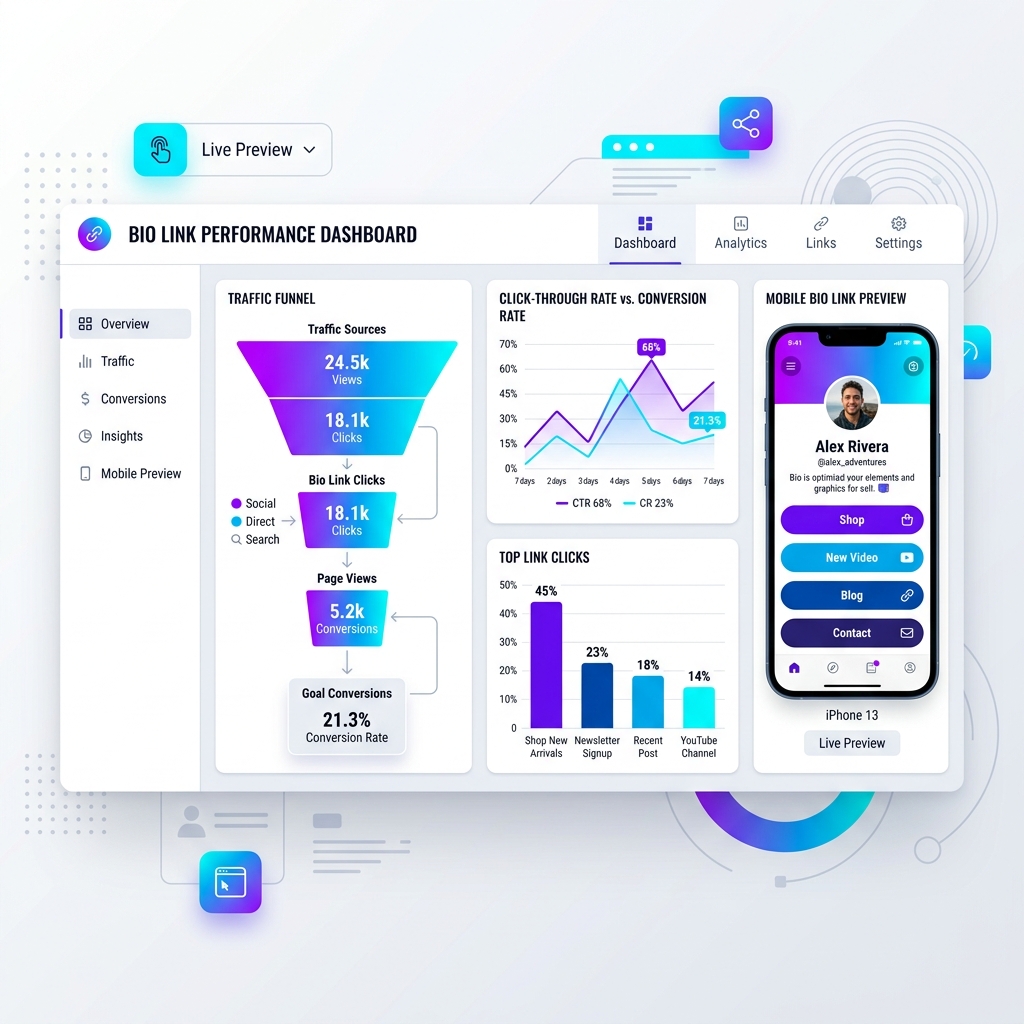
7. Flying Blind Without First-Party Traffic & Conversion Analytics
The Mistake
Relying strictly on basic total click counters without knowing where traffic originated (Instagram Reel vs YouTube Short vs LinkedIn article) or which specific content pieces drove high-intent conversions.
Without attribution data, you cannot optimize your content strategy or know which social channel produces your highest customer lifetime value.
The Fix
- Track Traffic Referral Sources: Monitor detailed breakdown metrics showing profile clicks categorized by operating system, geographic region, referring social app, and device type.
- Implement UTM Parameters: Add standard UTM tags (e.g.,
?utm_source=instagram&utm_medium=bio&utm_campaign=summer_sale) to track visitor behavior inside your Google Analytics or Shopify store dashboard. - Integrate Retargeting Pixels: Connect Meta Pixel, Google Tag Manager, or TikTok Pixel to build custom re-targeting audiences from everyone who visits your bio link.
The 5-Minute Bio Link Optimization Checklist
Before publishing your next social post or launching your next campaign, run through this quick audit checklist:
- Are there fewer than 8 primary buttons on the main screen?
- Is your #1 conversion goal placed at the very top with distinct visual contrast?
- Do all CTAs clearly state the benefit/outcome rather than generic nouns?
- Does the page load in under 1 second on mobile cellular data?
- Are secondary resources grouped into organized collections/folders?
- Are rich audio, video, or product embeds used to keep users engaged inline?
- Are all links verified and free of 404 errors?
- Is pixel tracking and UTM analytics configured to measure real ROI?
Fix Your Bio Link Leaks with OnlyLink
Fixing these bio link mistakes doesn’t require a web developer or hours of custom coding.
With OnlyLink, you can transform your social bio link into a high-converting, lightning-fast digital hub in minutes:
- ⚡ Blazing Fast Performance: Global edge delivery ensures sub-second mobile page loads.
- 🎨 Custom Brand Aesthetics: Complete freedom over light/dark themes, fonts, colors, and custom subdomains.
- 🎵 Rich Interactive Embeds: Show shoppable product cards, playable music, and video shorts natively.
- 📁 Smart Link Folders & Scheduling: Organize dozens of links seamlessly with auto-start and auto-expire dates.
- 📊 Real-Time Traffic Intelligence: Detailed attribution analytics and seamless retargeting pixel integrations.
Stop losing valuable social media traffic. Claim your free OnlyLink handle today and turn casual scrollers into loyal customers.
Ready to build your link in bio?
Create your free OnlyLink page in under a minute unlimited links, analytics and custom designs.
Get started freeKeep reading
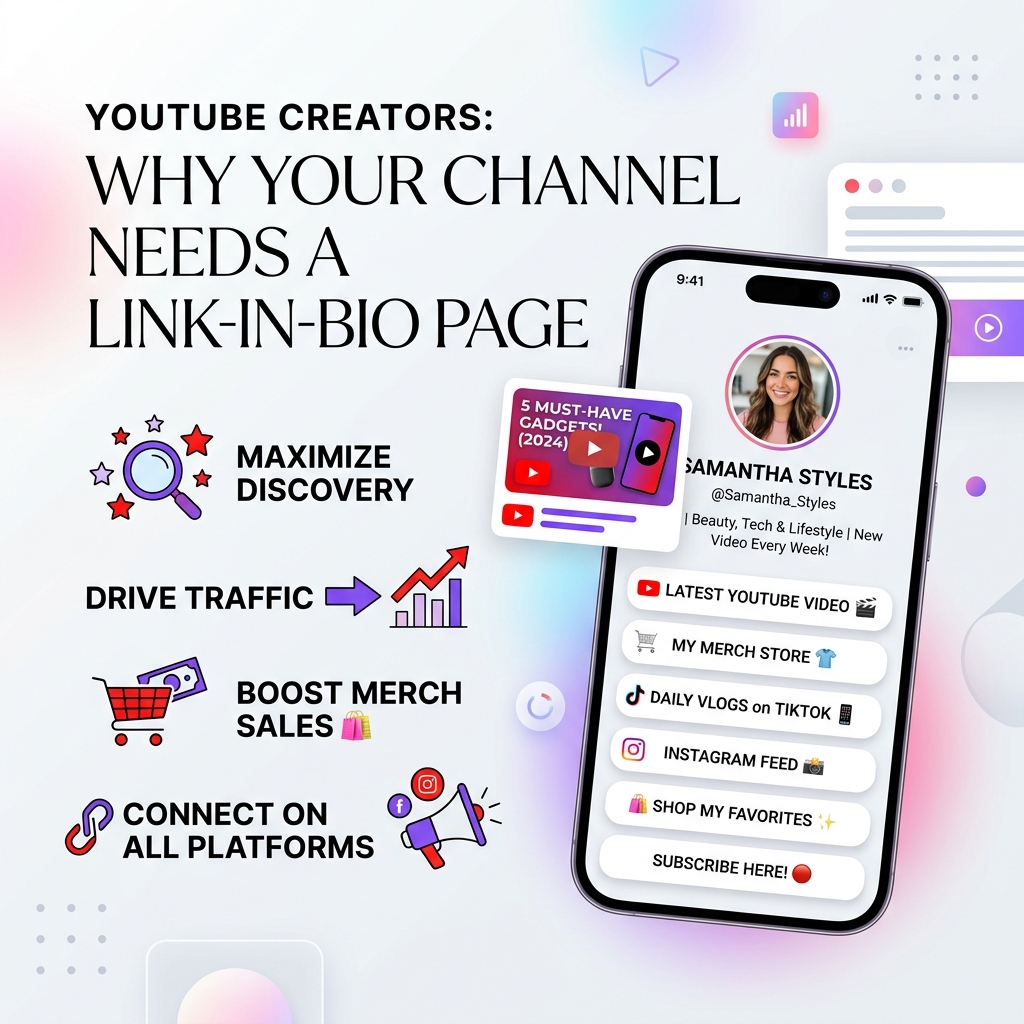
YouTube Creators: Why Your Channel Needs a Link-in-Bio Page
Discover why YouTube creators need a centralized light-theme link-in-bio page to convert video viewers into …
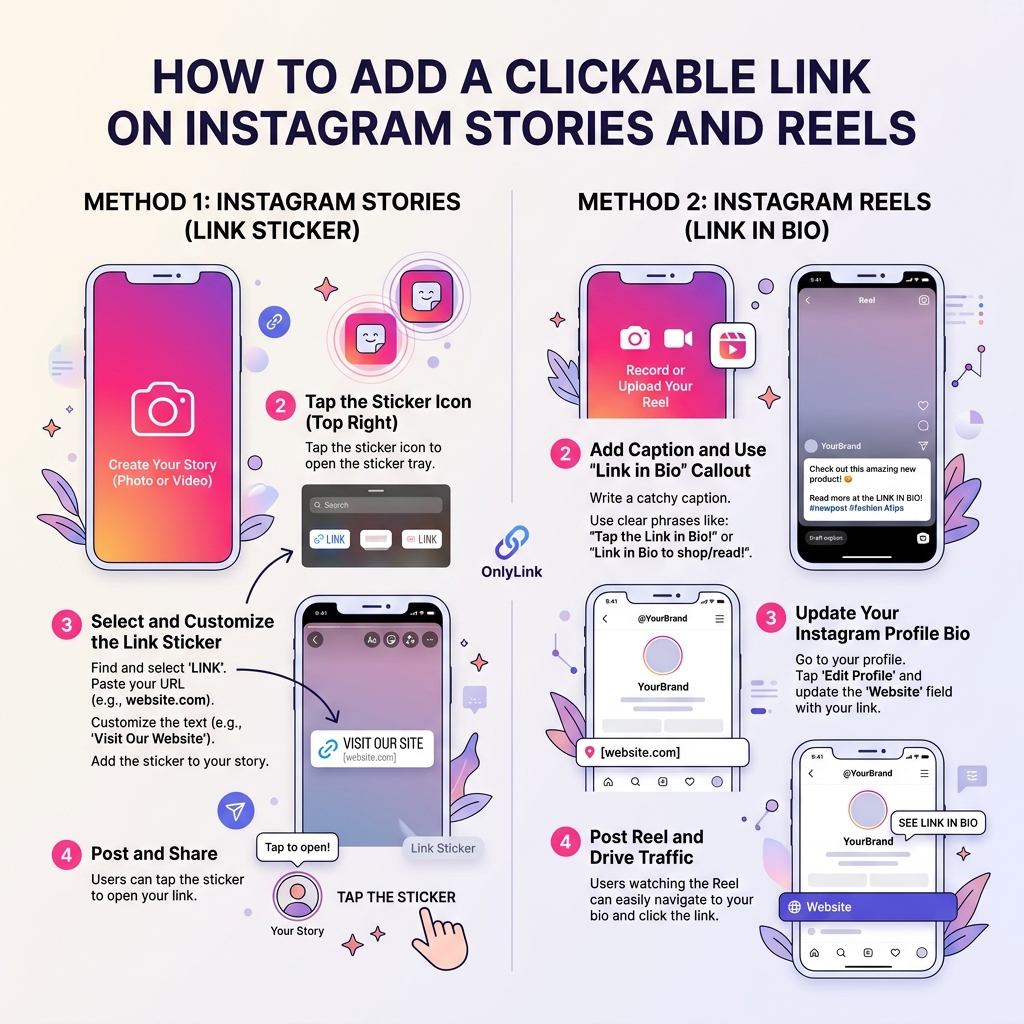
How to Add a Clickable Link on Instagram Stories and Reels
Master the step-by-step guide to adding clickable links on Instagram Stories and Reels. Learn how to convert …