Link-in-Bio Setup Guide for Musicians and Bands
In 2026, music discovery happens faster than ever before. A viral 15-second sound snippet on TikTok, an Instagram Reel featuring a live session, or a featured playlist placement on Spotify can introduce your music to hundreds of thousands of new listeners overnight.
However, veteran music marketers and independent artists know a fundamental reality: streaming plays and viral video views are vanity metrics unless you turn casual listeners into dedicated, owned fans.
When a fan hears your new single on social media and clicks through to your bio, you have only a few seconds to capture their interest. Yet, many bands and solo artists send listeners to a single DSP link, an outdated website, or a chaotic wall of text links that leads to massive drop-offs.
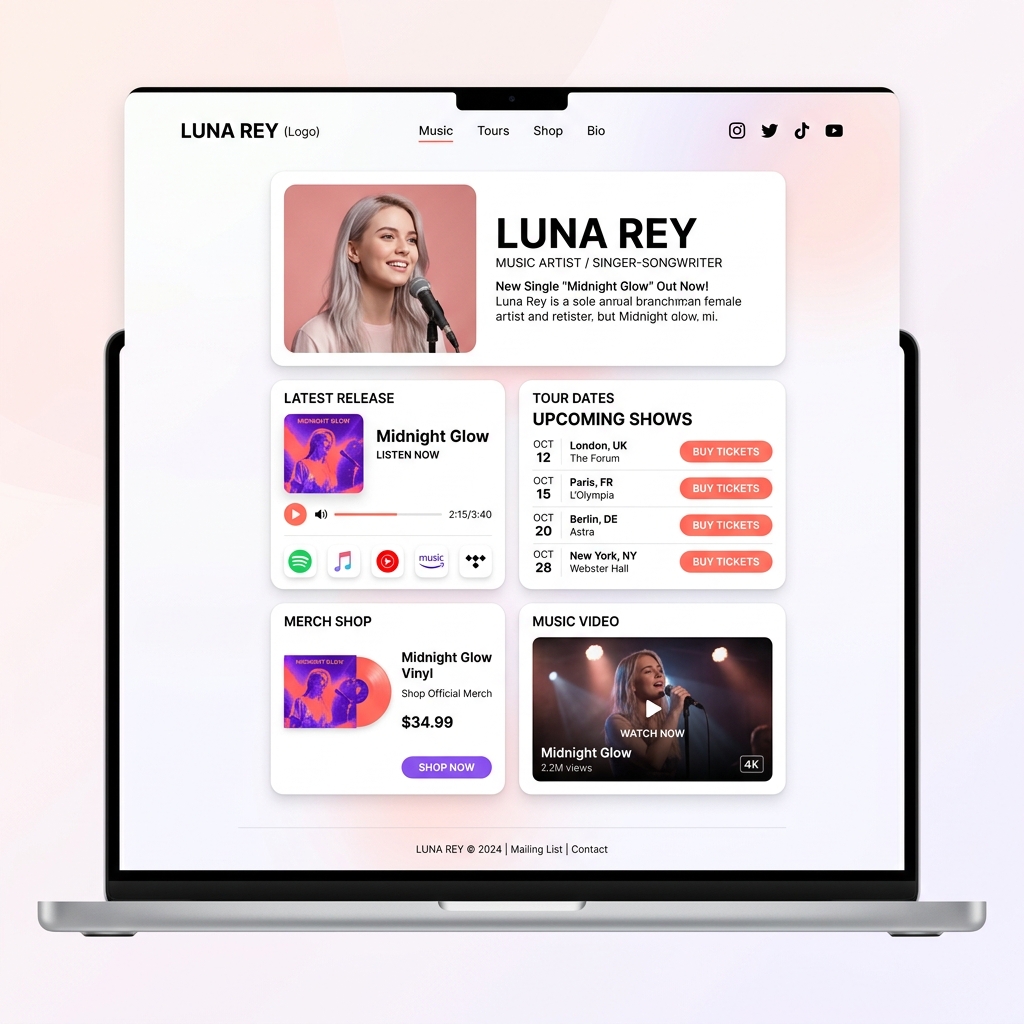
Independent musicians and touring bands are elevating their music releases with sleek, high-converting light-themed link-in-bio landing pages. By unifying your new release smart-links, tour dates, merch storefront, music videos, and fan club sign-ups under one bright, elegant bio hub, you maximize fan engagement and long-term artist revenue.
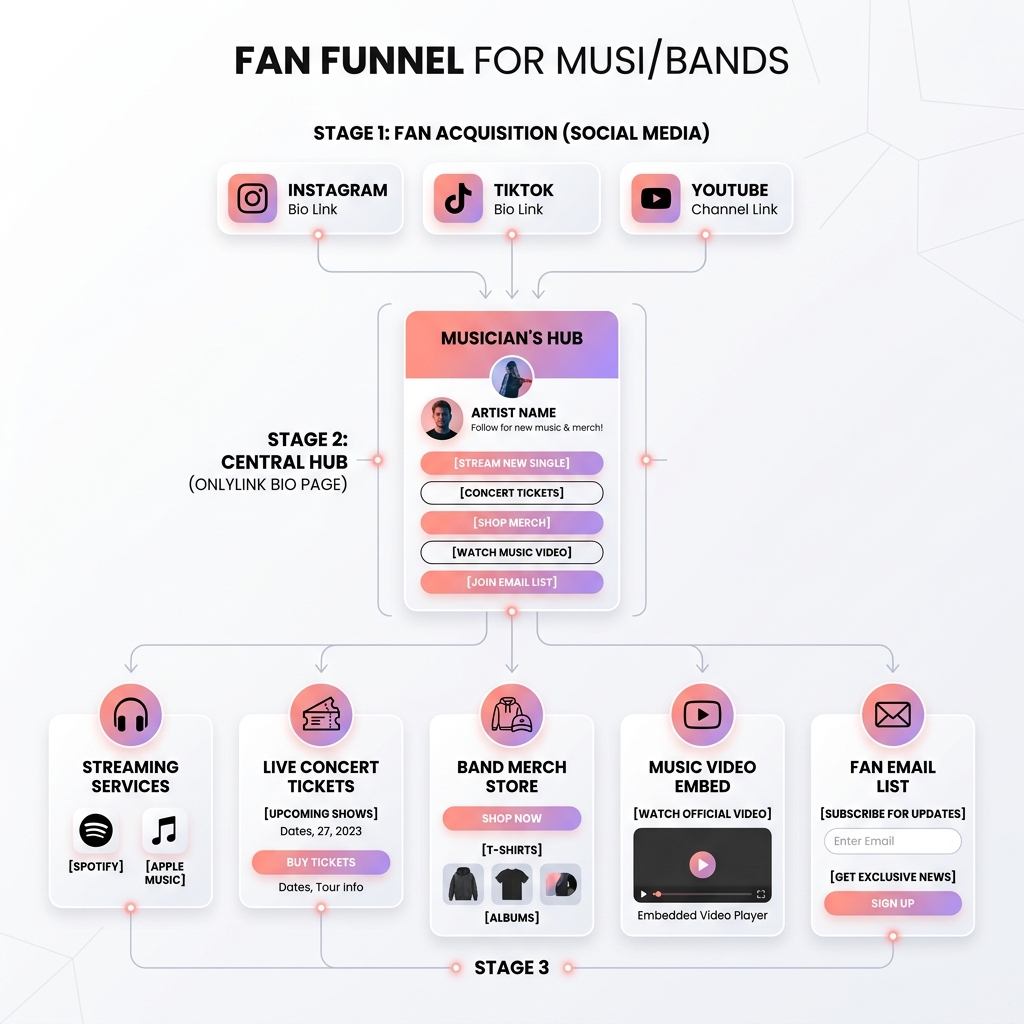
In this comprehensive guide, we will break down the essential strategy for music bio links, why light-theme visual design makes album artwork pop, and how to build your custom artist hub using OnlyLink.
The Fan Drop-Off Problem in Modern Music Marketing
While platforms like TikTok, Instagram, and YouTube provide incredible viral reach, their platform interfaces present several hurdles when trying to convert listeners into loyal supporters:
1. DSP Streaming Fragmentation (Spotify vs. Apple Music vs. YouTube Music)
Music fans use different Digital Service Providers (DSPs). If you post a raw Spotify link in your bio, fans who use Apple Music, Tidal, or Amazon Music experience friction and bounce. An effective bio link must serve as an intelligent smart-link hub where fans select their preferred streaming platform with a single tap.
2. The Pre-Save & Release Week Conversion Window
Pre-saves on Spotify and Apple Music are critical for triggering algorithmic playlisting on release day. Sending fans to generic landing pages during a pre-release campaign wastes valuable promotional momentum. Your bio link must prominently feature your single or album pre-save call-to-action (CTA).
3. Buried Concert Tickets & Lost Tour Revenues
Live touring and ticket sales represent the primary income source for indie bands. When concert dates are hidden deep inside external ticketing sites or buried in social captions, fans miss local show announcements in their city.
4. Algorithmic Walled Gardens & Social Reach Drops
Relying solely on social media algorithms means only 5% to 10% of your followers see your release announcements. Building an owned fan email list and SMS fan club via your bio hub ensures you can contact your core fanbase directly whenever you drop new music or announce a tour.
Why Light-Theme Aesthetics Elevate Music Artist Branding
Visual presentation directly influences fan perception and click-through rates (CTR). While dark mode is common in nightlife culture, conversion data demonstrates that bright, light-themed bio landing pages deliver superior engagement and readability.
1. Makes Vibrant Album Artwork & Press Shots Pop
Modern album covers, single artwork, and artist photography feature rich colors and intricate details. A clean light-theme canvas (#FFFFFF background with soft pastel accents and slate typography) acts like an art gallery matting, allowing your high-resolution cover art and music video thumbnails to jump off the screen.
2. Instant Pattern Interrupt from Dark Social Feeds
Most music fans scroll Instagram, TikTok, and Twitter in dark mode or dark video backgrounds. Landing on a bright, beautifully structured light-mode bio page creates an inviting, premium visual transition that focuses attention directly on your music player and ticket buttons.
3. Unmatched Legibility at Outdoor Festivals & Venues
Fans at live shows or outdoor music festivals frequently tap bio links on mobile devices in bright sunlight. Dark theme landing pages suffer from heavy screen glare. Light-theme bio pages maintain exceptional contrast and readability under daylight, ensuring fans can effortlessly buy merch or view tour dates.
6 Strategic Pillars of a High-Converting Musician Bio Hub
A high-converting bio hub on OnlyLink unifies your music release campaigns, live touring, and e-commerce into a single digital storefront:
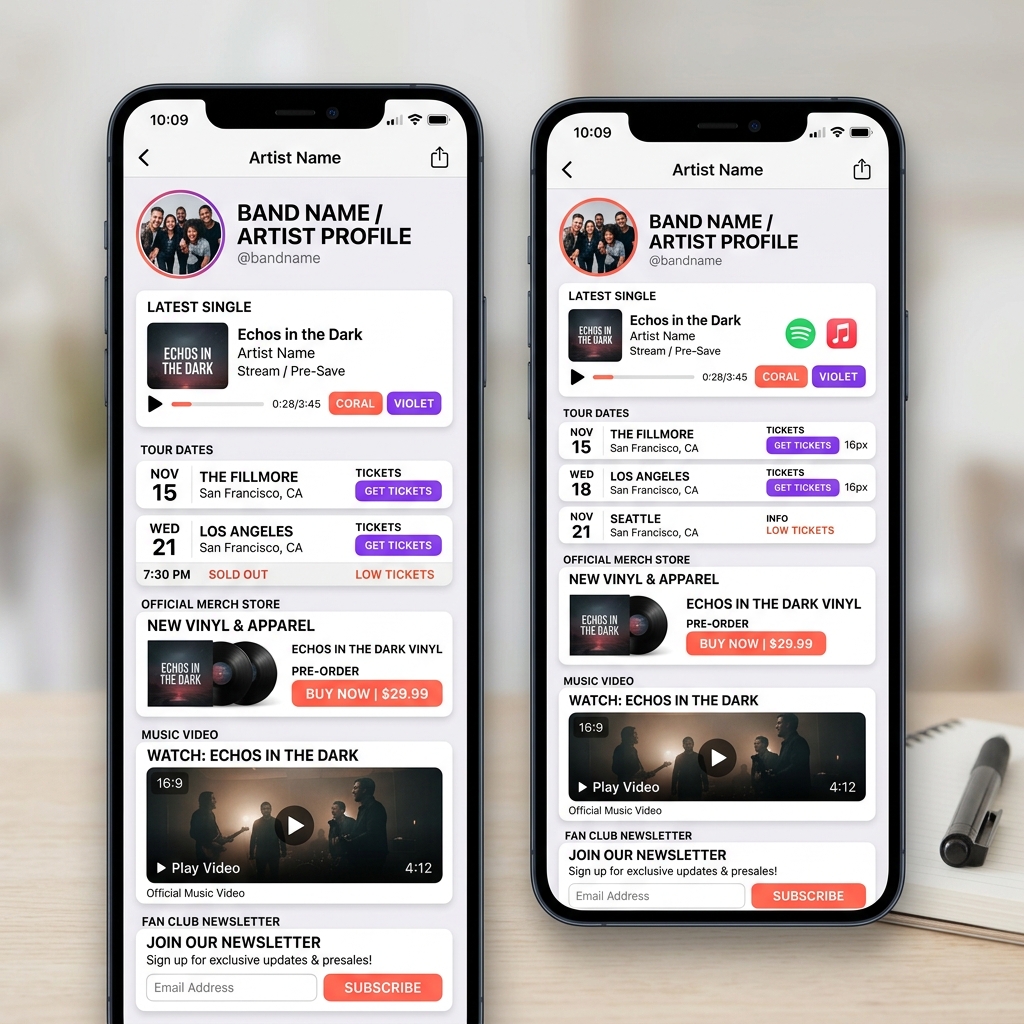
1. Smart-Link Release Hub & DSP Streaming Buttons
Make your new single or album instantly accessible! Feature a prominent smart-link section at the top of your page displaying high-res cover art alongside 1-tap buttons for:
- 🟢 Spotify
- 🍎 Apple Music
- ▶️ YouTube Music
- 🟣 Deezer / Tidal / Amazon Music
- 💾 Pre-Save Single CTA (during pre-release campaigns)
2. Interactive Tour Dates & Ticket Booking Cards
Drive live concert attendance! Display clean, chronological tour cards highlighting show dates, cities, venues, and ticket availability:
- Oct 12 | London, UK — The Forum [BUY TICKETS]
- Oct 15 | Paris, FR — L’Olympia [LOW TICKETS]
- Oct 20 | New York, NY — Webster Hall [SOLD OUT]
3. Band Merch Storefront & Physical Release Showcase
Monetize your fanbase directly! Highlight official physical merchandise with clean visual cards:
- 💿 Vinyl Records & CDs: Limited edition vinyl pre-orders with direct checkout.
- 👕 Official Band Apparel: Hoodies, t-shirts, tote bags, and enamel pins.
- 📦 Digital Downloads & Stems: Exclusive acoustic tracks, instrumentals, or sample packs.
4. High-Impact Embedded Music Video Player
Showcase your visual identity! Embed your latest official music video, live acoustic session, or behind-the-scenes documentary using OnlyLink’s responsive video player so fans can watch without leaving your page.
5. Fan Club & Tour Presale Email List Capture
Own your fanbase relationship! Include a 1-click email sign-up box offering fans exclusive perks—such as tour presale access codes, unreleased demo tracks, or private newsletter updates.
6. Booking, EPK & Press Inquiries Card
Make it easy for festival talent buyers, press outlets, and sync licensing agents to get in touch! Include dedicated cards for “Electronic Press Kit (EPK)”, “Booking & Management Contact”, and “Press Assets”.
Fragmented Social Links vs. Centralized Light-Theme OnlyLink Music Hub
| Feature / Metric | Fragmented Social Links | Centralized Light-Theme OnlyLink Hub |
|---|---|---|
| Visual Presentation | Disjointed third-party URLs | Cohesive light-theme gallery UI with high-contrast typography |
| DSP Accessibility | Single platform link (Spotify only) | Multi-DSP smart-link player (Spotify, Apple Music, Tidal, etc.) |
| Pre-Save Functionality | External redirect with drop-offs | Embedded 1-tap pre-save buttons for upcoming releases |
| Live Tour Promotion | Text mentions in captions | Structured tour date cards with direct ticket purchasing |
| Merch Monetization | Separate e-commerce site redirect | Direct merch cards for vinyl, apparel, and digital goods |
| Fan List Ownership | Dependent on social algorithms | Direct fan email & SMS newsletter subscriber capture |
| Analytics & CTR Tracking | Zero outbound insight | Real-time click tracking, geographic listener data & conversions |
How to Set Up Your Musician Bio Hub on OnlyLink in 4 Easy Steps
Building a professional, high-converting bio page for your band or solo artist project takes under 10 minutes on OnlyLink:
Step 1: Sign Up & Select a Light Theme Template
Create your account on OnlyLink.click and select a Light Theme UI template. Choose a clean white backdrop with vibrant coral or violet accents tailored for recording artists.
Step 2: Upload Artist Avatar, Header & Cover Art
Upload your official press photo or band logo, write a concise bio (e.g., “Indie Rock Quartet from London | New Single ‘Midnight Glow’ Out Now!”), and feature your latest album cover.
Step 3: Add Structured Action Cards
Organize your music links into distinct light-mode cards:
- Latest Release Smart-Link Card (“Stream ‘Midnight Glow’ Everywhere”)
- Tour Dates & Ticket Card (“Upcoming Fall 2026 Tour Dates”)
- Official Merch Shop Card (“Order Limited Edition Vinyl”)
- Official Music Video Embed (“Watch Official Music Video”)
- Fan Club Email Capture Card (“Join Fan Club for Tour Presale Access”)
- Booking & EPK Card (“Press & Booking Contact”)
Step 4: Add Your OnlyLink URL Across Socials & Press
Copy your unique OnlyLink URL (e.g., onlylink.click/yourbandname) and paste it into:
- Instagram & TikTok Bios: Set as your main profile link and direct scrollers to “Stream our new single via link in bio!”
- YouTube Channel & Video Descriptions: Include your link at the top of every video description.
- Spotify Artist Pick: Add your OnlyLink URL to your Spotify Artist profile header.
- Email Signatures & EPKs: Include your OnlyLink URL in outreach emails to booking agents, music blogs, and radio DJs.
Take Control of Your Music Career & Build Your Fanbase Today
Viral social media moments can launch a music career, but long-term success requires turning casual listeners into a dedicated community that streams your songs, buys tour tickets, and wears your merch.
A sleek, light-theme link-in-bio hub powered by OnlyLink unifies your music, touring, and merchandise into an executive-level digital presentation.
Ready to level up your music marketing? Create your free light-theme artist hub on OnlyLink today and turn every stream into lifelong fanbase growth!
Ready to build your link in bio?
Create your free OnlyLink page in under a minute unlimited links, analytics and custom designs.
Get started freeKeep reading
LinkedIn Bio Links: A Guide for Professionals and Freelancers
Discover how professionals, consultants, and freelancers can use a high-converting, light-theme link-in-bio …
Twitch Streamers: Building a Bio Page That Converts Viewers to Followers
Learn how Twitch streamers can build a high-converting, light-theme link-in-bio page to convert live stream …