How Often Should You Update Your Link-in-Bio Page?
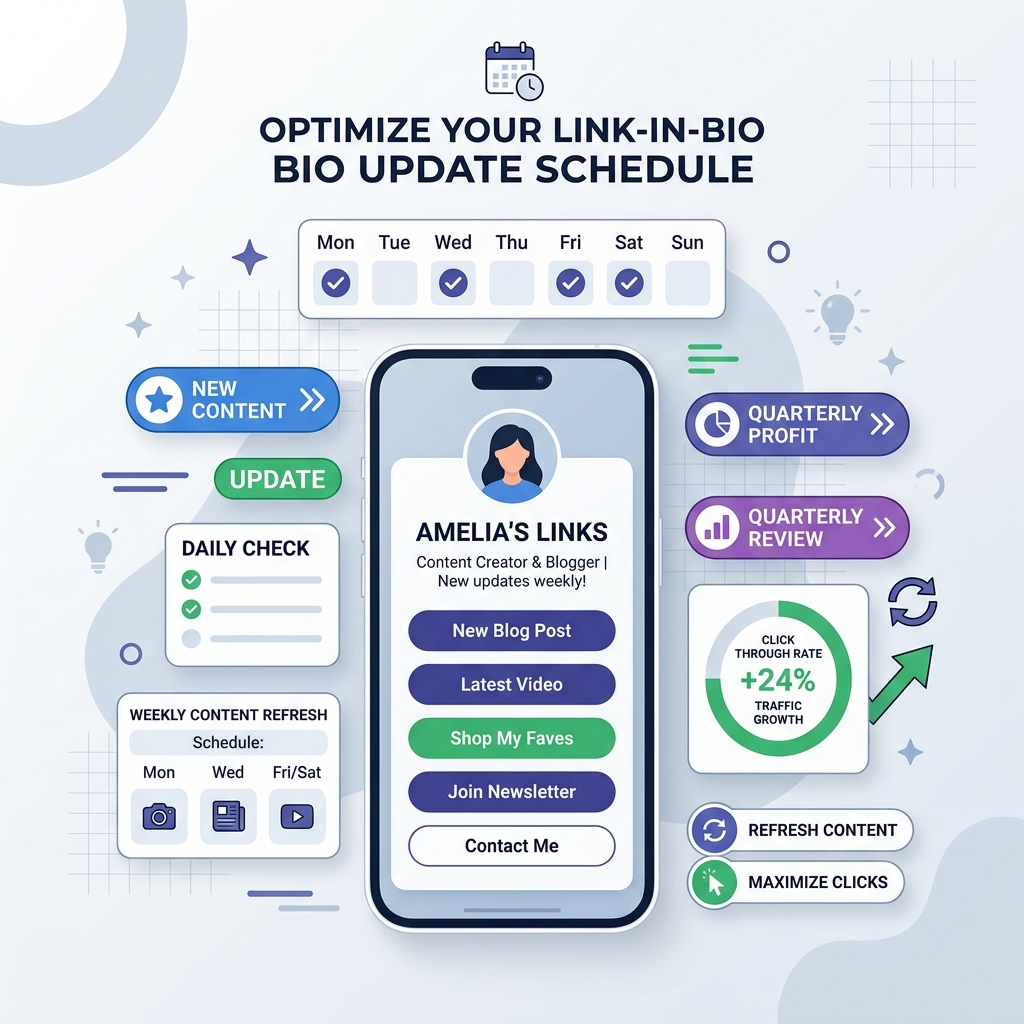
When creators and brands build their first link-in-bio page, the initial excitement is palpable. You choose a clean handle, pick a sleek profile photo, organize your top links, and paste the URL across your Instagram, TikTok, LinkedIn, YouTube, and X (Twitter) profiles.
However, after that initial launch, a critical strategic question often arises:
“How often should I actually update my link-in-bio page?”
Is your bio link a “set-it-and-forget-it” digital business card that stays identical for months? Or should you be tweaking your buttons, rotating your spotlight cards, and updating your featured media every single week?
The short answer: Your update frequency should directly mirror your content production schedule and campaign cycles.
Updating your bio link page too rarely leads to audience fatigue, broken links, and steep conversion drops. On the other hand, changing your entire layout every 24 hours can confuse returning followers who are looking for specific evergreen resources.
In this definitive 2026 guide, we break down the exact update cadences for every creator persona, explore the critical signals that demand an immediate refresh, and reveal how modern, high-contrast light-theme visual design keeps your bio page converting at peak performance.
The High Cost of a Neglected Bio Link Page
Social media platforms on Instagram, TikTok, YouTube Shorts, and LinkedIn drive thousands of impressions to your profile header every month. When a follower taps your bio link, they are expressing high commercial or engagement intent. They want to take the next step in your digital ecosystem.
If your bio link page has sat untouched for six months, you trigger three major conversion bottlenecks:
1. Audience Fatigue & Banner Blindness
Returning followers quickly memorize static layouts. If the top button on your bio page has read “Check out my spring e-book” for eight months, their eyes automatically skip past it. Fresh micro-copy, new visual tags, and rotated spotlight cards re-ignite curiosity and click-through rates (CTR).
2. Algorithmic & Content Disconnect
Imagine posting an Instagram Reel or TikTok video telling followers to “click the link in my bio to download the free template,” but when they arrive, your bio link page highlights a podcast episode from last quarter. Every second a visitor spends searching through an unaligned link list increases bounce rate by 35%+.
3. Link Decay & Ruined Brand Authority
Expired promo codes, dead affiliate links, or links pointing to sold-out webinars actively damage your credibility. When visitors encounter a broken link or 404 page, their trust in your brand diminishes immediately.
The Link-in-Bio Update Frequency Strategy Matrix
Not every creator needs to update their bio link daily. The optimal update schedule depends on your content volume, business model, and primary campaign goals.
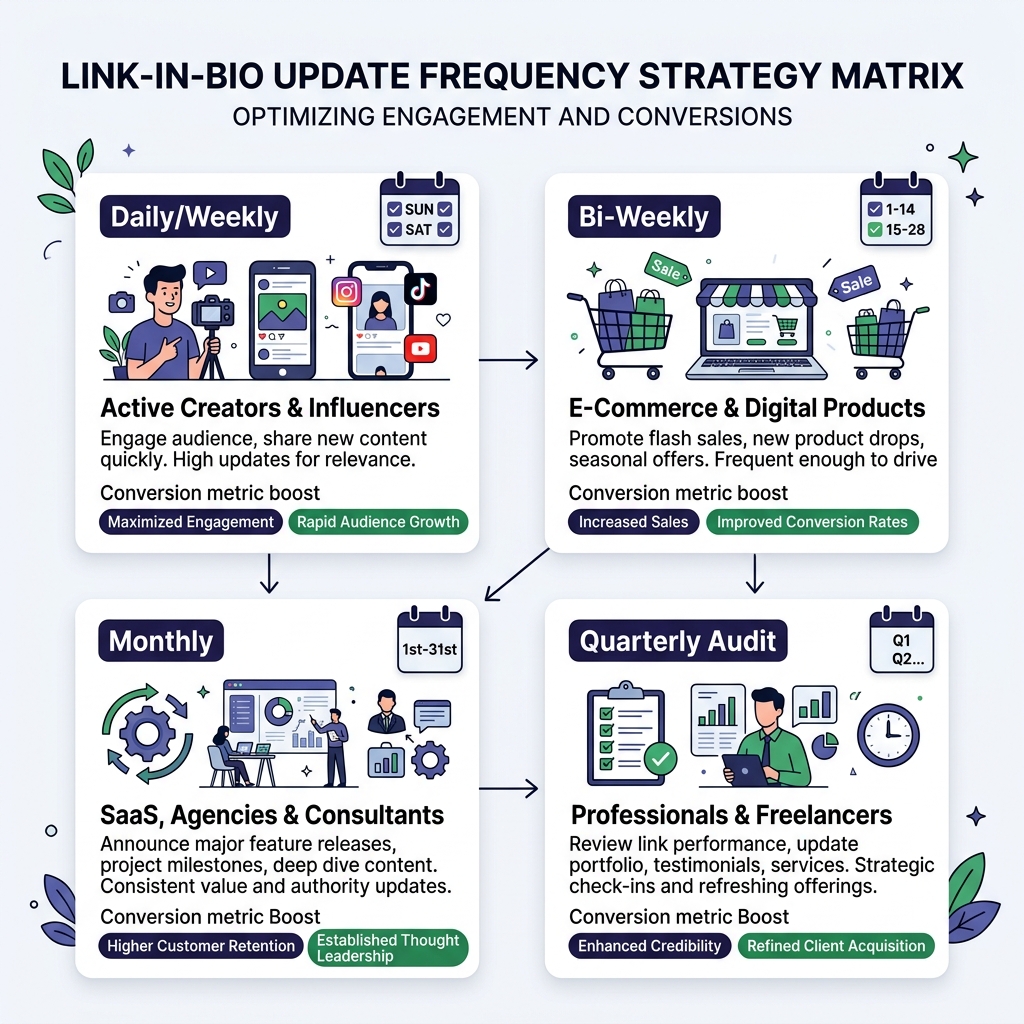
Below is the strategic update frequency framework designed to maximize conversions across four distinct creator personas:
Persona 1: Active Creators & Daily Influencers
- Recommended Frequency: Daily to 2-3 Times per Week
- Primary Objective: Immediate alignment between daily social content drops and top-of-page CTAs.
If you publish YouTube videos 3x a week, host daily podcast episodes, or run frequent Instagram/TikTok video series, your bio link must remain agile.
What to Update:
- The Spotlight Action Card: Swap the top featured link so it directly matches the specific resource, video, or sponsor mentioned in your latest upload.
- Rich Media Embeds: Update your playable YouTube preview or Spotify streamer with your latest episode.
- Temporary Flash Links: Add time-sensitive links for live Q&A streams, product giveaways, or story highlights.
[!TIP] Pro Tip for Active Creators: Keep your top 1-2 spotlight cards dynamic while maintaining a static “Evergreen Zone” at the bottom for your newsletter signup, store homepage, and contact buttons. This prevents returning fans from getting lost.
Persona 2: E-Commerce Stores & Digital Product Creators
- Recommended Frequency: Bi-Weekly (Every 14 Days)
- Primary Objective: Driving high-margin inventory sales, promotional drops, and seasonal campaigns.
E-commerce brands, digital template creators, and course creators thrive on urgency and seasonal relevance. Updating your page every two weeks keeps your merchandise front and center without creating operational overwhelm.
What to Update:
- Hero Promotional Banners: Highlight current discount codes (“Use code FALL20 for 20% Off”).
- Featured Product Cards: Rotate best-selling items, new arrivals, or seasonal bundles.
- Customer Review Badges: Update social proof quotes and 5-star ratings to match current seasonal products.
Persona 3: SaaS Companies, Agencies & Consultants
- Recommended Frequency: Monthly (Every 30 Days)
- Primary Objective: Lead generation, booking discovery calls, and publishing thought leadership content.
B2B brands, software startups, and agencies don’t need daily link changes, but a monthly cadence ensures your digital front door reflects your newest case studies and product updates.
What to Update:
- Featured Case Study / Whitepaper: Highlight your newest client success story or industry report.
- Calendar Booking Links: Ensure your Calendly or Cal.com consultation availability is open for the upcoming month.
- Monthly Content Roundup: Link to your top-performing Substack newsletter or blog article of the month.
Persona 4: Corporate Executives, Software Engineers & Freelancers
- Recommended Frequency: Quarterly Audit (Every 90 Days)
- Primary Objective: Long-term career branding, portfolio presentation, and professional networking.
For professionals who use their bio link as a digital portfolio or interactive resume (e.g., software engineers showcasing GitHub repos, executives, or contract designers), a 90-day maintenance cycle is ideal.
What to Update:
- Proof-of-Work Repositories & Case Studies: Add newly completed projects, awards, or speaking engagements.
- Updated PDF Resume: Ensure your downloadable CV reflects recent promotions or certifications.
- Link Health Check: Verify all social profile handles (LinkedIn, GitHub, Medium) connect properly.
Comparison Matrix: Update Cadence vs. Performance Metrics
| Creator Persona | Update Cadence | Primary Focus | Expected CTR Impact | Maintenance Effort |
|---|---|---|---|---|
| Active Creators & Influencers | Daily / 2-3x Weekly | New Video Drops & Sponsors | +35% to +50% CTR | 3-5 mins / update |
| E-Commerce & Digital Goods | Bi-Weekly (14 Days) | Sales Drops & Seasonal Offers | +25% to +40% Sales | 10 mins / update |
| SaaS, Agencies & Consultants | Monthly (30 Days) | Lead Capture & Case Studies | +20% Lead Growth | 15 mins / month |
| Professionals & Freelancers | Quarterly (90 Days) | Portfolio & Resume Health | Sustained Brand Trust | 20 mins / quarter |
5 Critical Warning Signals: When You Need an IMMEDIATE Bio Link Refresh
Outside of your regular routine schedule, watch for these five clear triggers indicating that your bio link page requires an instant overhaul:
Signal 1: CTR Dropping Below 5% in Analytics
If your OnlyLink analytics dashboard shows a sudden decline in click-through rates over consecutive weeks, your visitors are experiencing link fatigue. A quick visual refresh and micro-copy update will instantly revive engagement.
Signal 2: Call-to-Action Mismatch in Recent Posts
If your last three Instagram posts, TikToks, or LinkedIn articles tell followers to check out a specific offer, but that offer isn’t pinned at the very top of your bio page, update it immediately. Friction kills conversions.
Signal 3: Expired Promo Codes or Past Event Dates
Nothing looks less professional than a bio page featuring a “Free Webinar on July 12th” when today is September 17th. Remove or archive expired campaign buttons immediately.
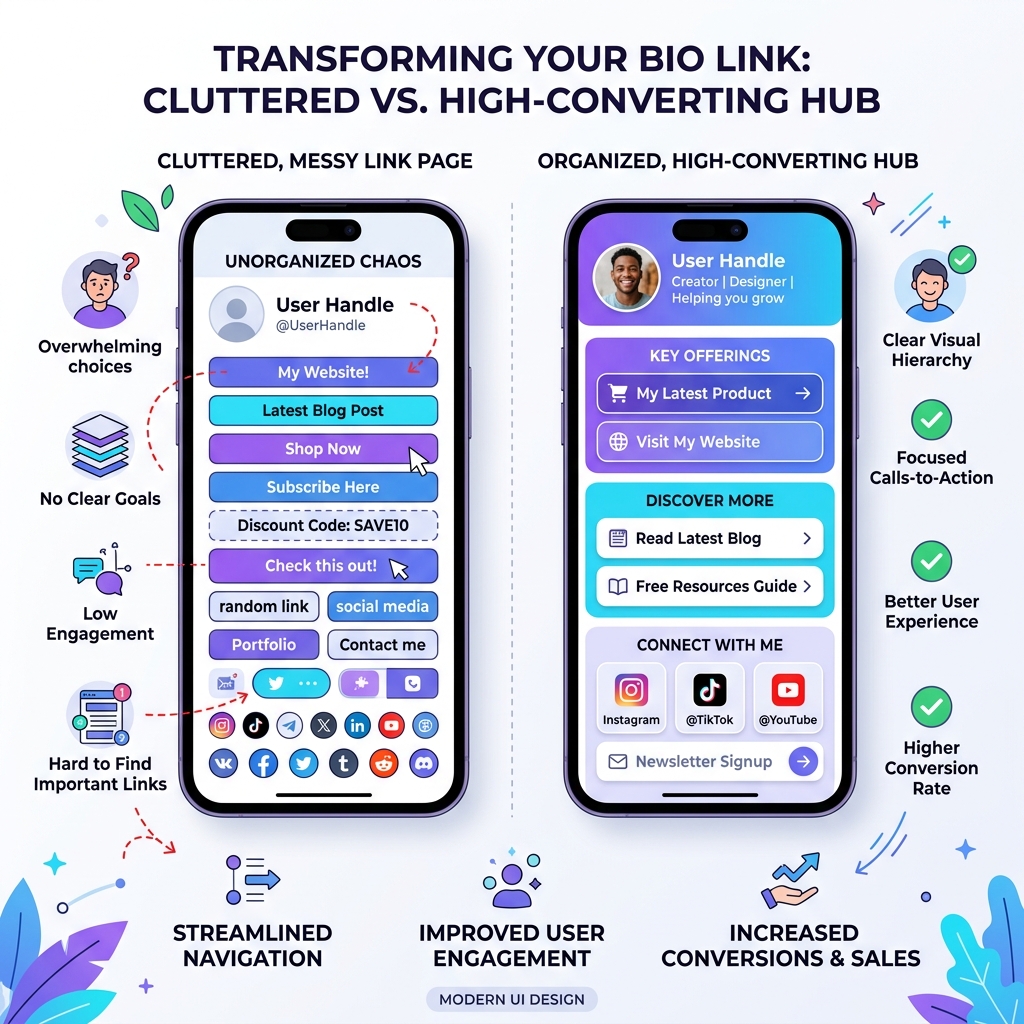
Signal 4: Choice Overload (More Than 7 Uncategorized Links)
According to psychological choice paralysis studies, presenting visitors with more than 7 options of equal visual weight dramatically reduces total clicks. If your bio page has accumulated 12+ plain buttons over time, prune dead links down to 4-6 high-priority CTAs.
Signal 5: Outdated Dark or Low-Contrast Visual Design
If your bio link page is using dated, low-contrast dark themes with hard-to-read text, switching to a clean, modern light-theme visual design will instantly upgrade your brand polish and legibility.
Why Light-Theme Visual Design Elevates Bio Link Freshness & Trust
Visual hierarchy and color presentation play an enormous role in how “fresh” and professional your bio link page feels to visitors.
While dark themes are popular in text editors, clean light-theme design systems remain the gold standard for high-converting SaaS dashboards, executive portfolios, and premium mobile landing pages.
Key Advantages of Light-Theme Visual Aesthetics:
Unmatched Legibility & WCAG AAA Contrast: Deep charcoal typography (
#0F172Aor#1E293B) set against crisp white (#FFFFFF) or soft off-white (#F8FAFC) surfaces provides maximum readability—especially for mobile users viewing your page outdoors under sunlight.Subtle Elevation & Card Separation: Light backgrounds allow you to use soft drop shadows (
0 4px 6px -1px rgba(0,0,0,0.05)) and delicate borders (1px solid #E2E8F0). This creates distinct, touch-friendly card containers for your top links without visual clutter.Vibrant Accent Placement: On a clean light canvas, vibrant accent colors like royal indigo (
#4F46E5), emerald green (#10B981), or electric cyan (#0EA5E9) immediately guide the visitor’s eye to your primary Spotlight Action Card.
[!IMPORTANT] Light-Theme UX Rule for Bio Pages: Always maintain at least a 4.5:1 contrast ratio between your button background and CTA text. Avoid pale gray text on white buttons, as it drastically reduces mobile conversion rates for visually impaired users.
What to Change During Every Bio Link Audit: The 5-Minute Checklist
When you sit down to update your page, follow this quick 5-step checklist:
- 1. Rotate the Top Spotlight Card: Ensure the #1 button matches your active promotional priority.
- 2. Prune Inactive Links: Remove expired campaigns, sold-out items, or links with <1% click share.
- 3. Polish Action-Oriented Micro-Copy: Replace generic text like “My Website” with compelling CTAs like “Explore 2026 Case Studies →”.
- 4. Refresh Featured Media Embeds: Update embedded YouTube videos, Spotify singles, or podcast episodes.
- 5. Test Mobile Render Speed & Contrast: Preview your page on mobile to confirm crisp light-theme legibility and sub-second load times.
How OnlyLink Simplifies Page Updates
Managing a dynamic bio link page shouldn’t feel like a full-time job. Platforms like OnlyLink are built specifically to make page maintenance effortless:
- 📅 Scheduled Links: Set start and expiration dates for promotional links so they automatically appear and vanish during campaign windows.
- 📊 Real-Time Click Heatmaps: See exactly which buttons are driving traffic and which links need pruning.
- 🎨 Pre-Styled Light Theme Presets: Toggle between curated, high-contrast light-theme templates with single-click styling.
- ⚡ Sub-Second Mobile Performance: Lightweight architecture ensures your page loads instantly on all mobile networks.
Related Bio Link & Personal Branding Guides
Explore more strategic guides on the OnlyLink blog:
- When to Refresh Your Bio Link (And What to Change)
- The Anatomy of a High-Converting Link-in-Bio Page
- 10 Ways to Get More Clicks from Your Instagram Bio
- Build Your Professional Identity Beyond LinkedIn
- How to Organize Multiple Social Links Without Confusing Visitors
Keep Your Bio Page Fresh and Converting Today
Your link-in-bio page is the bridge between your social media presence and your real business outcomes. Treating it as a living, dynamic asset ensures you capture every bit of high-intent traffic your content generates.
Whether you update daily or audit quarterly, choosing a clean, light-themed visual design will keep your profile looking modern, executive-ready, and optimized for maximum conversions.
Ready to build a high-converting, light-themed bio page in under a minute? Create your free OnlyLink profile today and take control of your digital front door.
Ready to build your link in bio?
Create your free OnlyLink page in under a minute unlimited links, analytics and custom designs.
Get started freeKeep reading
When to Refresh Your Bio Link (And What to Change)
Discover the critical signals that indicate it is time to update your link in bio page, and get a step-by-step …
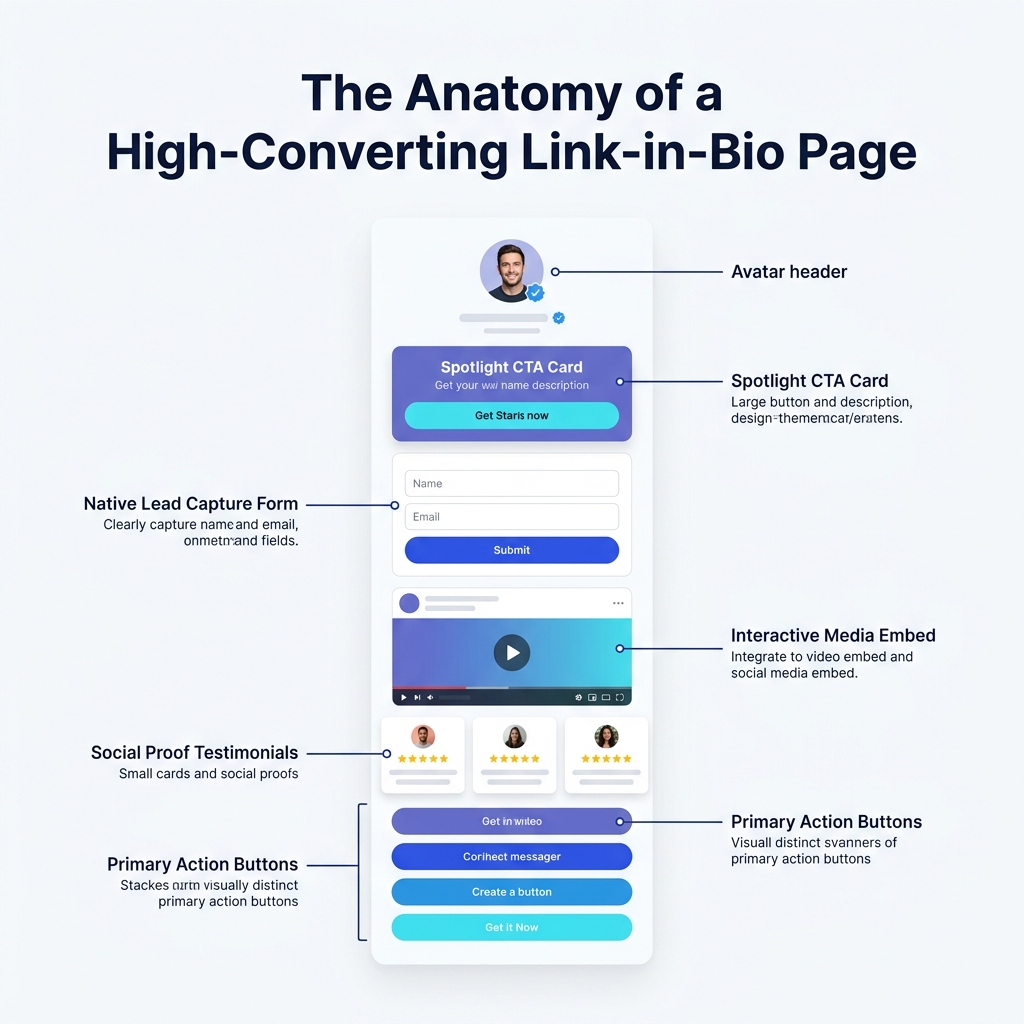
The Anatomy of a High-Converting Link-in-Bio Page
Deconstruct the exact 6-zone structural blueprint of top-performing bio link pages that achieve 10%+ CTRs …