
How Freelancers Can Showcase Their Portfolio with One Link
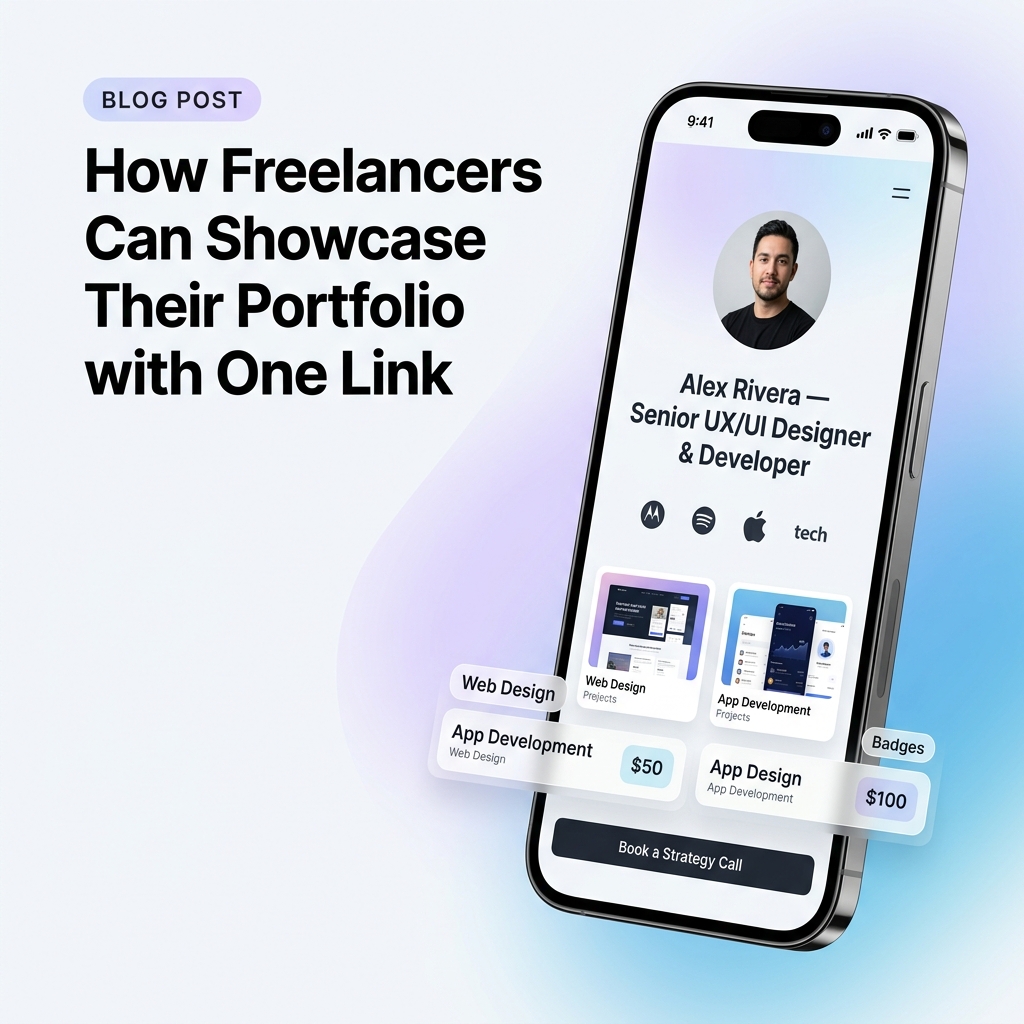
As a freelancer in 2026—whether you are a UI/UX designer, full-stack developer, copywriter, video editor, or brand strategist—your portfolio is your single most critical sales asset. It is the proof of your expertise, the validator of your rates, and the primary driver of incoming client inquiries.
Yet, most independent professionals suffer from severe digital footprint fragmentation.
You share project teasers on LinkedIn and X (Twitter), publish design shots on Behance or Dribbble, store raw client case study PDFs in Google Drive, host code repos on GitHub, and send proposals via email. When a prospective client asks to see your past work, sending them a list of five disparate links or a 50MB PDF deck creates immediate friction.
If a prospect has to open multiple tabs, jump between apps, or download heavy files on their phone, you lose high-value deals.
To win high-ticket clients in today’s fast-moving digital economy, you need a streamlined, mobile-first solution: a single, light-themed portfolio hub that showcases your best work in one click.
The Modern Freelancer Dilemma: Portfolio Friction Kills Client Conversions
Why do traditional freelancer portfolios underperform on social media and outreach channels?
When decision-makers scroll LinkedIn, X, or Instagram, over 85% of profile clicks occur on mobile devices. Traditional custom portfolio websites are often built for desktop screens—loaded with heavy 3D web animations, slow assets, complex navigation menus, and non-responsive text.
Common Portfolio Mistakes That Drain Inquiries:
- ❌ Desktop-First Bloat: Sites taking 4+ seconds to load on mobile connections, causing 40% of prospective clients to abandon the page.
- ❌ Unorganized Link Dumps: Sending clients a generic link tree containing 15 unlabelled URLs without visual hierarchy.
- ❌ Hidden Booking Actions: Burying your contact email or calendar booking link behind multiple sub-pages.
- ❌ Missing Social Proof: Separating case studies from client reviews and logos, requiring prospects to hunt for credibility evidence.
What a One-Link Freelancer Portfolio Hub Delivers:
- ✅ Sub-Second Mobile Page Speed: Instant rendering ensures every prospect lands seamlessly without delay.
- ✅ Visual Case Study Cards: Rich visual previews, project highlights, and live project embeds right on one scrollable canvas.
- ✅ Unified Trust & Booking: Client testimonials, service packages, and calendar booking integrated into a single view.
- ✅ Clean Light-Theme Aesthetic: High contrast, inviting legibility, and professional design that reflects high-tier craftsmanship.
For a broader look at organizing your online identity, read our guide on building your personal brand with a professional bio link.
The Architecture of a High-Converting Freelancer Portfolio Hub
Instead of treating your bio link as a basic directory of external links, structure it as a central client conversion funnel:
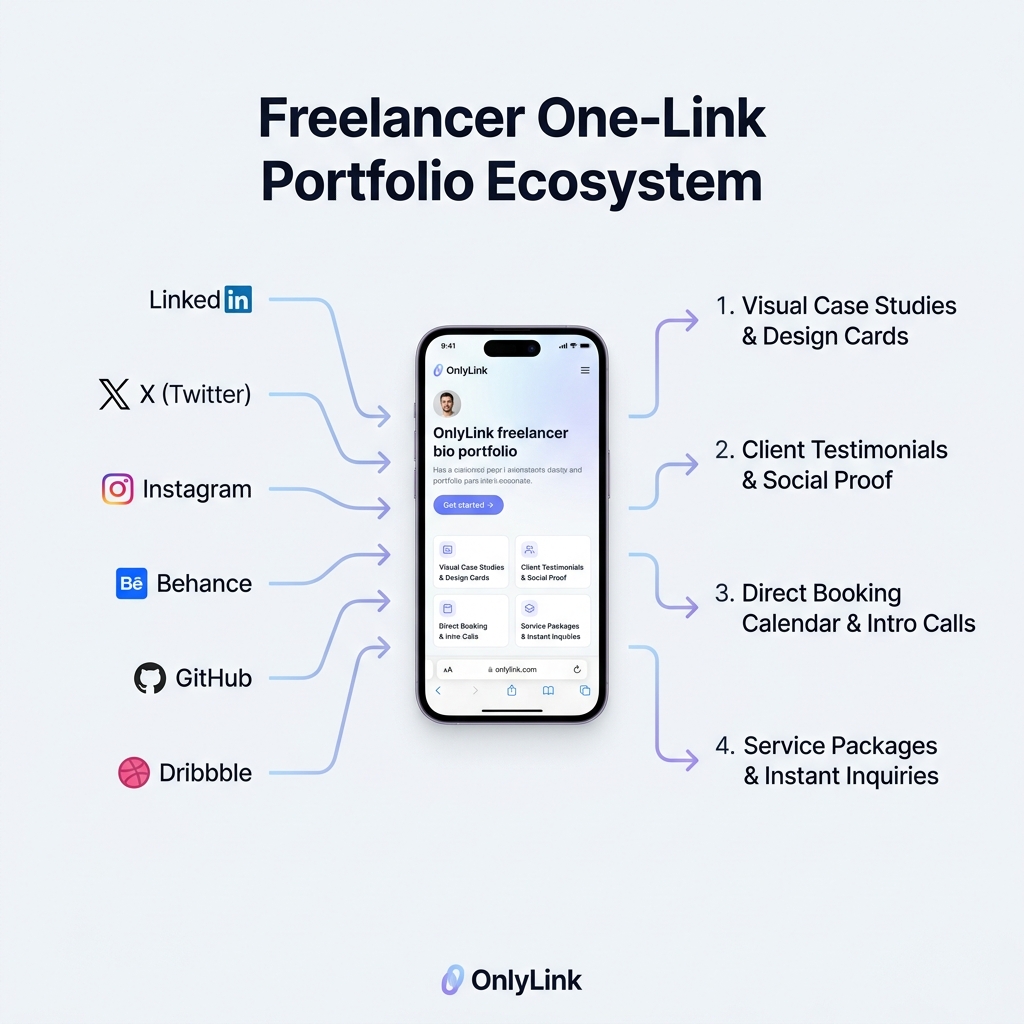
A well-architected freelancer hub receives incoming traffic from all your active acquisition channels—LinkedIn posts, X threads, Instagram Reels, email signatures, and cold pitch proposals—and directs visitors across four core conversion pillars:
1. Visual Portfolio & Featured Work Pillar
Capture immediate visual attention within the first 3 seconds of a prospect opening your link:
- Hero Title & Headline: Clearly state who you serve and the specific outcomes you produce (e.g., “Alex Rivera — Crafting High-Converting Web Products for B2B SaaS Brands”).
- Featured Case Study Cards: Rich visual thumbnails showcasing top projects with clear metrics (e.g., "+140% Conversion Lift for CloudPay — Read Case Study").
- Interactive Embeds: Embed live Figma prototypes, interactive web previews, Loom video walkthroughs, or GitHub code gists directly on the page.
2. Client Testimonials & Social Proof Pillar
Trust is the currency of freelancing. Position your social proof front and center so prospects never doubt your delivery capabilities:
- Client Logo Wall: Showcase recognizable brands or startups you have built for.
- Quote Cards: Highlight glowing testimonials from founders, product managers, or CMOs.
- Verified Badges: Add badges for platform achievements (e.g., “Top Rated Plus on Upwork”, “Featured on Product Hunt”).
3. Service Packages & Transparent Qualifying Pillar
Reduce endless back-and-forth emails by pre-qualifying leads with clear service highlights:
- Core Offerings: Clearly list your core services (e.g., Product Design Sprint, Full-Stack Next.js Build, UX Audit).
- Pricing Indicators or Starting Rates: Setting clear expectations (e.g., “Projects starting at $3,500”) eliminates low-budget inquiries automatically.
4. Frictionless Booking & Lead Capture Pillar
Convert high-intent prospects before they get distracted by another tab:
- Embedded Booking Widget: Allow clients to schedule a 15-minute discovery call via integrated Calendly or Cal.com widgets without leaving your bio page.
- Instant Inquiry Form: Lightweight contact form for custom project scope requests.
5 Design Rules for a Light-Theme Freelancer Bio Portfolio
Visual aesthetics communicate your standards as a creator. Modern design trends heavily favor clean, light-themed interfaces that convey clarity, transparency, and high professionalism.
Here are 5 design rules to optimize your OnlyLink portfolio hub in light mode:
+-------------------------------------------------------------------+
|                     LIGHT THEME DESIGN RULES                      |
+-------------------------------------------------------------------+
| 1. High Contrast & Generous Whitespace  (Crisp & Easy to Read)    |
| 2. Visual Project Thumbnails & Cards     (Show, Don't Just Tell)  |
| 3. Soft Card Shadows & Micro-Elevations (Modern Depth & Polish)   |
| 4. Curated Primary CTAs (Max 5-7 Core Action Touchpoints)         |
| 5. Mobile-Optimized Sub-Second Speed    (Zero Bounce Rate)       |
+-------------------------------------------------------------------+
1. Prioritize Whitespace and Clean Light-Canvas Contrast
Light backgrounds (#F8FAFC or #FFFFFF) paired with charcoal typography (#0F172A) create an open, airy atmosphere that puts your work front and center. Avoid dark, muddy background colors that obscure text or make visual screenshots hard to see under sunlight.
2. Use Visual Thumbnail Cards Over Text-Only Links
Text-only links require visitors to guess what lies behind a button. Replace generic links like "My Work" with visual cards featuring project hero images, tags (e.g., React, UI Design, Branding), and brief impact metrics.
3. Apply Soft Ambient Shadows for Card Depth
Give your portfolio cards polished tactile depth using soft, low-opacity box shadows (box-shadow: 0 4px 20px rgba(0,0,0,0.05)). This subtle light-theme styling makes interactive cards look clickable and premium.
4. Limit Top-Level Action Buttons to 5–7 Primary Elements
Choice overload causes client drop-off. Keep your main page focused on your top 3 project case studies, 1 primary booking button, and 1 client review block. Move secondary resources or older work into collapsible accordions or sub-collections.
5. Ensure Sub-Second Loading Across Mobile Networks
A prospective client checking your profile on cellular data won’t wait 5 seconds for heavy scripts to execute. OnlyLink pages load in under 500ms, ensuring every click translates into an instant impression.
For strategies on structuring your content hierarchy, explore our guide on how to organize multiple social links without confusing visitors.
Step-by-Step: How to Build Your One-Link Freelancer Portfolio on OnlyLink
Setting up a professional, light-themed freelancer hub on OnlyLink takes less than 10 minutes. Here is the step-by-step framework:
[ Step 1: Claim Handle ]  -->  [ Step 2: Choose Light Theme ]  -->  [ Step 3: Add Case Study Cards ]
                                                                                |
[ Step 6: Share Everywhere ] <-- [ Step 5: Embed Booking Call ]  <--  [ Step 4: Add Social Proof ]
Step 1: Claim Your Custom Professional URL
Register your personal brand handle (e.g., alexrivera.onlylink.click). A clean URL builds immediate authority when shared in proposals and pitch messages.
Step 2: Select a Crisp Light Theme Preset
Choose a clean, light-mode design preset with soft pastel accents (ocean blue, crisp slate, or warm indigo). Customize fonts to match your visual identity (e.g., Inter, Plus Jakarta Sans, or Outfit).
Step 3: Add Visual Case Study Cards
Create dedicated cards for your top 3 to 4 flagship projects:
- Upload high-resolution screenshot thumbnails (16:9 ratio).
- Add a compelling headline describing the outcome (e.g., “Redesigning Fintech Mobile App — +34% Retention”).
- Add primary button action: “View Case Study” or “Live Preview”.
Step 4: Embed Client Testimonials & Social Proof
Add a dedicated social proof block. Include quotes from previous clients, client logos, and links to verified reviews.
Step 5: Connect Your Booking Calendar & Inquiry Form
Integrate your Calendly or Cal.com link directly so prospects can book a paid consultation or free discovery call in one tap.
Step 6: Place Your One Link Across All Channels
Update your profile bio across LinkedIn, X, Instagram, GitHub, Dribbble, Medium, Substack, and email signatures. Whenever someone asks for your work, send your single OnlyLink URL.
Real-World Examples: One-Link Freelancer Hubs in Action
Example A: The Senior UI/UX Designer
- Bio Header: “Visual & Product Designer specializing in B2B SaaS.”
- Primary Cards:
- E-Commerce Mobile App Redesign (Visual Card + Figma Embed)
- Design System for Healthcare Platform (Case Study Link)
- Client Testimonial Reel (Video Embed)
- Bottom CTA: “Book a 15-Min Design Sprint Call” (Calendly Embed)
Example B: The Technical Writer & Copywriter
- Bio Header: “B2B SaaS Copywriter — Turning Technical Complexity into Clear Revenue.”
- Primary Cards:
- Landing Page Copy That Raised $2M (Case Study Breakdown)
- Ghostwritten Thought Leadership Series (Substack & LinkedIn Posts)
- Sample Copy Tear-Down PDF (Direct View Card)
- Bottom CTA: “Request a Custom Proposal” (Inquiry Form)
Example C: The Full-Stack Developer
- Bio Header: “React / Node.js Architect — Building High-Performance Web Applications.”
- Primary Cards:
- Open-Source SaaS Boilerplate (GitHub Repo Card + Live Demo)
- Real-Time Analytics Dashboard (Live Interactive Preview)
- Upwork Verified Client Reviews (5.0 Stars)
- Bottom CTA: “Hire Me for Engineering Retainers” (Direct Booking)
Analyze & Optimize: Data-Driven Client Acquisition
One of the greatest advantages of using a smart bio link platform like OnlyLink is first-party traffic analytics.
With built-in real-time analytics, you can track:
- Traffic Source Attribution: Discover whether LinkedIn, X, or cold email outreach drives your highest-converting clients.
- Card Click-Through Rates (CTR): See which case studies get clicked most and which project types generate the most interest.
- Geographic Location Data: Identify where your global client inquiries originate.
By analyzing this data weekly, you can double down on content channels that generate real client leads and refine case studies that attract higher budgets.
Conclusion: Stop Leaking Opportunities—Unify Your Portfolio Today
In the competitive freelancing world of 2026, client attention is scarce. Forcing prospective clients to navigate fragmented links, heavy PDF attachments, or slow websites costs you valuable contracts every single week.
By consolidating your past work, social proof, service packages, and calendar booking into a sleek, light-themed OnlyLink portfolio hub, you give prospective clients a frictionless, professional experience that converts interest into paid work.
Ready to streamline your client acquisition? Create your light-themed bio portfolio on OnlyLink today and showcase your work with one powerful link.
Ready to build your link in bio?
Create your free OnlyLink page in under a minute unlimited links, analytics and custom designs.
Get started freeKeep reading
QR Codes 101: Bringing Your Bio Link Offline
Learn how QR codes can bridge your offline presence with your online bio link. Discover where to use QR codes, …
Glassmorphism, Gradients, and Wallpapers: Bio Page Design Trends for 2026
Explore the top bio page design trends dominating 2026 — glassmorphism effects, gradient color palettes, and …