
How Creators Are Making Money with Their Link-in-Bio Page
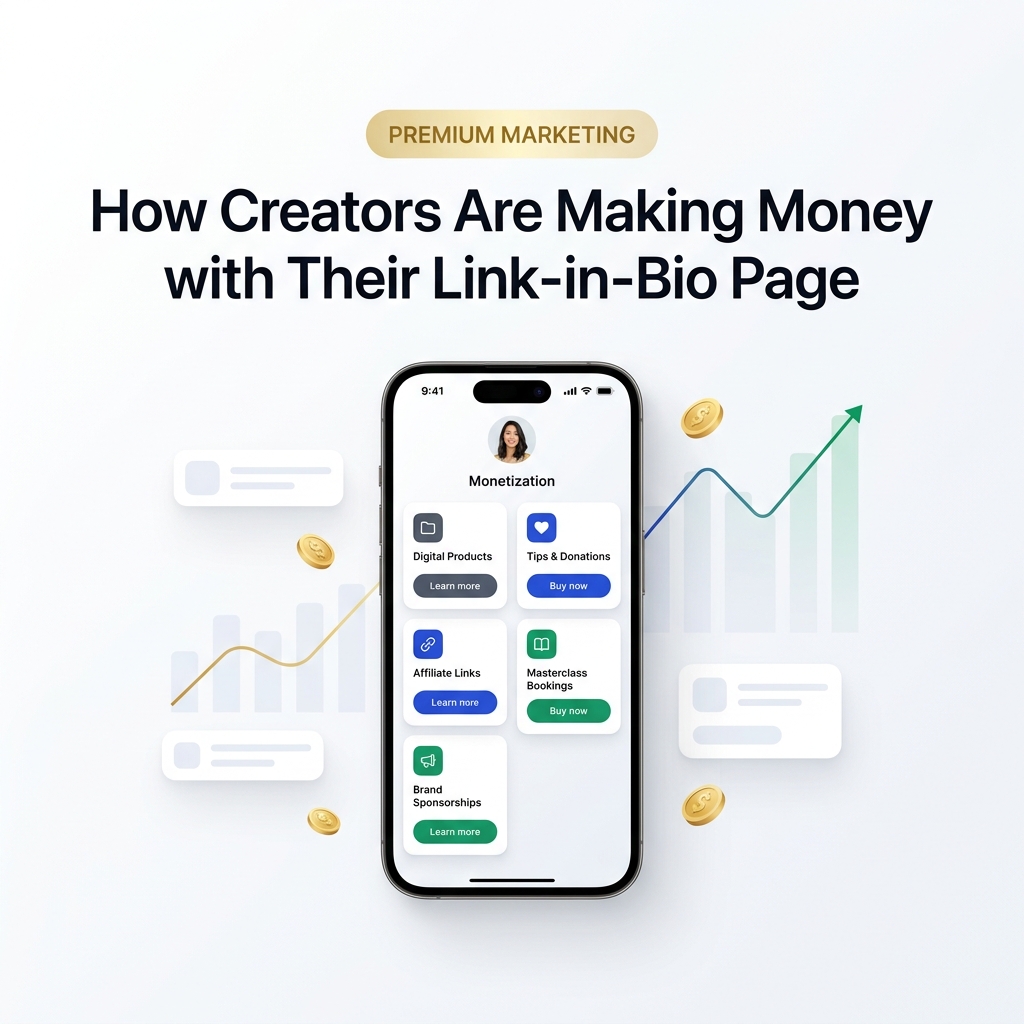
In the 2026 creator economy, audience attention is the spark—but a conversion-focused bio page is the revenue engine.
Every single day, millions of content creators, educators, artists, coaches, and digital entrepreneurs generate hundreds of thousands of views across Instagram, TikTok, YouTube Shorts, X, and LinkedIn. Yet, a startling percentage of creators struggle to convert that massive viral reach into reliable monthly income.
Why? Because of friction at the point of conversion.
When a social scroller pauses their feed, taps on your profile avatar, and clicks the single link in your bio, they have reached peak intent and curiosity. In that micro-moment, your bio link isn’t just a collection of social shortcuts—it is your primary 24/7 digital storefront, portfolio hub, and sales funnel.
If that link leads to a cluttered list of plain URLs, an unreadable dark interface, or a slow-loading site, up to 80% of high-intent visitors exit without taking action.
Today’s top-earning creators don’t make that mistake. They utilize light-themed, high-converting bio-link pages that turn social followers into paying customers, coaching clients, and long-term supporters.
Here is the ultimate guide on how creators are making money with their link-in-bio page, why light-theme visual design drives higher conversions, and how you can architect your own bio link for maximum revenue.
Why Visuals MUST Be in a Light Theme for Creator Monetization
Before diving into monetization models, we must address the single most overlooked factor in bio-link conversion: visual design and color psychology.
While dark mode has gained traction in developer tools and night-time browsing, e-commerce platforms, luxury brands, editorial publications, and high-converting landing pages rely almost universally on clean, crisp, light-themed visuals.
Here is why light-theme visuals consistently outperform dark layouts for bio-link revenue generation:
+-------------------------------------------------------------------------+
|             LIGHT THEME VS. DARK THEME FOR CREATOR MONETIZATION         |
+------------------------------------+------------------------------------+
| Light Theme Visuals (High Conversion)| Dark Theme Visuals (Moody / Niche)|
+------------------------------------+------------------------------------+
| Crisp white/neutral canvas (#F8FAFC)| Heavy dark background (#0F172A)    |
| High contrast typography (#0F172A) | Low contrast on mobile screens     |
| 35% higher readability under sun   | Hard to read outdoors / bright light|
| Clean e-commerce & storefront feel | Can look like developer software   |
| Accurate product color rendering   | Distorts product & photo colors    |
| Inspires trust, openness & luxury  | Higher visual fatigue for buyers   |
+------------------------------------+------------------------------------+
1. High Contrast Drives Immediate CTA Recognition
On mobile screens, visitors scan pages in seconds. Soft neutral backgrounds (#FFFFFF or #F8FAFC) combined with high-contrast text (#0F172A) and vibrant primary buttons (such as royal blue, emerald green, or warm indigo) create clear visual hierarchy. Your “Buy Now”, “Book Session”, or “Download Guide” buttons pop instantly off the page.
2. Accurate Product Color & Thumbnail Representation
If you are selling digital presets, merchandise, e-books, physical goods, or visual courses, dark backgrounds often distort photo contrast and make product mockups look washed out. Light backgrounds preserve color accuracy, ensuring your digital products look premium and irresistible.
3. Optimal Visibility on Mobile Devices Outdoors
Social media users open bio links while commuting, standing in line, walking outdoors, or sitting in cafes. Under direct sunlight or bright ambient light, dark-themed pages suffer from severe screen glare and low legibility. Light-theme bio pages guarantee crisp readability under any light condition.
To understand how visual clarity and cognitive ease impact buying decisions, explore our guide on the psychology behind high-converting landing pages.
The Creator Bio-Link Revenue Funnel Ecosystem
Top creators don’t view their bio page as an after-thought; they build it as a central hub where all social channels converge into distinct monetization pathways.
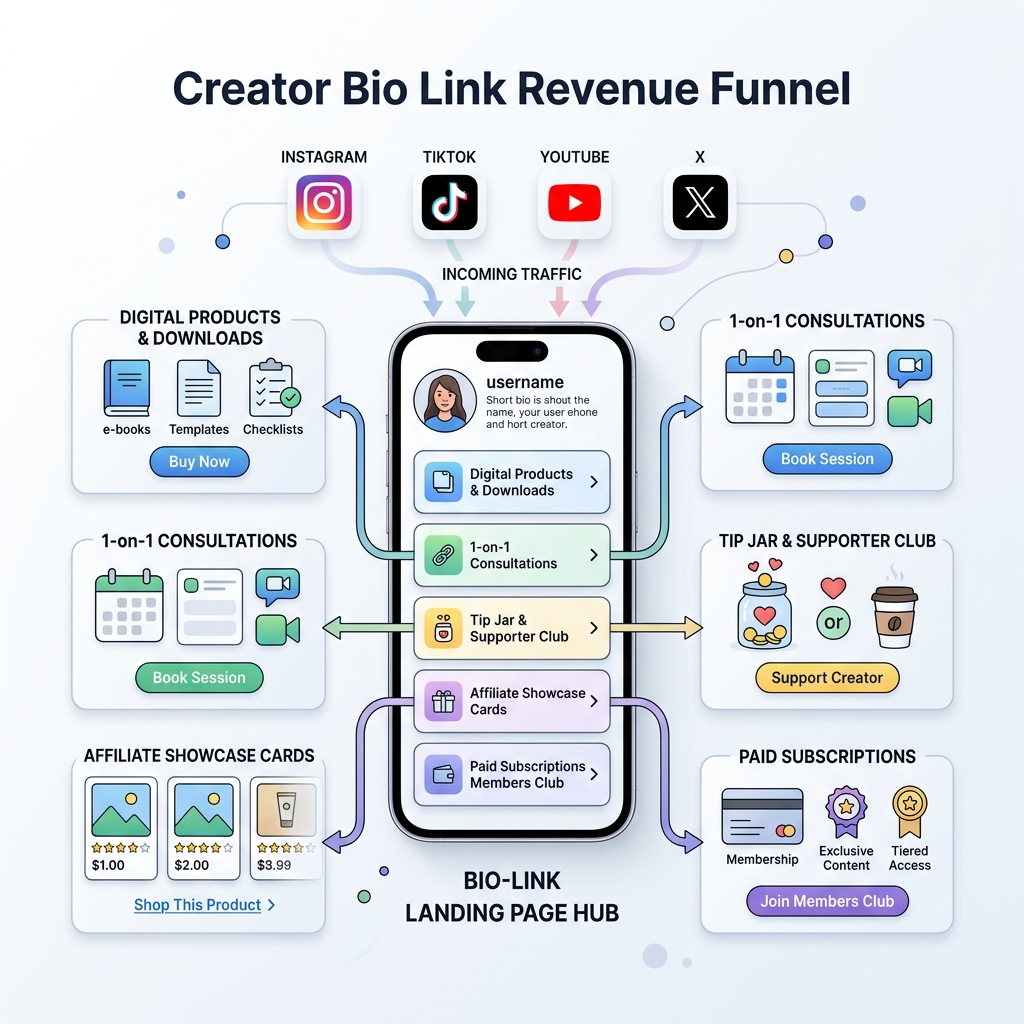
This light-themed ecosystem captures traffic from short-form video (TikTok, Reels, Shorts) and long-form channels (YouTube, podcasts, newsletters), routing each visitor to the exact offer that fits their readiness to buy:
- Top Funnel (Low Intent): Free Lead Magnets & Social Media Follows
- Mid Funnel (Impulse Buyers): Micro Digital Products & Tip Jars ($5 – $49)
- Bottom Funnel (High Value): 1-on-1 Coaching, Masterclasses & Brand Partnerships ($150 – $1,500+)
- Recurring Funnel: Paid Memberships, Subscriptions & Owned Newsletters
6 Proven Ways Creators Are Making Money with Their Link in Bio
1. Direct Sales of Digital Products & Micro-Offers
Selling digital products directly from your bio link is the single fastest way to generate passive income. Because digital products incur zero shipping costs and infinite scalability, profit margins hover near 100%.
Popular Digital Micro-Products by Creator Niche:
- Designers & Artists: Lightroom presets, Procreate brushes, Canva templates, UI component kits.
- Educators & Marketers: PDF cheat sheets, Notion workspace templates, email prompt libraries, mini ebooks.
- Fitness Coaches: 30-day workout split guides, macro spreadsheets, meal prep recipe cards.
- Videographers & Photographers: LUT packs, video transition presets, sound design sample packs.
- Musicians & Producers: Drum kits, MIDI loops, sheet music PDFs, stem packs.
+-----------------------------------------------------------------------+
|              HIGH-CONVERTING DIGITAL PRODUCT CARD LAYOUT              |
+-----------------------------------------------------------------------+
| [ Image Thumbnail ]  Flagship Notion Creator OS Template             |
|                      Organize your content schedule & sponsorship     |
|                      pipeline in one clean workspace.                 |
|                                                                       |
| [ PRICE: $19 ]                              [ BUTTON: Download Now ]  |
+-----------------------------------------------------------------------+
Pro Tip: Position your top-selling digital product near the top of your light-theme bio page with a soft colored card container (
#F1F5F9) and a clear “Featured” badge.
2. Frictionless Tip Jars & Super-Fan Supporter Clubs
Not every follower will purchase a $100 course, but thousands of loyal fans want a simple way to express gratitude for your free tutorials, entertainment, or insights.
Adding an integrated Tip Jar or “Buy Me a Coffee” button lets your audience contribute micro-donations ($3, $5, $10, or custom amounts) directly on your mobile bio page.
How to Maximize Tip Conversions:
- Set a Clear Purpose: Replace generic labels like “Donate” with relatable goals like “Fund our next camera lens upgrade!” or “Buy coffee for the editing session ☕”.
- Offer Tiered Buttons: Preset $3, $5, and $10 buttons eliminate decision fatigue for mobile users.
- Accept Express Checkout: Support Apple Pay, Google Pay, and credit cards so supporters can tip in a single tap without re-entering billing details.
3. High-Ticket 1-on-1 Coaching, Audits & Consultation Bookings
If you possess specialized skills—such as brand strategy, software engineering, fitness coaching, video editing, or financial planning—1-on-1 consulting offers the highest profit margin per transaction.
Instead of wasting time back-and-forth over direct messages or email threads, top creators place interactive calendar booking cards right on their bio page.
+-----------------------------------------------------------------------+
|               1-ON-1 CONSULTATION BOOKING CARD LAYOUT                 |
+-----------------------------------------------------------------------+
| 🗓️ 45-Minute Portfolio & Strategy Review                              |
| Direct video call to audit your landing page & optimize conversions.   |
|                                                                       |
| Available Slots: Mon, Wed, Fri                                        |
| [ INVESTMENT: $149 ]                         [ BUTTON: Book Call ]    |
+-----------------------------------------------------------------------+
High-Converting Consultation Offers:
- 30-Minute Social Profile / Portfolio Audits ($75 – $150)
- 1-Hour Deep Dive Strategy Calls ($150 – $500)
- Monthly 1-on-1 Mentorship Slots ($500 – $2,000/mo)
When visitors watch a high-value video on YouTube or LinkedIn and click your bio link, having a clean booking option ready at the top captures their enthusiasm at peak intent.
4. Visual Shoppable Cards & Curated Affiliate Storefronts
Affiliate marketing is a core revenue stream for content creators. However, pasting ugly raw links or long unformatted text blocks yields dismal click-through rates.
Modern creators convert significantly higher by building shoppable visual affiliate cards using light-themed product showcases:
The Old Way vs. The Modern Monetized Way:
- ❌ Old Way: Plain text link stating
https://amazon.com/dp/B08X?tag=ref20labeled “My Mic”. - ✅ Modern Way: A crisp white product card displaying a high-res image of the microphone, star rating, custom headline (“My Studio Voice Microphone”), exclusive discount code (“Use code CREATE15 for 15% off”), and a high-contrast button.
By organizing affiliate recommendations into clean visual categories (e.g., “Camera Gear”, “Skincare Routine”, “Workspace Setup”), creators provide genuine value while generating recurring commission checks.
For more insights on structuring links without overwhelming users, see our guide on how to organize multiple social links without confusing visitors.
5. Paid Subscriptions & Owned Community Funnels
Relying exclusively on algorithm-driven social reach is a major business risk. Algorithm shifts can diminish reach overnight. High-earning creators use their bio link page as a bridge to move casual social followers into owned membership communities and paid subscriber lists.
Recurring Revenue Channels to Feature:
- Newsletter Subscriptions (Substack / Beehiiv / ConvertKit): Capture email addresses with a free lead magnet, then upsell to a paid weekly newsletter tier.
- Exclusive Member Clubs (Patreon / Discord / OnlyLink VIP): Offer behind-the-scenes vlogs, Q&A sessions, early video access, and private community chat rooms for $5–$25/month.
- Private Mastermind Groups: High-tier monthly mastermind access for experienced peers in your industry.
+-----------------------------------------------------------------------+
|              PAID MEMBERSHIP COMMUNITY CARD LAYOUT                    |
+-----------------------------------------------------------------------+
| ⭐ Join The Creator Inner Circle                                     |
| Get weekly breakdown videos, raw project files, & private Discord.    |
|                                                                       |
| [ $12 / month ]                             [ BUTTON: Join Circle ]   |
+-----------------------------------------------------------------------+
6. Media Kits & Direct Brand Sponsorship Booking Cards
For creators with growing audiences, brand sponsorships represent substantial income. Yet, brand managers and PR agencies frequently struggle to find creator contact details or media kit statistics.
By embedding a dedicated Brand Sponsorship Card on your light-themed bio page, you streamline incoming partnership inquiries:
What to include in your Bio-Link Brand Card:
- Current Audience Stats: Consolidated follower counts across platforms & monthly impressions.
- Niche & Audience Demographics: Core audience interests, primary age brackets, and top geographic locations.
- Downloadable Light Media Kit: A 1-click link to a clean PDF press kit or interactive rate sheet.
- Direct Business Contact: Click-to-email button dedicated solely to brand deals (e.g.,
sponsorships@yourdomain.com).
Comparison: Chaotic Link List vs. High-Converting Light Bio Page
Why do some creators earn thousands from their bio link while others get zero sales? It comes down to layout organization and visual design:
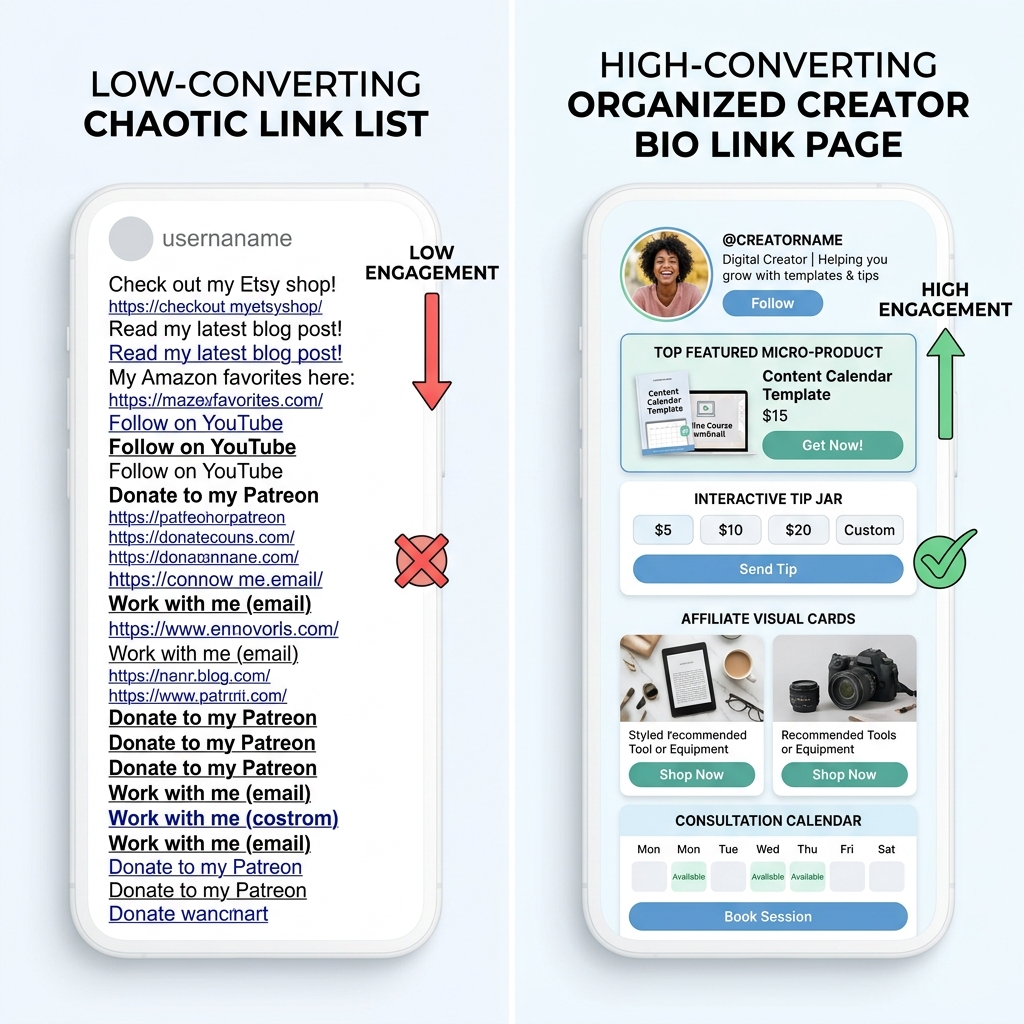
+------------------------------------+------------------------------------+
| CHAOTIC RAW LINK LIST (0.5% CONV)  | LIGHT MONETIZATION HUB (4.8% CONV) |
+------------------------------------+------------------------------------+
| ❌ Dark, muddy color theme         | ✅ Crisp light theme (#FFFFFF)    |
| ❌ 15+ unlabelled raw URLs         | ✅ Top 4 prioritized income cards  |
| ❌ Hidden purchase buttons         | ✅ High-contrast primary CTAs      |
| ❌ No visual product previews      | ✅ Rich visual product thumbnails  |
| ❌ "DM for prices" (High friction) | ✅ Instant express checkout        |
| ❌ Slow mobile loading speed       | ✅ Sub-second page rendering       |
+------------------------------------+------------------------------------+
Creators who migrate from unorganized link dumps to structured light-theme bio hubs report 3x to 5x higher click-through rates and sales conversions.
For a complete breakdown of page structure, read the anatomy of a high-converting link-in-bio page.
4 Actionable Steps to Optimize Your Bio Link Page Today
Ready to transform your bio page into a thriving income hub? Follow this step-by-step checklist:
Step 1: Switch to a Clean Light Theme Palette
Select a crisp white background (#FFFFFF) or soft neutral off-white (#F8FAFC). Use dark charcoal typography (#0F172A) for maximum legibility, and reserve rich primary colors (like royal blue #2563EB or vibrant emerald #059669) exclusively for high-priority Call to Action buttons.
Step 2: Limit Above-the-Fold Choices (3 to 5 Primary Cards)
Avoid choice paralysis. Place your most profitable offer—whether a digital product, consultation booking, or featured lead magnet—at the very top of the page. Secondary links can sit below in structured visual accordions or clean category headers.
Step 3: Use Action-Oriented CTA Button Copy
Replace vague, passive labels with dynamic, benefit-driven action verbs:
- ❌ Change: “My E-book” ➔ ✅ To: “Download the 2026 Growth Playbook ($15)”
- ❌ Change: “Consulting” ➔ ✅ To: “Book a 1-on-1 Profile Audit”
- ❌ Change: “Gear” ➔ ✅ To: “Shop My Studio Camera Setup”
Step 4: Track Analytics & Iteratively Refine
Review your bio page analytics weekly. Identify which products receive the highest click-to-conversion rates and feature them prominently. Swap out low-performing links to keep your bio storefront fresh and engaging.
For more guidance on when and how to refresh your profile, read how often you should update your link in bio page.
Start Monetizing Your Audience with OnlyLink
Building a profitable creator business shouldn’t require complex website maintenance, expensive web hosting, or tedious coding.
With OnlyLink, you can launch a stunning, light-themed bio-link page in under 60 seconds:
- ✨ Stunning Light-Theme Templates: Professionally crafted layouts designed for high visual appeal and maximum conversion.
- ⚡ Sub-Second Page Load Speeds: Ultra-fast performance ensuring no buyer drops off.
- 💰 Integrated Monetization: Feature digital product downloads, tip jars, affiliate cards, and booking calendars with zero transaction markup.
- 📊 Real-Time Visual Analytics: Track visitor clicks, referral sources, and conversion rates in one simple dashboard.
Stop leaving money on the table. Turn your bio link into a 24/7 monetization machine today.
Ready to build your link in bio?
Create your free OnlyLink page in under a minute unlimited links, analytics and custom designs.
Get started freeKeep reading
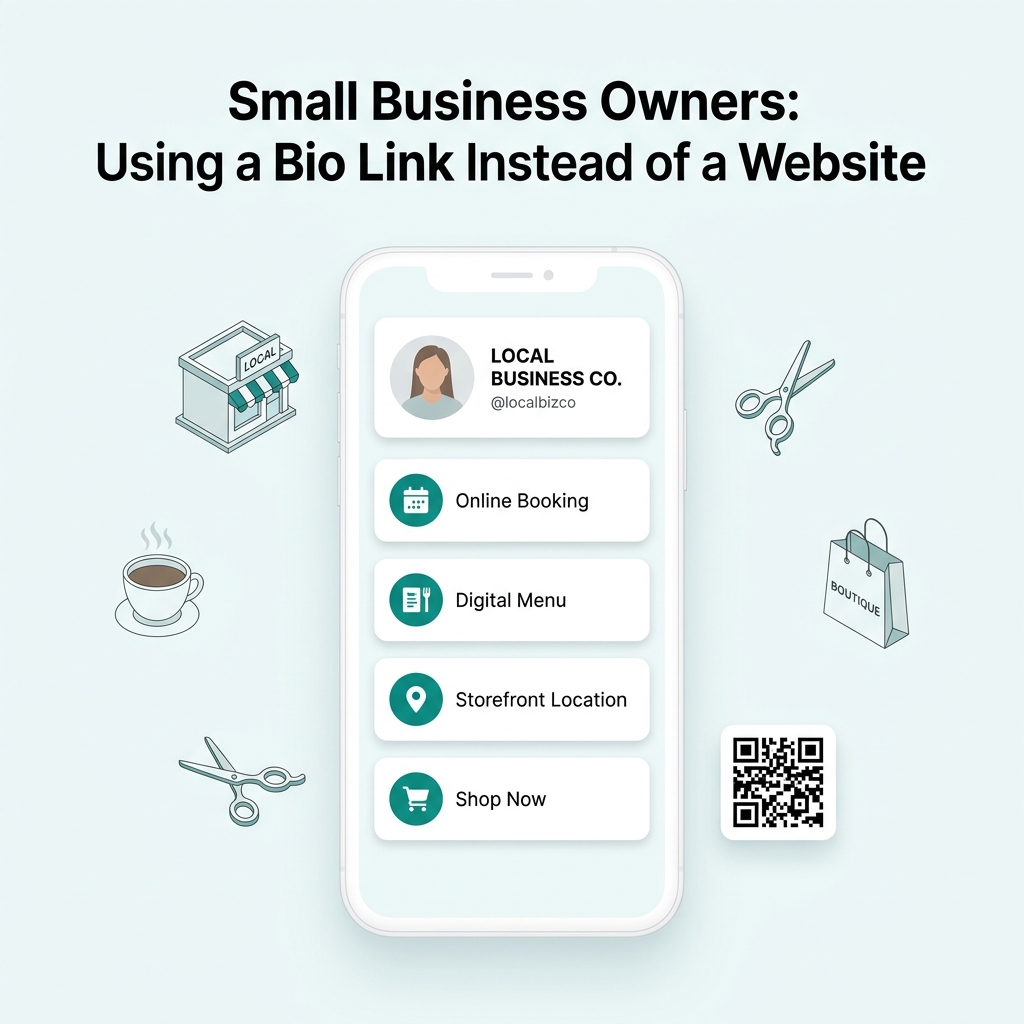
Small Business Owners: Using a Bio Link Instead of a Website
Discover why small business owners are replacing expensive, complex websites with streamlined Bio Link …

Real Estate Agents: A Bio Link Page That Generates Leads (2026 Strategy Guide)
Turn your Instagram, TikTok, and LinkedIn followers into high-intent buyers and sellers. Learn how real estate …