
How a Link in Bio Can Increase Your Website Traffic
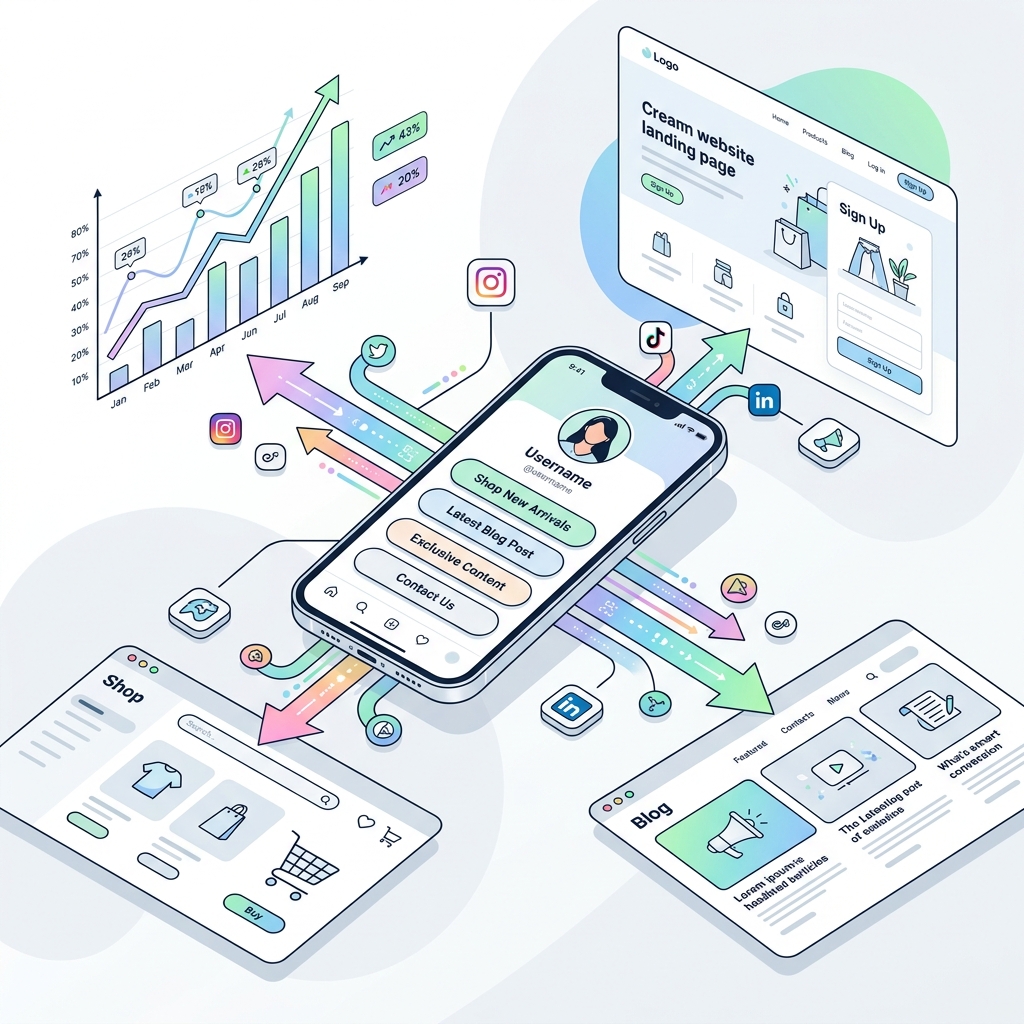
Social media platforms like Instagram, TikTok, YouTube, X, and LinkedIn excel at generating massive organic reach. However, keeping your audience trapped inside a social feed limits your long-term business growth. Your website is your owned digital asset — the hub where visitors convert into email subscribers, loyal customers, and paying clients.
The challenge? Most social platforms limit you to a single hyperlinked URL in your profile bio.
If that single URL sends visitors to a generic homepage, you are likely losing up to 70% of potential website traffic.
In this comprehensive guide, we will explore how a strategic link in bio can dramatically increase your website traffic, the psychological triggers that drive clicks, and how to structure your bio page into a high-converting traffic engine.
The Social-to-Website Traffic Bottleneck
Every day, creators and businesses publish high-performing posts instructing followers to “click the link in bio for more.” But when users click through, they often run into two major conversion killers:
- The Static Homepage Trap: Sending a user who was interested in a specific blog post or product to your main
homepage.comforces them to search your site manually. Most users will abandon the effort within 3 seconds. - Choice Paralysis & Cluttered Lists: Sending users to an unorganized wall of 20 generic buttons causes decision fatigue. When everything is prioritized equally, nothing gets clicked.
A smart link-in-bio page solves both problems by creating a seamless, low-friction bridge between social discovery and targeted website destinations.
5 Ways a Smart Link in Bio Drives Website Traffic
1. Contextual Routing to High-Intent Landing Pages
When a follower clicks your profile link after seeing a specific video or story, their interest is at its peak. A smart bio page lets you feature direct links to exact content mentioned in your posts:
- Featured Articles & Deep Dives: Direct readers straight to your latest blog post or guide.
- Product & Offer Drop Pages: Send shoppers directly to a specific product page or promotional landing page.
- Lead Magnet & Resource Pages: Guide high-intent visitors directly to newsletter opt-in forms hosted on your website.
By matching link destinations with what you promote on social media, you eliminate navigation steps and instantly increase referral traffic.
2. Action-Oriented Micro-Copy and Visual CTAs
Generic link labels like "My Website" or "Click Here" deliver low click-through rates (CTR). An optimized bio page uses persuasive, action-oriented micro-copy combined with subtle visual cues:
- ❌ Weak CTA:
"Blog" - ✅ High-Traffic CTA:
"Read: 7 Strategies to Double Your Traffic in 2026 ➔"
Adding icons, custom thumbnails, and spotlight badges to your primary website links attracts attention and sets clear expectations, boosting click-through rates by up to 300%.
3. Dynamic Syncing with Live Social Campaigns
Social content moves fast. If a post goes viral on Instagram or TikTok, your bio link must instantly reflect that momentum.
With modern bio tools like OnlyLink, you can dynamically schedule links, re-order buttons instantly from your phone, or feature real-time embeds (such as your latest YouTube video or Spotify podcast). This ensures that whenever social traffic spikes, your bio page immediately channels that attention straight to your website.
4. Lightning-Fast Mobile Performance
Over 92% of link-in-bio visitors access your profile on a mobile device over cellular connections. If your bio page is bloated with heavy scripts or slow servers, visitors bounce before the page even loads.
According to Google performance benchmarks, 53% of mobile site visits are abandoned if a page takes longer than 3 seconds to load. A high-performance, server-rendered bio page that loads under 1 second retains visitors and successfully passes them through to your website.
5. SEO Signals and Direct Organic Referral Paths
A properly structured bio page does not just sit in social apps — search engines like Google index publicly accessible bio pages.
When your bio page ranks for your brand name or creator identity, searchers discover your curated link hub directly from Google Search Results. By featuring your primary blog posts, portfolio, and shop on an indexable bio page, you create valuable internal referral paths that pass search authority and organic search traffic back to your main domain.
Static Bio Link vs. Smart Link in Bio Traffic Strategy
| Strategy Element | Traditional Static Link | Optimized Smart Link in Bio (OnlyLink) |
|---|---|---|
| Destination Relevance | Generic homepage (high bounce rate) | Contextual, campaign-matched landing pages |
| Average Click-Through Rate (CTR) | ~1.5% - 2.5% | 8.5% - 16%+ with visual hierarchy & CTAs |
| Mobile Speed & CWV | Heavy bundles, 3s+ load time | Instant server-rendered HTML (<0.8s load) |
| Analytics & Conversion Insights | Basic platform totals | Detailed link CTR, referrer sources & UTMs |
| Retargeting Capabilities | None | Custom Meta, TikTok & Google Pixel tracking |
4 Actionable Strategies to Maximize Website Traffic from Your Bio
Step 1: Establish a Clear Visual Hierarchy
Treat your bio link like an executive summary of your digital universe:
- Top 1-2 Links: Place your primary website traffic drivers here (e.g., your newest blog article, main service page, or flagship product).
- Middle Section: Secondary resources such as newsletter signups, case studies, or portfolio pages.
- Bottom Section: Permanent contact details, secondary social profiles, or static disclosures.
Step 2: Use Lead Magnets to Capture Owned Traffic
Driving traffic to a one-time webpage visit is good; capturing that visitor into an owned email list is game-changing.
Link your bio page directly to a high-converting website landing page offering a free downloadable PDF, template, or exclusive video masterclass. Once visitors land on your website and subscribe, you can drive recurring website traffic via regular email newsletters.
Step 3: Implement UTM Parameters for Data-Driven Optimization
To know exactly which social platform is driving website traffic, attach UTM parameters to the destination URLs inside your bio page (e.g., https://yourdomain.com/blog-post?utm_source=onlylink&utm_medium=bio&utm_campaign=instagram_bio).
By checking your Google Analytics or OnlyLink dashboard, you can see which links generate the highest website visits and double down on what works.
Step 4: Add Custom Domain Branding to Build Instant Trust
Web users are cautious about clicking suspicious or generic third-party short links. Using a clean, recognizable domain handle like yourbrand.onlylink.click gives users confidence that clicking will lead to a secure, legitimate website.
Turn Social Reach into Sustainable Website Traffic Today
Social media algorithms change constantly, but traffic driven to your website builds long-term business enterprise value. By transforming your bio link into an intentional, high-speed traffic routing system, you convert casual social scrollers into active website readers, subscribers, and customers.
Ready to elevate your bio link and start driving more traffic to your website? Create your free OnlyLink page in under 2 minutes.
Further Reading & Growth Guides
Ready to build your link in bio?
Create your free OnlyLink page in under a minute unlimited links, analytics and custom designs.
Get started freeKeep reading
How Dentists Can Share Appointment Booking, Clinic Details, and Patient Resources
Discover how modern dental clinics, orthodontists, and cosmetic practices build a high-speed, light-theme …
How Lawyers Can Build a Professional Online Information Hub
Discover how modern attorneys, solo practitioners, and boutique law firms build an ethical, high-speed, …