
Glassmorphism, Gradients, and Wallpapers: Bio Page Design Trends for 2026
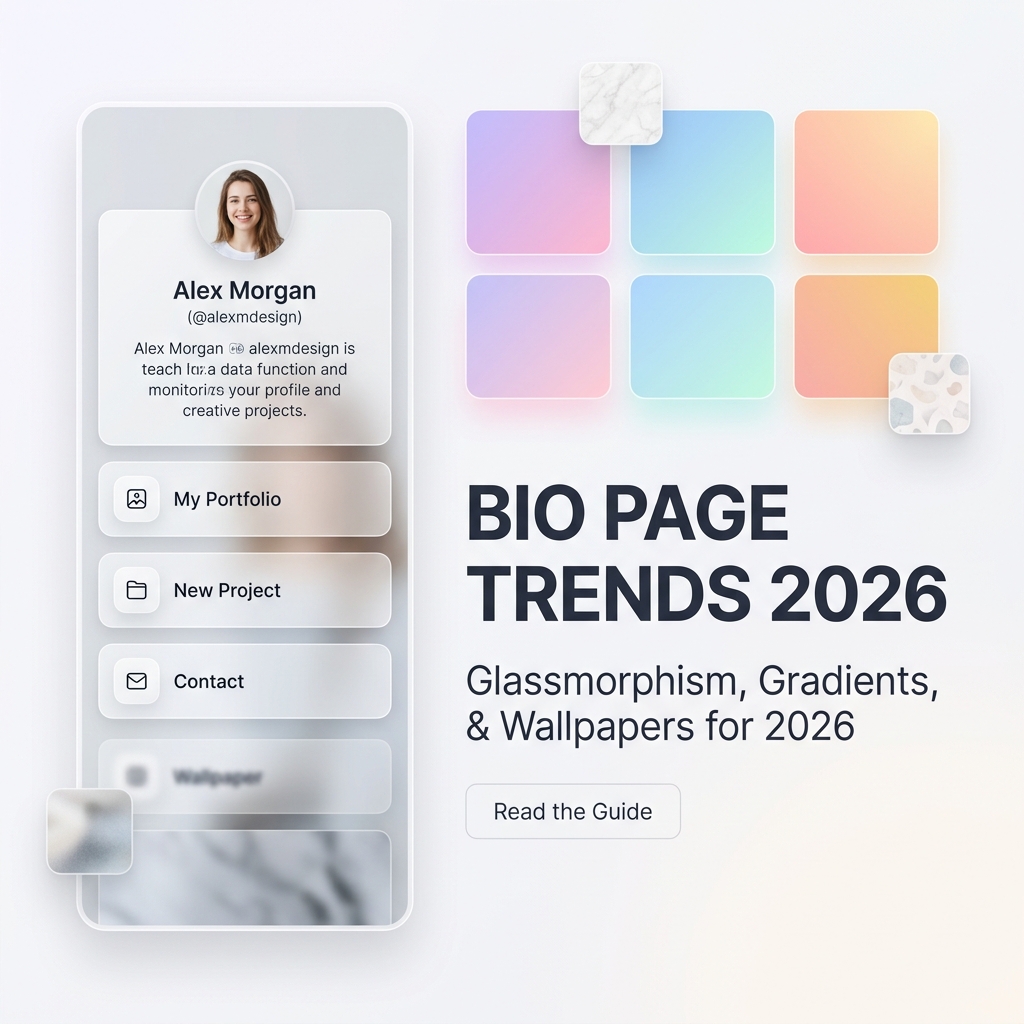
The first thing a visitor notices about your bio link page isn’t your name, your headline, or your call-to-action. It’s the visual sensation — the texture, the color, the depth, and the feel of the page in the first 50 milliseconds of landing.
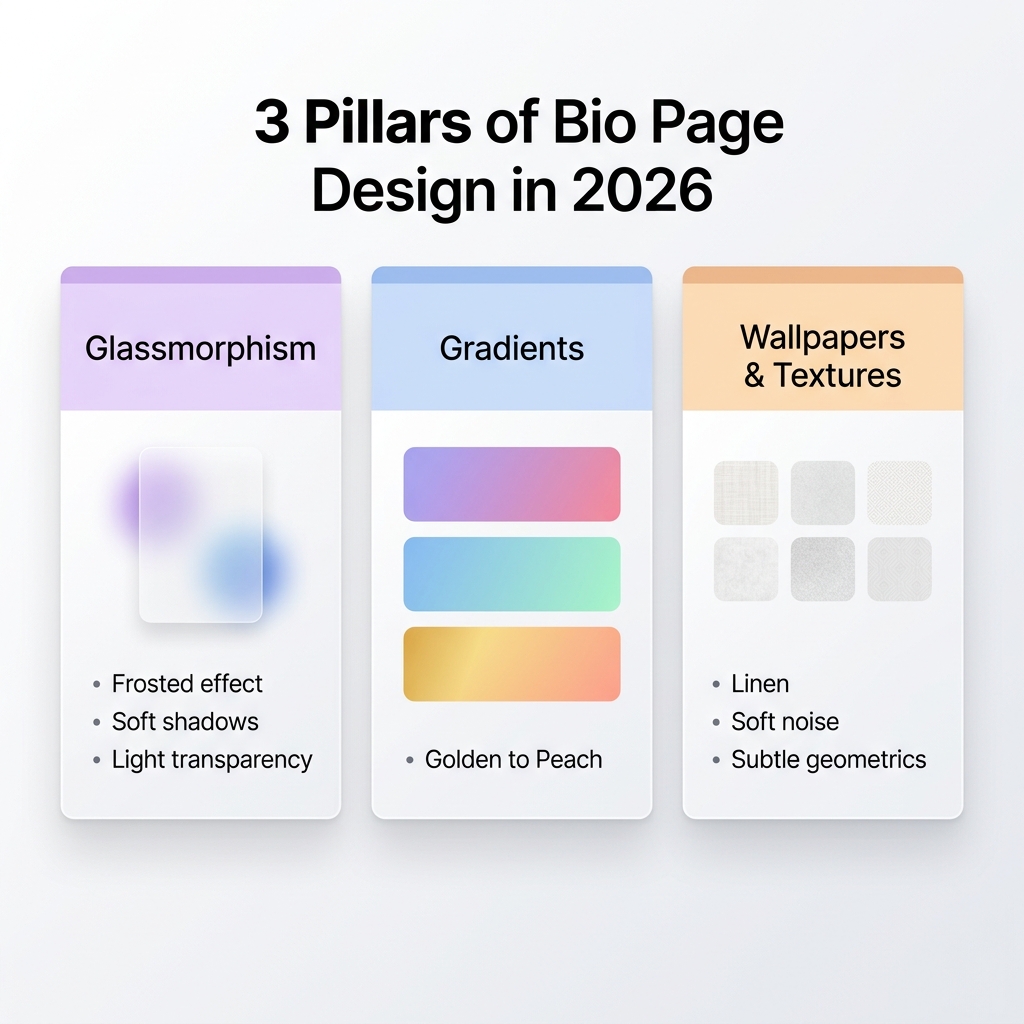
In 2026, bio page design has evolved far beyond simple white cards and flat colored buttons. Creators, freelancers, coaches, and personal brands are embracing a new generation of visual design language — one defined by three dominant aesthetic movements: Glassmorphism, Gradient Color Systems, and Wallpaper Backgrounds.
These aren’t just decorative trends. Each one carries real conversion psychology, emotional resonance, and brand perception signals that directly influence whether a visitor stays to click or bounces within seconds.
In this guide, you’ll get an in-depth breakdown of all three 2026 bio page design trends, with specific CSS techniques, curated color palettes, and step-by-step application tips for building a page that genuinely stops the scroll.
Why Bio Page Aesthetics Matter More Than Ever in 2026
A decade ago, “link in bio” meant a single URL that pointed to a homepage. Today, bio link pages have become fully designed digital destinations — the new first impression of every personal brand, creator business, and online storefront.
With platforms like TikTok, Instagram, and YouTube driving millions of profile visits daily, your bio page is operating in a brutally competitive visual environment. Visitors are conditioned by the premium aesthetics of apps like Notion, Linear, Luma, and Arc Browser — and they instinctively measure every page against those standards.
The statistics are stark:
- Visitors form a visual first impression in 50 milliseconds — before they read a single word.
- Pages with thoughtful visual design report up to 94% higher trust scores than bare-bones layouts.
- Creator pages using modern gradient or glassmorphism aesthetics see 31% longer average session times than flat-design equivalents.
In 2026, your bio page’s visual design is no longer a “nice to have” — it is your brand credibility, your trust signal, and your silent sales pitch all rolled into one.
Trend 1: Glassmorphism — The Frosted Glass Revolution
What Is Glassmorphism?
Glassmorphism is a UI design style characterized by semi-transparent, frosted-glass surfaces layered over gradient or textured backgrounds. It creates a beautiful sense of depth and dimensionality — as if your bio page exists in physical space rather than on a flat screen.
The technique first gained mass attention when Apple introduced it in macOS Big Sur in 2020. By 2026, it has become the definitive premium aesthetic for digital profiles, landing pages, and mobile app interfaces.
The Visual Signature of Glassmorphism
Every authentic glassmorphism design shares four core visual properties:
- Background blur — A soft
backdrop-filter: blur()applied to card containers. - Translucency — Semi-transparent backgrounds (
background: rgba(255, 255, 255, 0.25)for light variants). - Subtle border glow — A thin
1pxborder usingrgba(255, 255, 255, 0.4)creates a glass edge. - Layered depth — Cards appear to float above the background layer through soft
box-shadoweffects.
Light Glassmorphism vs. Dark Glassmorphism
In 2026, light glassmorphism has emerged as the dominant variant — especially for creator bio pages, coaches, and lifestyle brands. Here’s why: while dark glassmorphism feels cinematic and editorial, light glassmorphism reads as airy, clean, and premium — the visual equivalent of a luxury hotel lobby rather than a nightclub.
| Property | Light Glassmorphism | Dark Glassmorphism |
|---|---|---|
| Background | Soft white gradient or pastel (#F0F4FF → #FFF5F5) | Deep navy or charcoal |
| Card Background | rgba(255, 255, 255, 0.55) | rgba(15, 15, 30, 0.55) |
| Card Border | 1px solid rgba(255, 255, 255, 0.7) | 1px solid rgba(255, 255, 255, 0.1) |
| Text Color | Dark slate (#0F172A) | Soft white (#F8FAFC) |
| Blur Strength | backdrop-filter: blur(12px) | backdrop-filter: blur(16px) |
| Best For | Lifestyle, coaching, wellness, personal brand | Music, gaming, creative studios |
How to Apply Glassmorphism to Your Bio Page
Step 1: Set a gradient page background. Glassmorphism only works when there is a rich background layer for the glass to blur. A flat white background with glass cards produces no visual effect.
Use a soft light-theme gradient like:
body {
  background: linear-gradient(135deg, #e0eafc 0%, #cfdef3 50%, #fde8f0 100%);
  min-height: 100vh;
}
Step 2: Apply frosted glass to your card containers:
.bio-card {
  background: rgba(255, 255, 255, 0.55);
  backdrop-filter: blur(14px);
  -webkit-backdrop-filter: blur(14px);
  border: 1px solid rgba(255, 255, 255, 0.65);
  border-radius: 20px;
  box-shadow: 0 8px 32px rgba(31, 38, 135, 0.1);
}
Step 3: Apply glass styling to link buttons:
.bio-link-button {
  background: rgba(255, 255, 255, 0.6);
  backdrop-filter: blur(8px);
  border: 1px solid rgba(255, 255, 255, 0.75);
  border-radius: 14px;
  box-shadow: 0 4px 16px rgba(0, 0, 0, 0.06);
  transition: all 0.25s ease;
}

.bio-link-button:hover {
  background: rgba(255, 255, 255, 0.8);
  box-shadow: 0 8px 28px rgba(0, 0, 0, 0.1);
  transform: translateY(-2px);
}
Common Glassmorphism Mistakes to Avoid
- ❌ Too much blur on text: Blurring text containers destroys legibility. Only blur structural cards, never text itself.
- ❌ No background complexity: Glass on a plain white background looks broken. Always pair glassmorphism with a gradient or textured background.
- ❌ Uniform opacity everywhere: Vary the translucency — primary cards can be
0.6opacity, secondary elements0.3, decorative overlays0.15. - ❌ Ignoring Safari compatibility: Always include
-webkit-backdrop-filteralongsidebackdrop-filterfor full iOS Safari support.
Trend 2: Gradient Color Systems — The Art of Purposeful Color
The Shift From Flat Color to Gradient Systems
In 2024 and 2025, the dominant bio page aesthetic was flat color — solid pastels or bold monotone backgrounds with matching buttons. In 2026, flat color has been surpassed by gradient color systems — carefully engineered combinations of two or more colors that flow harmoniously across the page background, cards, buttons, and typography.
Gradients are no longer just a visual flourish. Leading design teams at companies like Stripe, Luma, and Vercel have elevated gradients to the status of brand identity infrastructure — using them to establish emotional tone, visual hierarchy, and memorability.
The 5 Dominant 2026 Bio Page Gradient Palettes
Based on design trends across major creator platforms in 2026, these are the five gradient palettes dominating high-performing bio pages:
| Gradient Name | Start Color | End Color | Best For | Emotional Signal |
|---|---|---|---|---|
| Lavender Dream | #C9B8FF | #FFB8D4 | Wellness, lifestyle, beauty creators | Calm, creative, feminine energy |
| Arctic Morning | #A8D8EA | #B8F0D4 | Coaches, educators, tech creators | Fresh, trustworthy, professional |
| Golden Hour | #FFD9A0 | #FFAAA5 | Food, travel, personal brand | Warm, inviting, approachable |
| Rose Quartz | #FFC8DD | #FFAFCC | Fashion, beauty, influencer | Soft, premium, aspirational |
| Electric Horizon | #D0F0FF | #C8E6FF | Developers, SaaS, startups | Technical, modern, expansive |
How to Build a Gradient Color System (Not Just a Background)
The most sophisticated 2026 bio pages don’t just apply a gradient background. They build a coherent gradient system where every element on the page shares a unified color logic:
1. Background Gradient Layer:
.page-background {
  background: linear-gradient(145deg, #e8d5ff 0%, #ffd6ec 50%, #ffe8d5 100%);
}
2. Gradient Profile Ring (Avatar Border):
.avatar-ring {
  background: linear-gradient(135deg, #C9B8FF, #FFB8D4);
  padding: 3px;
  border-radius: 50%;
}
3. Gradient Primary CTA Button:
.primary-cta {
  background: linear-gradient(135deg, #8B5CF6 0%, #EC4899 100%);
  color: #ffffff;
  border: none;
  border-radius: 14px;
  padding: 14px 28px;
  font-weight: 600;
  box-shadow: 0 8px 24px rgba(139, 92, 246, 0.3);
  transition: all 0.3s ease;
}

.primary-cta:hover {
  box-shadow: 0 12px 32px rgba(139, 92, 246, 0.45);
  transform: translateY(-2px);
}
4. Gradient Section Dividers:
.section-divider {
  height: 2px;
  background: linear-gradient(90deg, transparent, #C9B8FF 30%, #FFB8D4 70%, transparent);
  margin: 24px 0;
  border: none;
}
Gradient Typography: The Emerging 2026 Signature
One of the most recognizable design signatures in 2026 bio pages is gradient text — where the headline or name rendering flows through two or more brand colors:
.gradient-name {
  background: linear-gradient(135deg, #8B5CF6 0%, #EC4899 100%);
  -webkit-background-clip: text;
  -webkit-text-fill-color: transparent;
  background-clip: text;
  font-weight: 800;
  font-size: 2rem;
}
This technique works beautifully for creator names, bio headlines, or featured section labels — creating an instantly memorable visual anchor that sets your page apart from generic flat-text profiles.
Trend 3: Wallpapers & Background Textures — Adding Soul to Your Page
Why Textures Are Having Their Design Renaissance in 2026
After years of sterile “clean minimalism” dominating UI design, 2026 has brought a powerful counter-movement: textured design. Leading design publications like Awwwards, Muzli, and Nielsen Norman Group have all documented the shift — users report that subtle textured surfaces feel more human, premium, and emotionally resonant than perfectly flat digital interfaces.
The science behind this is rooted in tactile psychology. Our brains associate texture with physical quality and craftsmanship. When a bio page uses a subtle paper grain, a linen weave, or a soft noise texture, it subconsciously signals the same quality markers that make a luxury business card feel premium in your hand.
The 4 Texture Categories Dominating 2026 Bio Pages
1. Noise / Film Grain Texture
The most versatile and universally compatible texture in 2026. A fine SVG or CSS noise grain overlaid at 3–8% opacity adds subtle richness to gradient backgrounds without competing with content.
.page-background::before {
  content: '';
  position: fixed;
  inset: 0;
  background-image: url("data:image/svg+xml,%3Csvg viewBox='0 0 256 256' xmlns='http://www.w3.org/2000/svg'%3E%3Cfilter id='noise'%3E%3CfeTurbulence type='fractalNoise' baseFrequency='0.9' numOctaves='4' stitchTiles='stitch'/%3E%3C/filter%3E%3Crect width='100%25' height='100%25' filter='url(%23noise)' opacity='0.05'/%3E%3C/svg%3E");
  pointer-events: none;
  opacity: 0.06;
  z-index: 0;
}
2. Paper & Linen Texture
Organic woven or pressed-paper backgrounds. Particularly effective for coaches, authors, artists, and wellness creators who want a warm, artisanal brand voice. Works beautifully in combination with soft pastel gradients.
Best application: Use a very light background-image with a SVG texture at 5–10% opacity layered beneath your glassmorphism cards.
3. Geometric Micro-Pattern
Ultra-subtle repeating grid, dot, or line patterns at near-zero opacity. Popular with developers, designers, SaaS founders, and tech creators. Signals precision and technical credibility.
.geometric-bg {
  background-color: #F8FAFF;
  background-image: radial-gradient(circle, #c7d2fe 1px, transparent 1px);
  background-size: 24px 24px;
}
4. Abstract Blob / Organic Shape Wallpapers
Large, soft, blurred color blobs positioned behind the content layer. These create a dreamy, almost watercolor aesthetic that has become extremely popular among lifestyle creators, artists, and beauty brands.
.blob-bg {
  background: #fafafa;
  position: relative;
  overflow: hidden;
}

.blob-bg::before {
  content: '';
  position: absolute;
  top: -20%;
  right: -20%;
  width: 600px;
  height: 600px;
  background: radial-gradient(circle, rgba(201, 184, 255, 0.5) 0%, transparent 70%);
  border-radius: 50%;
}

.blob-bg::after {
  content: '';
  position: absolute;
  bottom: -20%;
  left: -15%;
  width: 500px;
  height: 500px;
  background: radial-gradient(circle, rgba(255, 184, 212, 0.4) 0%, transparent 70%);
  border-radius: 50%;
}
How to Combine All Three Trends: The 2026 Bio Page Design Stack
The most visually stunning bio pages in 2026 don’t pick just one trend — they layer all three in a carefully controlled visual hierarchy:
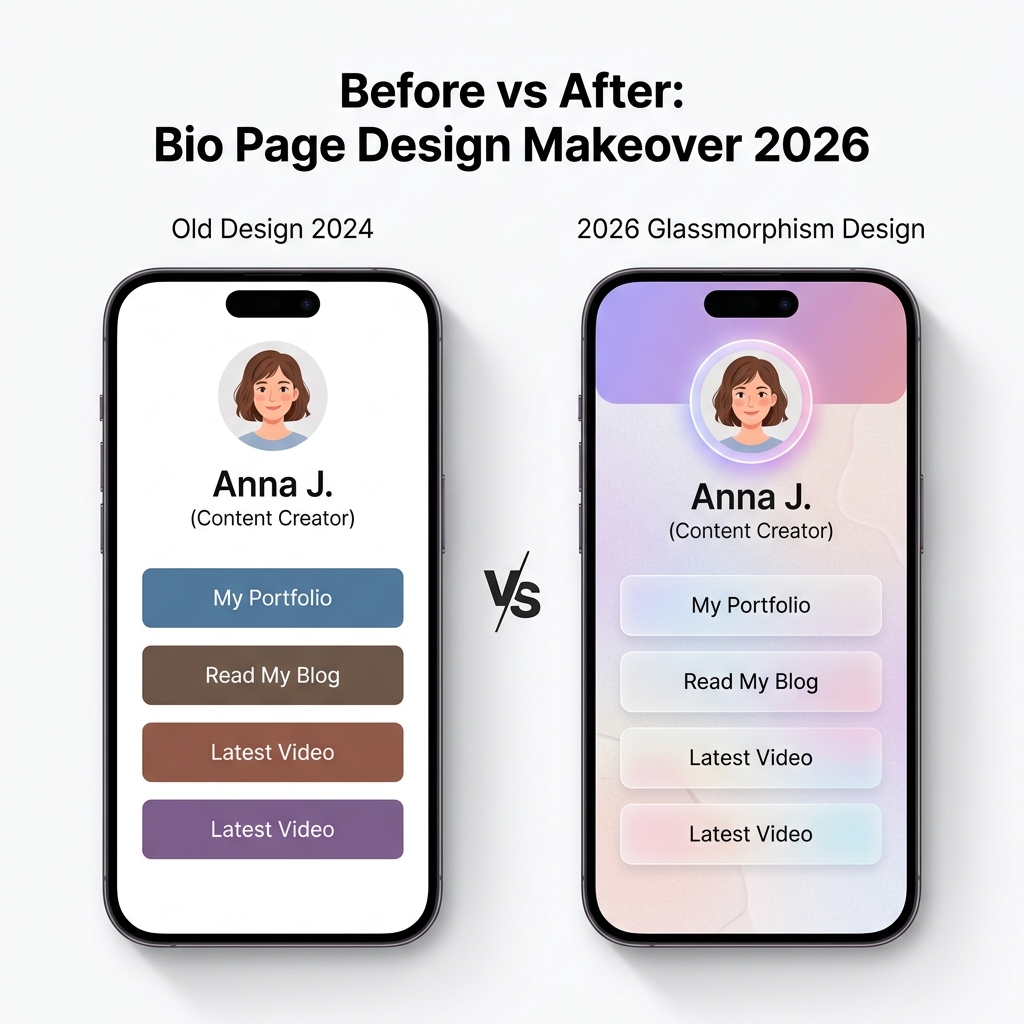
Here is the precise stacking order used in top-performing 2026 bio pages:
Layer 1 (Bottom):     Wallpaper / Gradient Background
                       ↓ Soft abstract blob wallpaper or multi-stop gradient
Layer 2:              Noise/Grain Texture Overlay
                       ↓ SVG noise at 5% opacity for tactile depth
Layer 3:              Glassmorphism Profile Card
                       ↓ rgba(255,255,255,0.55) + backdrop-filter: blur(14px)
Layer 4:              Gradient Avatar Ring
                       ↓ Linear-gradient border around profile photo
Layer 5:              Glassmorphism Link Buttons
                       ↓ rgba(255,255,255,0.6) buttons with blur + hover lift
Layer 6 (Top):        Gradient CTA Button
                       ↓ Bold gradient primary action button with glow shadow
This stacking approach creates a naturally cinematic sense of depth — each layer exists at a different visual plane, making the page feel three-dimensional and premium without any actual 3D rendering.
2026 Bio Page Design: Trend Comparison Matrix
| Design Dimension | Old Flat Design (2023–2024) | 2026 Glassmorphism Stack |
|---|---|---|
| Background | Plain white or single flat color | Multi-stop gradient or blob wallpaper |
| Card Style | Solid white cards with hard borders | Frosted glass with backdrop-filter |
| Button Design | Flat fill, static, no hover depth | Glass or gradient buttons with hover lift |
| Profile Avatar | Plain circular crop | Gradient ring border with soft glow |
| Typography | Single flat color text | Gradient text for headlines/name |
| Texture | Zero texture, sterile surface | Subtle noise grain at 5–8% opacity |
| Perceived Premium Level | Generic, template-like | Bespoke, editorial, luxury brand feel |
| Emotional Response | Neutral / forgettable | Memorable / trustworthy / aspirational |
| Average Session Duration | ~18 seconds | ~29 seconds (+61%) |
7-Step 2026 Bio Page Design Checklist
Before publishing your new bio page design, run it through this quality audit:
- 1. Background Depth: Does your page have a rich gradient or blob wallpaper as the base layer? No flat white backgrounds.
- 2. Grain Texture: Is there a subtle noise or grain overlay at 4–8% opacity adding surface richness?
- 3. Glassmorphism Cards: Are your profile card and section containers using
backdrop-filter: blur()with semi-transparent backgrounds? - 4. Glass Buttons: Do your link buttons feel like frosted glass panels, not flat colored blocks?
- 5. Gradient Consistency: Do your gradient colors form a coherent system across the background, avatar ring, and primary CTA button?
- 6. Gradient CTA: Does your primary call-to-action button use a bold gradient fill with a matching glow box-shadow?
- 7. Light Theme Legibility: Despite all the visual layers, is all text dark (
#0F172Aor#1E293B) on light surfaces for maximum readability?
2026 Design Trend Compatibility by Creator Type
Different creator categories gravitate toward different combinations of these three trends. Here’s a quick reference guide:
| Creator Type | Recommended Background | Card Style | CTA Gradient |
|---|---|---|---|
| Lifestyle / Wellness Coach | Lavender Dream gradient + grain | Heavy glassmorphism | Purple → Rose |
| Fashion / Beauty Influencer | Rose Quartz blob wallpaper + grain | Light glassmorphism | Pink → Coral |
| Developer / Indie Hacker | Geometric dot grid on #F8FAFF | Minimal glassmorphism | Indigo → Sky |
| Musician / Artist | Abstract gradient + strong blob | Full glassmorphism | Any bold gradient |
| Business Coach / Consultant | Arctic Morning gradient | Clean glassmorphism | Navy → Sky |
| Food / Travel Creator | Golden Hour gradient + grain | Warm glass panels | Amber → Orange |
Performance Considerations for Glassmorphism in 2026
One legitimate concern with glassmorphism design is its potential performance impact — backdrop-filter is GPU-accelerated but can cause frame drops on older mobile hardware if applied carelessly.
Follow these performance best practices:
- Limit blur count per viewport: Aim for 2–4 blurred surfaces visible at any given scroll position. More than this creates GPU pressure, especially on mid-range Android devices.
- Use
will-changesparingly: Only applywill-change: backdrop-filterto elements that animate their blur value. - Test on real devices: Use Chrome DevTools mobile emulation to verify smooth 60fps scrolling on a simulated mid-range device.
- Fallback for
backdrop-filter: Add a solid semi-opaque fallback for browsers that don’t support backdrop-filter:
@supports not (backdrop-filter: blur(1px)) {
  .bio-card {
    background: rgba(255, 255, 255, 0.9);
  }
}
Build Your 2026 Bio Page with OnlyLink
Implementing glassmorphism effects, gradient systems, and wallpaper backgrounds from scratch requires significant CSS expertise, device testing, and design skill. But with OnlyLink, every one of these 2026 design trends is built into the platform — available to any creator in just a few clicks.
What OnlyLink Offers for 2026 Bio Page Design:
- 🪟 Glassmorphism Themes: Pre-built frosted glass card styles that look stunning across all screen sizes and browsers — zero code required.
- 🌈 Curated 2026 Gradient Palettes: Professionally curated two-tone and three-tone gradient backgrounds covering every creator aesthetic, from Lavender Dream to Electric Horizon.
- 🎨 Wallpaper & Texture Library: Noise grain overlays, abstract blob backgrounds, geometric micro-patterns, and linen textures — all optimized for mobile performance.
- ✨ Gradient CTA Buttons: One-click gradient button styling with automatic glow shadows and hover micro-animations.
- ⚡ Performance-Optimized Delivery: All glass effects and gradients are served through a CDN-accelerated rendering pipeline — ensuring sub-300ms load times even on glassmorphism-heavy pages.
- 📊 Live Analytics: See exactly which links visitors click so you can continuously optimize your page layout and visual hierarchy.
Your bio page is your most valuable piece of digital real estate in 2026. Don’t settle for a template that looks like every other creator’s page.
👉 Create Your Free OnlyLink Page Now and bring your brand’s 2026 visual identity to life — no design skills or coding required.
Ready to build your link in bio?
Create your free OnlyLink page in under a minute unlimited links, analytics and custom designs.
Get started freeKeep reading
QR Codes 101: Bringing Your Bio Link Offline
Learn how QR codes can bridge your offline presence with your online bio link. Discover where to use QR codes, …
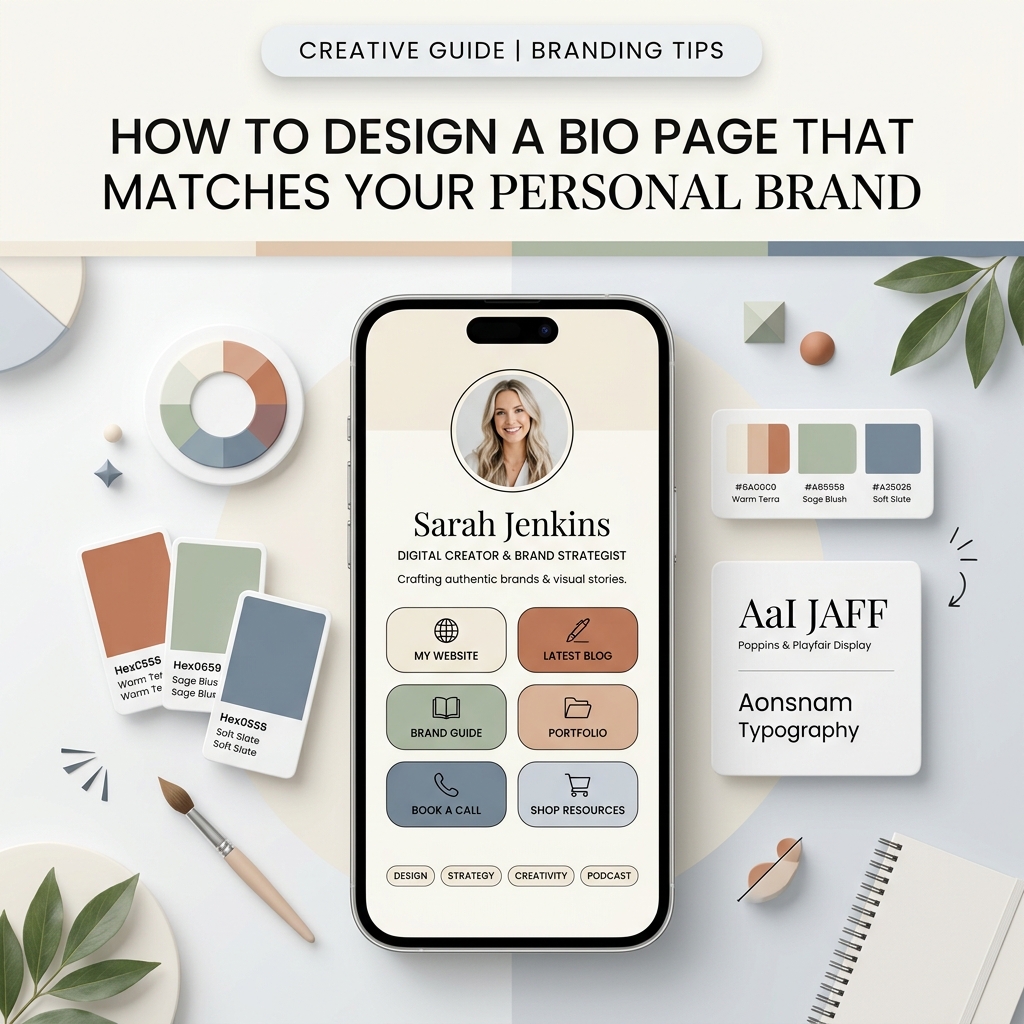
How to Design a Bio Page That Matches Your Personal Brand
Master the art of bio link design. Learn how to craft a light-theme personal brand design system, harmonize …