
Create a Developer Portfolio That Recruiters Will Love
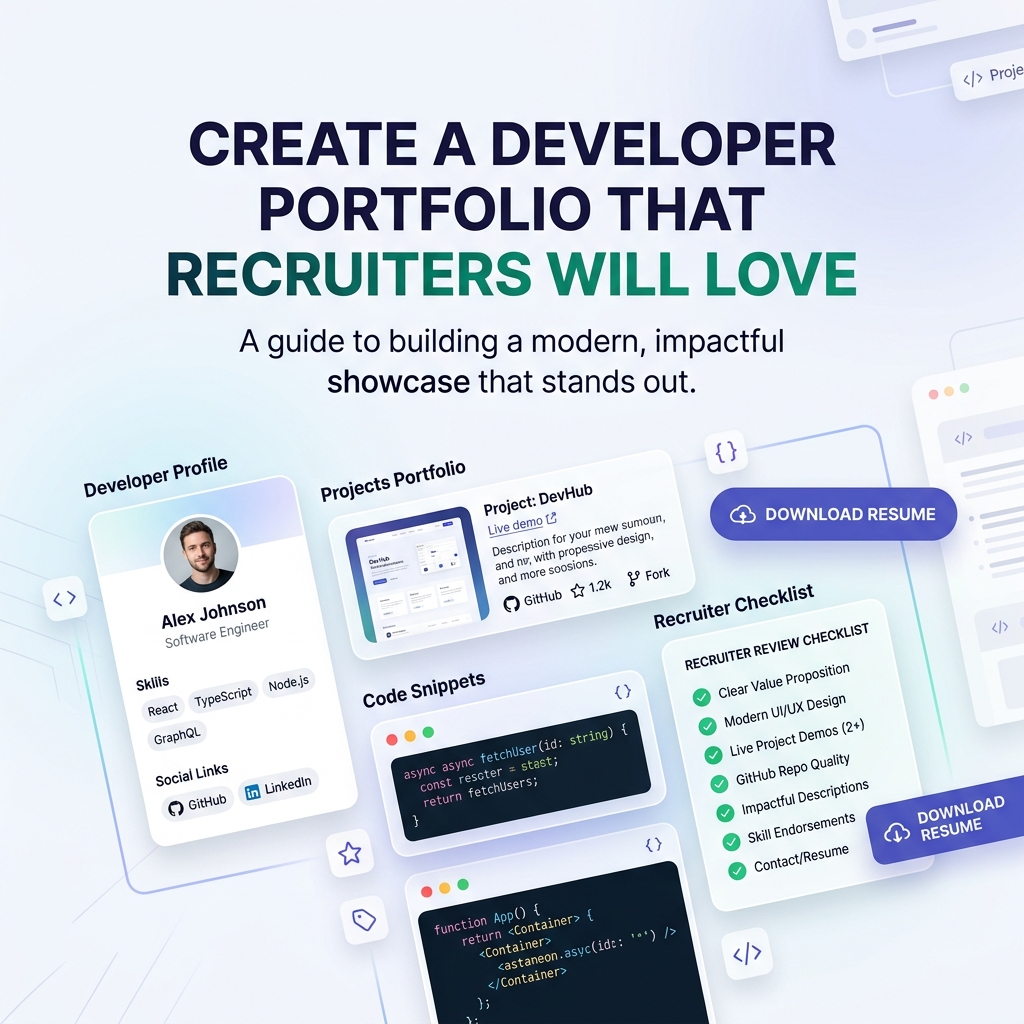
When a tech recruiter, engineering manager, or talent acquisition lead clicks the link in your GitHub profile, LinkedIn bio, or job application, you have roughly 6 to 10 seconds to grab their attention.
In today’s competitive hiring landscape, having impressive coding skills is only half the equation. If your online portfolio is slow, cluttered, or difficult to navigate, decision-makers will click back to the next candidate’s resume.
Many developers make the mistake of over-engineering their personal site: loading heavy 3D animations, custom webGL graphics, dark low-contrast canvas themes, and multi-layered navigation menus that take five seconds to load on mobile connections. While technically complex, these sites create friction for recruiters who simply want to know: Can this engineer build scalable software, solve real problems, and fit our team?
To land top-tier software engineering roles in 2026, you need a streamlined, light-themed, recruiter-optimized portfolio hub that presents your credentials, project impact, and contact details with crystal-clear clarity.
What Tech Recruiters Actually Want vs. What Developers Build
To design a portfolio that recruiters love, you first need to understand how recruiters review engineering candidates.
Tech recruiters review dozens of candidate profiles every day. They are not hunting for flashiness; they are scanning for proof of competence, tech stack alignment, and immediate accessibility.
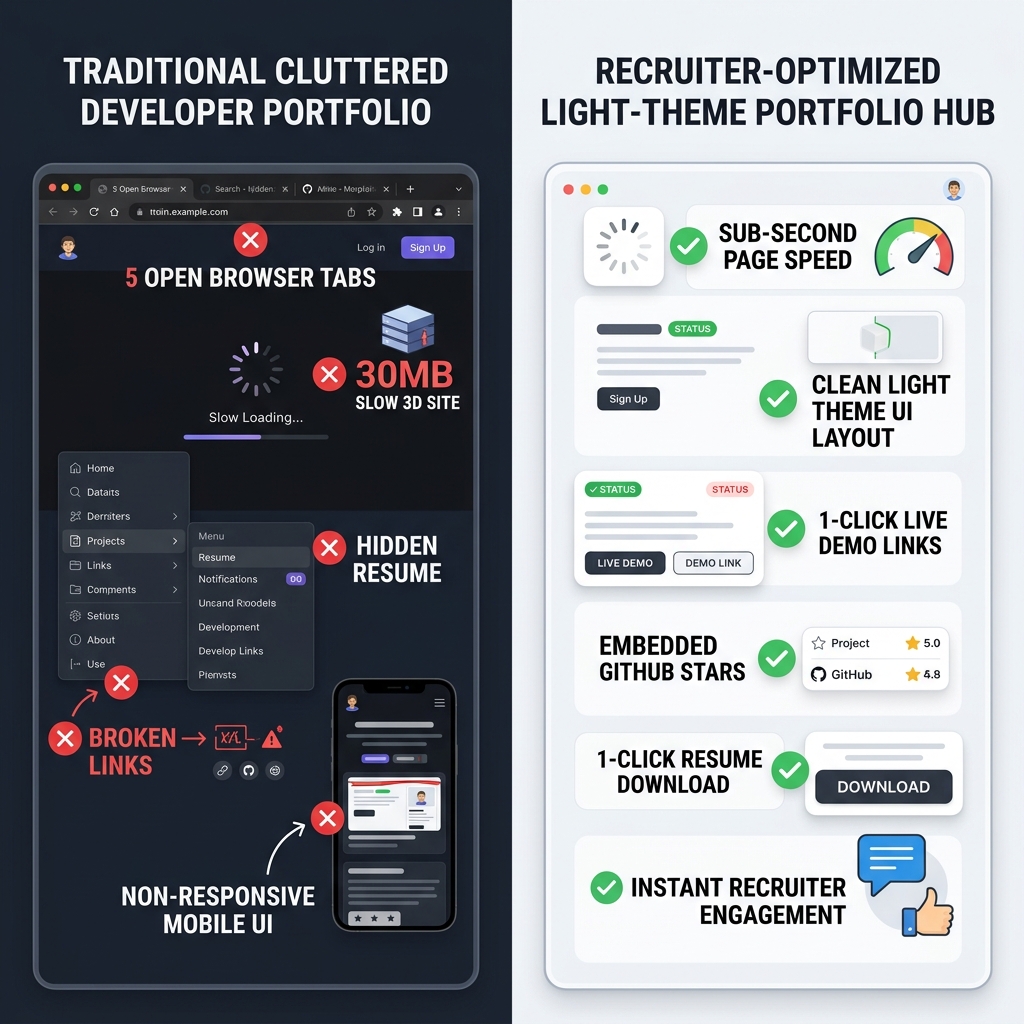
The Cluttered Portfolio Trap:
- ❌ Slow 3D & WebGL Canvas Bloat: Taking 4+ seconds to load on mobile networks, causing over 40% of recruiters to bounce immediately.
- ❌ Hidden Resume & Contact Information: Forcing recruiters to open 5 sub-pages or hunt through footer links to download a PDF resume.
- ❌ Unclear Tech Stack Context: Presenting raw code repositories without live demo URLs, screenshots, or quantitative project outcomes.
- ❌ Low-Contrast Dark UI Friction: Harsh dark backgrounds with faint gray text that cause eye strain during bright daytime screening sessions.
What a Recruiter-Approved Developer Hub Delivers:
- ✅ Sub-Second Mobile Page Speed: Instant rendering so recruiters never wait for assets to load.
- ✅ Clean Light-Theme Aesthetics: High contrast, crisp typography, and soft white background cards that look polished on every screen.
- ✅ 1-Click Resume & GitHub Access: Direct, prominent buttons for your PDF resume, LinkedIn, GitHub, and email contact.
- ✅ Outcome-Focused Project Cards: Highlighting problem statements, tech stack badges (
TypeScript,Go,React,PostgreSQL), and measurable achievements.
5 Pillars of a Recruiter-Optimized Light-Theme Developer Portfolio
1. Light-Theme UI Aesthetics & High-Contrast Readability
Visual design sends an immediate signal about your professionalism and attention to UX detail. A clean, light-themed aesthetic is the gold standard for executive polish, modern developer documentation (such as Stripe, Vercel, and Apple docs), and accessibility compliance.
Why light-themed design works exceptionally well for developer portfolios:
- Optimal Contrast Ratios: Pairing crisp charcoal slate typography (
#0F172A) against clean white/off-white background surfaces (#FAFAFC) achieves WCAG AAA compliance, making text effortlessly skimmable. - Daylight & Mobile Readability: Recruiters frequently review profiles on mobile devices during daylight or under bright office lighting. Light themes eliminate screen reflection glares.
- Clean Functional Styling: Utilizing soft indigo (
#6366F1) or emerald (#10B981) accent colors draws the eye directly to high-priority elements like live demo buttons and resume download links.
2. The 6-Second Visual Hierarchy
Structure your developer portfolio hub so a recruiter can grasp your core value proposition within their first scan. Arrange elements in a logical top-to-bottom layout:
Hero Header & Profile Card:
- Professional headshot or high-resolution avatar.
- Clear job title & specialization (e.g., “Full-Stack Software Engineer — TypeScript, React & Node.js”).
- Current status badge (e.g., "🟢 Available for Senior Engineering Roles").
- Primary location & remote work preferences.
Primary Action Buttons (Top of Page):
- Download Resume (PDF): A prominent primary button with an icon.
- GitHub Profile: Direct link to your active code repositories.
- LinkedIn & Email: 1-click contact buttons.
Featured Projects Showcase:
- Display 2 to 4 of your absolute best projects as interactive cards.
- Avoid listing 20 minor tutorial repositories—curation beats quantity every time.
Technical Skills & Credentials:
- Categorized skill tags (Languages, Frameworks, Cloud & DevOps, Databases).
Blog & Thought Leadership (Optional):
- Links to technical write-ups, architecture breakdowns, or open-source contributions.
3. How to Present Projects as High-Impact Case Studies
Recruiters and hiring managers rarely have time to clone a Git repository and run npm install just to test your application. You must bring the project experience to them directly on your portfolio page.
For each featured project card on your portfolio, include four core elements:
### 🚀 DevHub — Real-Time Developer Collaboration Platform
- **Live Demo:** [devhub-demo.onlylink.click](https://onlylink.click)
- **Source Code:** [github.com/yourusername/devhub](https://github.com)
- **Tech Stack:** `TypeScript` `Next.js` `WebSockets` `PostgreSQL` `Docker`
- **The Challenge:** Existing developer whiteboarding tools suffered from 200ms+ lag.
- **Key Outcome:** Engineered a custom CRDT algorithm with WebSocket fallback that reduced latency to <30ms for 5,000+ active sessions.
Key Tips for Project Cards:
- Include Live Preview Links: Provide a 1-click button to a working deployment on Vercel, Netlify, or Fly.io.
- Showcase Architecture Visuals: Embed a clean architecture diagram or screenshot of the UI.
- Quantify Your Impact: Use metrics whenever possible (e.g., “Optimized bundle size by 35%”, “Automated CI/CD pipeline reducing build times from 15m to 3m”).
4. Light-Theme Design System Tokens for Developer Portfolios
If you are styling your portfolio or configuring custom themes on a bio hub platform like OnlyLink, adopt this proven light-theme visual palette:
| Element | Color Code / Style | Purpose |
|---|---|---|
| Page Canvas | #FAFAFC / #FFFFFF | Clean, crisp backdrop for high legibility |
| Card Surfaces | #FFFFFF with #E2E8F0 border | Soft container contrast with 1px subtle borders |
| Primary Typography | #0F172A (Slate 900) | Deep neutral tone for crisp visual hierarchy |
| Secondary Typography | #475569 (Slate 600) | Subdued tone for metadata, tags, and timestamps |
| Accent Action | #6366F1 (Indigo) / #2563EB (Royal Blue) | Eye-catching hue for primary resume download CTA |
| Success Status Badge | #10B981 (Emerald) | Highlighting availability and positive live status |
A cohesive light-theme visual language ensures your portfolio looks modern, approachable, and refined.
5. Build Your Recruiter-Ready Portfolio Hub on OnlyLink in 10 Minutes
Building a custom portfolio website from scratch can take days or weeks of configuring bundlers, responsive breakpoints, hosting, and SSL certificates.
With OnlyLink, software developers can create a high-performance, light-themed portfolio hub in minutes:
- Claim Your Custom Subdomain: Register a clean URL like
yourname.onlylink.click. - Select a Modern Light Theme Template: Pick a minimalist, high-contrast light theme preset tailored for tech professionals.
- Upload Your Resume & Contact Touchpoints: Embed a direct PDF download link, GitHub profile link, and LinkedIn handle at the top of your bio hub.
- Add Rich Media & Project Cards: Add visual project cards with live app links, GitHub repo links, tech stack badges, and Loom video walkthrough embeds.
- Track Recruiter Engagement: Leverage built-in real-time analytics to track how many profile scrollers click your resume or project links.
Recruiter Portfolio Launch Checklist
Before sharing your portfolio link with technical recruiters or adding it to your resume, verify this 10-point checklist:
- Sub-Second Page Load: Does the page render instantly on 4G mobile connections?
- Light Theme Readability: Is all text high contrast and easy to read under daylight?
- 1-Click Resume Access: Is the PDF resume download button visible without scrolling?
- Working Live Demos: Do all live project links resolve cleanly without SSL or deployment errors?
- GitHub Alignment: Are your featured repos public, with clean README files and license tags?
- Contact Accessibility: Is your email address or contact form easily accessible?
- Tech Stack Clarity: Are your primary skills (
TypeScript,Python,AWS, etc.) clearly listed near the top? - Mobile Responsive Layout: Does the page look flawless on iOS and Android viewports?
- Quantified Achievements: Do project descriptions highlight real-world outcomes and metrics?
- Custom Branded URL: Is your bio link clean, professional, and easy to type?
Stand Out to Tech Recruiters Today
Your developer portfolio is your digital handshake. By replacing bloated, slow sites with a sleek, light-themed, recruiter-optimized hub, you eliminate friction and make it effortless for engineering leaders to hire you.
Ready to build a developer portfolio that recruiters will love? Create your free light-themed developer hub at OnlyLink.click today.
Ready to build your link in bio?
Create your free OnlyLink page in under a minute unlimited links, analytics and custom designs.
Get started freeKeep reading
How Wedding Photographers Can Organize Packages, Galleries, and Booking Inquiries
Learn how wedding photographers can streamline packages, curate real client galleries, and capture high-value …
How Teachers Can Create a Central Hub for Online Classes and Learning Resources
End the 20-tab link chaos. Discover how modern teachers, professors, and tutors build a high-speed, …