
Build Your Professional Identity Beyond LinkedIn
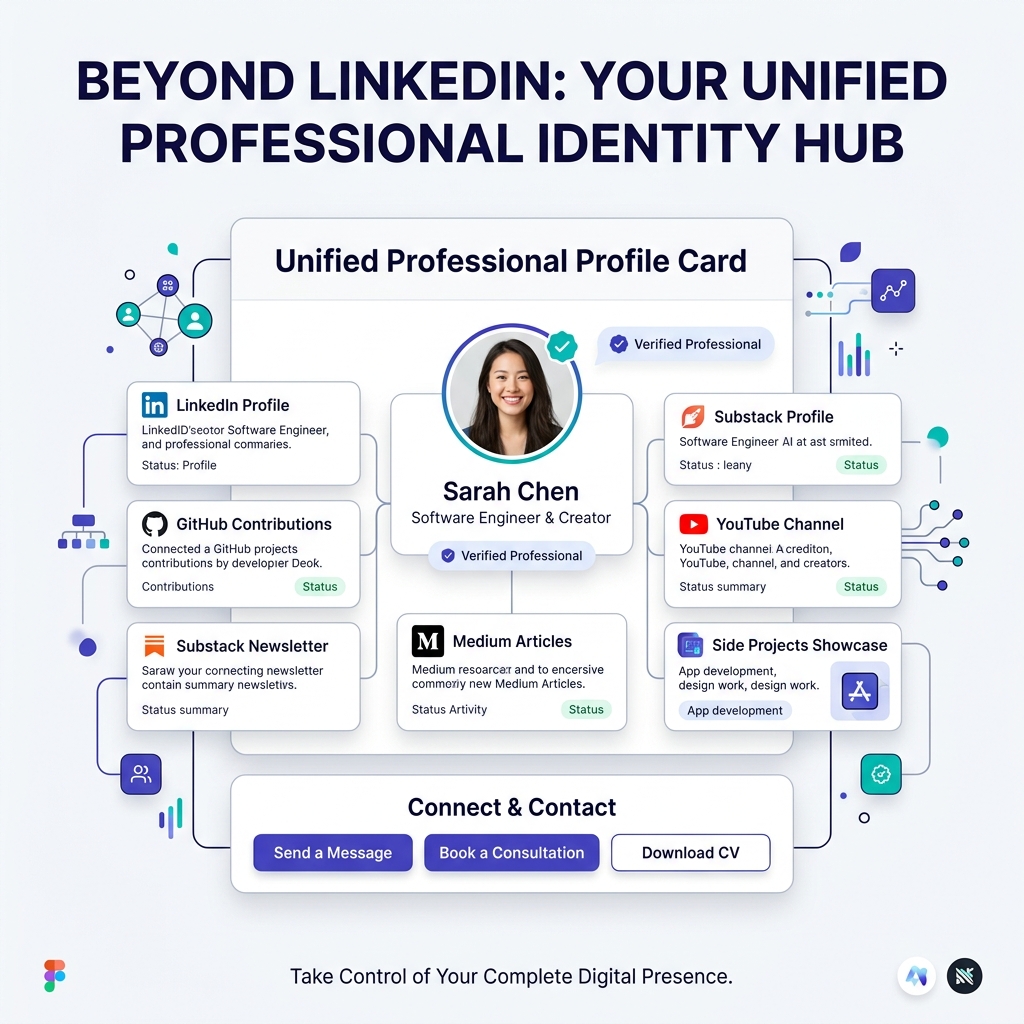
For over two decades, LinkedIn has been the default online resume for professionals, executives, software engineers, creators, and freelancers. If someone wanted to check your background, verify your employment history, or scout you for a job role, they looked up your LinkedIn URL.
However, in 2026, professional identity has evolved far beyond a static list of past job titles, generic skill endorsements, and corporate buzzwords.
Today’s most successful professionals are multi-dimensional. You might lead engineering or marketing teams by day, publish a weekly newsletter on Substack, open-source code on GitHub, host a industry podcast, speak at global conferences, or build profitable side projects on the weekend.
When you restrict your professional identity to a standardized LinkedIn profile, you force your multi-faceted talent into a rigid corporate box. Even worse, you leave your personal brand at the mercy of LinkedIn’s changing algorithms, link-suppression policies, and intrusive ads.
To truly thrive in today’s digital economy, you need to build your professional identity beyond LinkedIn.
In this comprehensive guide, we will explore why relying solely on LinkedIn holding back your career growth, how to design a unified, light-themed professional identity hub, and how platforms like OnlyLink empower you to own your professional narrative.
The Fatal Flaws of Relying Solely on LinkedIn
While maintaining a presence on LinkedIn remains valuable for networking, treating LinkedIn as your only professional home creates several strategic risks:
1. Standardization Kills Individual Distinction
Every LinkedIn profile uses the exact same template, fonts, colors, and layout structure. Whether you are an entry-level analyst or a seasoned VP of Design, your profile looks identical to millions of others. Standardized layouts compress your personality, visual taste, and creative uniqueness into generic text fields.
2. Lack of Rich Interactive Media & Live Proof-of-Work
LinkedIn is fundamentally a text-and-image feed. You cannot seamlessly embed a live interactive code demo, playable audio podcast player, interactive Figma canvas, or custom newsletter subscription box directly into your profile header. Visitors must click away to third-party sites, resulting in heavy drop-off rates.
3. Outbound Link Suppression & Algorithmic Restrictions
Social networks are designed as “walled gardens.” LinkedIn actively penalizes posts and profile links that direct traffic away from their platform. If you post a link to your personal blog, client case study, or YouTube video, LinkedIn’s feed algorithm drastically reduces your reach to keep users scrolling on their site.
4. Rented Land vs. Owned Career Identity
Building your entire professional reputation on LinkedIn means building on rented land. Account lockouts, algorithm updates, connection caps, or policy shifts can instantly cut off your access to your professional network. You do not own your follower list or your profile layout.
Static 1D Profile vs. Dynamic Light-Theme Identity Hub
Transitioning from a 1-dimensional LinkedIn profile to a multi-dimensional digital identity hub gives you full ownership over your career representation:
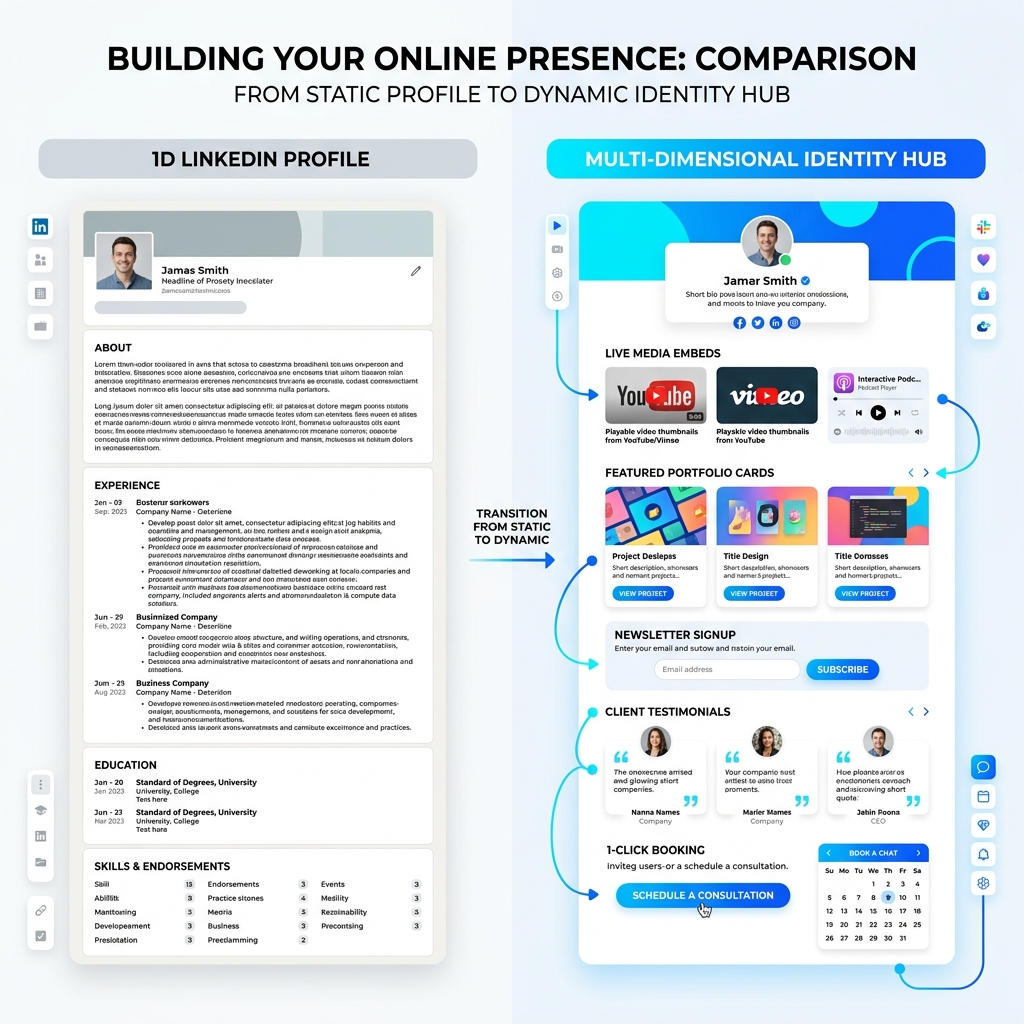
| Feature | 1D LinkedIn Profile | Dynamic Light-Theme Identity Hub |
|---|---|---|
| Visual Aesthetics | Fixed, rigid blue/gray corporate layout | Custom light-theme branding, vibrant accents, sleek typography |
| Media Embeds | Static images & external link previews | Native video players, podcast streams, live demo cards |
| Audience Ownership | Followers trapped inside LinkedIn | Direct email capture (Substack/Mailchimp integration) |
| Custom Actions | Standard “Connect” or “Message” | 1-Click Resume Download, Calendar Booking, Storefront |
| Page Speed & UX | Heavy script footprint, ad-laden feed | Sub-second mobile load time, zero distracting ads |
| SEO Authority | Shared platform domain authority | Direct indexing & search traffic for your own yourname.onlylink.click address |
The 5 Pillars of a Modern Professional Identity
To build an authentic, high-converting professional presence outside social media platforms, structure your digital identity around five core pillars:
1. Proof of Work & Interactive Portfolio
Resume bullet points claim what you did; proof of work shows how you did it. Your identity hub should feature curated case studies, GitHub repositories, design systems, published research, or project launch metrics.
[!TIP] Group your proof of work by outcome rather than simple chronological order. Highlight key results like “Engineered distributed backend serving 20M requests/day” or “Designed mobile banking flow that boosted conversion by 34%”.
2. Direct Audience Ownership & Lead Capture
Never allow a prospective client, recruiter, or collaborator to leave your site without a way to stay connected. Incorporate a clean, light-themed email signup form at the top of your bio hub. Whether you send a monthly career newsletter or occasional project updates, building an owned email list insulates your career from social media algorithm shifts.
3. Social Proof & Verified Credibility
Integrate real-world validation directly into your bio page:
- Client & Peer Testimonials: Highlight quotes from previous managers, clients, or co-founders.
- Media & Podcast Features: Show logos of publications or podcasts where you have been featured.
- Certifications & Awards: Display verified badges from GitHub, AWS, Google, or industry bodies.
4. Direct Action & Frictionless Contact Options
Give visitors clear, 1-click action paths:
- 📄 Download PDF Resume / CV
- 📅 Book a 1:1 Consultation or Mentorship Session (via Calendly or Cal.com)
- ✉️ Send Direct Email Inquiry
- 🐙 Explore GitHub Repositories
5. Cohesive Light-Theme Visual Branding
First impressions are formed in less than 50 milliseconds. Your visual presentation communicates your attention to detail, modern taste, and executive polish.
Why Light-Theme Visual Aesthetics Elevate Your Brand Authority
Visual hierarchy and color contrast play a crucial role in how your professional capability is perceived. While dark themes have popularity in coding environments, clean light-theme design systems remain the industry standard for high-end SaaS products, executive decks, and top-tier portfolios.
Key Advantages of Light-Theme UI for Professional Identity:
Unmatched Readability & High Contrast: Deep charcoal or slate typography (
#0F172Aor#1E293B) set against crisp white (#FFFFFF) or soft neutral off-white (#F8FAFC) surfaces provides maximum clarity, passing WCAG AAA accessibility standards.Daylight & Multi-Device Versatility: Recruiters, hiring managers, and enterprise executives review candidate profiles across laptop displays under bright office lighting or mobile devices outdoors. Light theme UI eliminates screen reflection and visual glare.
Elegance, Clarity, and Openness: Generous white space, soft border radii (
8pxto12px), and subtle elevation shadows (0 4px 6px -1px rgba(0,0,0,0.05)) create an airy, modern canvas that gives your featured work room to breathe.Vibrant Accent Highlight Placement: On a clean light background, vibrant accent colors like royal indigo (
#4F46E5), emerald green (#10B981), or cyan blue (#0EA5E9) draw immediate visual focus to primary calls-to-action without overwhelming the visitor.
Architecture Blueprint of a High-Converting Light-Theme Identity Page
Below is a visual blueprint illustrating how to organize your multi-dimensional professional hub for maximum clarity and engagement:
┌─────────────────────────────────────────────────────────────┐
│                    LIGHT-THEME HEADER SURFACE               │
│  [ Profile Avatar ]  Sarah Chen  ✔ Verified Professional   │
│  Headline: Staff Engineer & Tech Writer | Fractional CTO   │
│  Location: San Francisco, CA | ✉️ sarah@example.com         │
├─────────────────────────────────────────────────────────────┤
│                    PRIMARY ACTION BUTTONS                   │
│ [ 📄 Download CV ] [ 📅 Book Consultation ] [ ✉️ Email Me ] │
├─────────────────────────────────────────────────────────────┤
│                    SPOTLIGHT HIGHLIGHT CARD                 │
│ 🚀 Featured Project: Distributed Real-Time Engine           │
│ "Reduced API latency by 45% across 10M concurrent users"    │
│ [ View Case Study ] [ GitHub Repository ]                  │
├─────────────────────────────────────────────────────────────┤
│                    PROOF OF WORK & MEDIA EMBEDS             │
│ 🎙️ Latest Podcast: "Architecture Trends for 2026"          │
│ 📝 Substack Article: "Building Beyond Social Algorithms"    │
│ 💻 Open Source: Top 4 Curated Repositories with Tech Stack  │
├─────────────────────────────────────────────────────────────┤
│                    DIRECT NEWSLETTER CAPTURE                │
│ 📬 Join 5,000+ Engineers Receiving My Weekly Tech Insights  │
│ [ Enter your email... ]  [ Subscribe ]                      │
├─────────────────────────────────────────────────────────────┤
│                    SOCIAL PROOF & CONNECTIONS               │
│  LinkedIn • GitHub • Substack • X (Twitter) • YouTube       │
└─────────────────────────────────────────────────────────────┘
Step-by-Step: How to Build Your Beyond-LinkedIn Hub with OnlyLink
Building a personalized, recruiter-ready identity hub takes less than 10 minutes with OnlyLink:
Step 1: Claim Your Custom URL Handle
Reserve your professional handle (e.g., yourname.onlylink.click) before someone else claims it. Having a clean, readable URL looks professional in email signatures, conference slides, and resume headers.
Step 2: Select a Refined Light Theme Template
Choose from modern light-theme presets featuring clean white card layouts, soft pastel highlights, and crisp typography optimized for fast mobile rendering.
Step 3: Connect Your Digital Footprint
Link your LinkedIn profile, GitHub account, Substack newsletter, Medium articles, YouTube channel, and personal website in one organized interface.
Step 4: Add Interactive Media Cards & Case Studies
Embed YouTube project videos, playable podcast episodes, or direct links to live applications so visitors can experience your proof of work in real-time.
Step 5: Enable Email Capture & 1-Click Booking
Integrate your newsletter signup form and calendar link so interested clients, recruiters, or readers can convert into contacts immediately.
Step 6: Update Your Bio Across All Channels
Replace cluttered multi-link lists across your LinkedIn bio, X profile, GitHub readme, and email signature with your single, unified OnlyLink hub.
Related Professional Branding Guides
Explore more strategies for elevating your digital presence on the OnlyLink blog:
- Showcase GitHub, LinkedIn, and Your Projects in One Place
- Create a Developer Portfolio That Recruiters Will Love
- Build Your Personal Brand with a Professional Bio Link
- Create a Digital Business Card with OnlyLink
- Personal Branding 2026: Digital Identity Guide
Take Ownership of Your Career Narrative Today
LinkedIn is a valuable tool in your job-seeking toolkit, but it should never define the boundaries of your professional brand.
By creating a unified, light-themed digital identity hub, you showcase your multi-dimensional talents, own your audience relationships, and present a polished, executive-level image to the world.
Ready to build your professional identity beyond LinkedIn? Create your free light-themed profile hub on OnlyLink today and take complete control of your career story.
Ready to build your link in bio?
Create your free OnlyLink page in under a minute unlimited links, analytics and custom designs.
Get started freeKeep reading
How Wedding Photographers Can Organize Packages, Galleries, and Booking Inquiries
Learn how wedding photographers can streamline packages, curate real client galleries, and capture high-value …
How Teachers Can Create a Central Hub for Online Classes and Learning Resources
End the 20-tab link chaos. Discover how modern teachers, professors, and tutors build a high-speed, …