
Best Tools Every Content Creator Should Use in 2026 (The Ultimate Creator Stack)
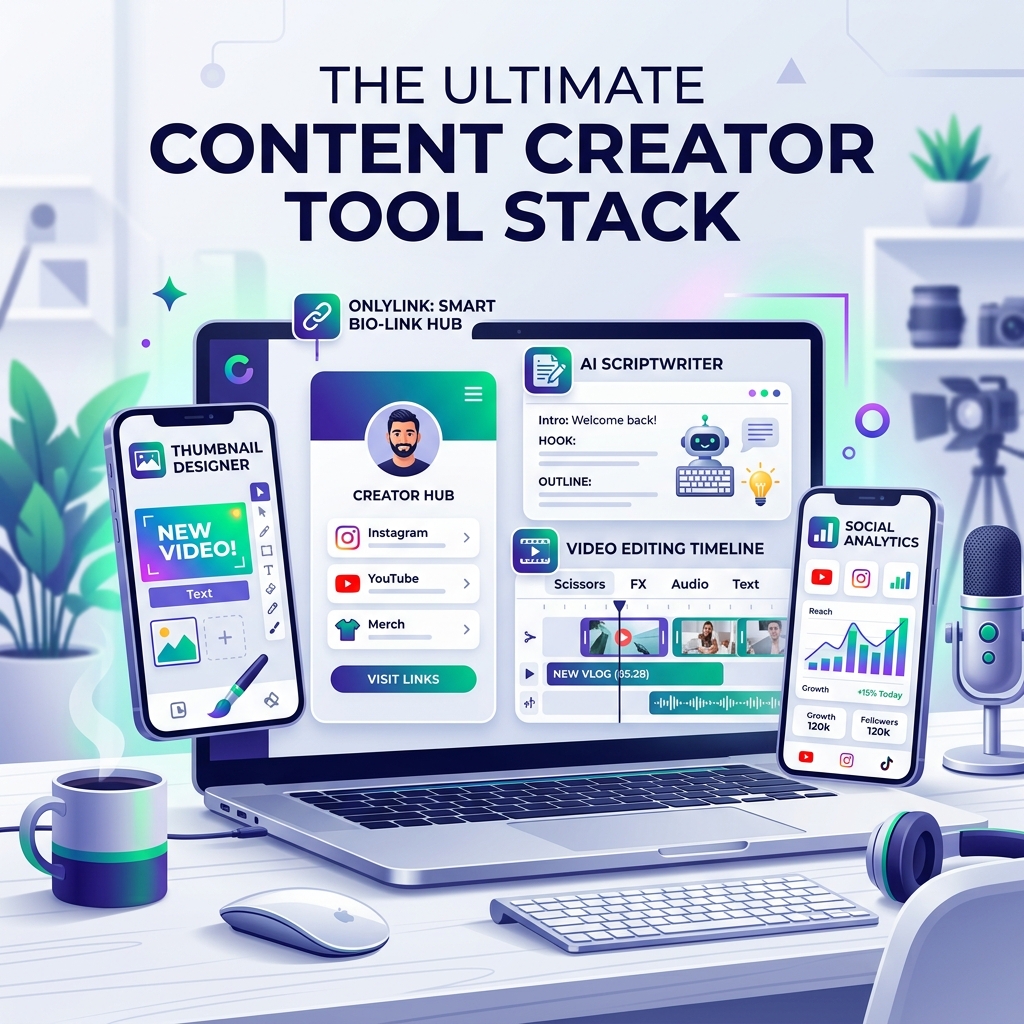
Building a successful digital brand in 2026 requires more than just a smartphone and a good idea. Today’s top creators produce high-quality videos, write engaging scripts, design high-CTR thumbnails, publish across 5+ platforms, and monetize their traffic — all while keeping burnout at bay.
The secret behind their speed isn’t a 20-person production team. It’s a streamlined, modern creator tech stack.
Whether you’re a YouTuber, TikToker, Instagram creator, podcaster, or digital entrepreneur, using the right combination of tools allows you to work 5x faster, improve production quality, and turn social views into predictable income.
Here is the definitive guide to the best tools every content creator should use in 2026.
The Modern Content Creator Workflow Stack
Before diving into individual software, it helps to view your tools as a connected workflow pipeline. Every piece of software serves a specific stage in the content lifecycle:
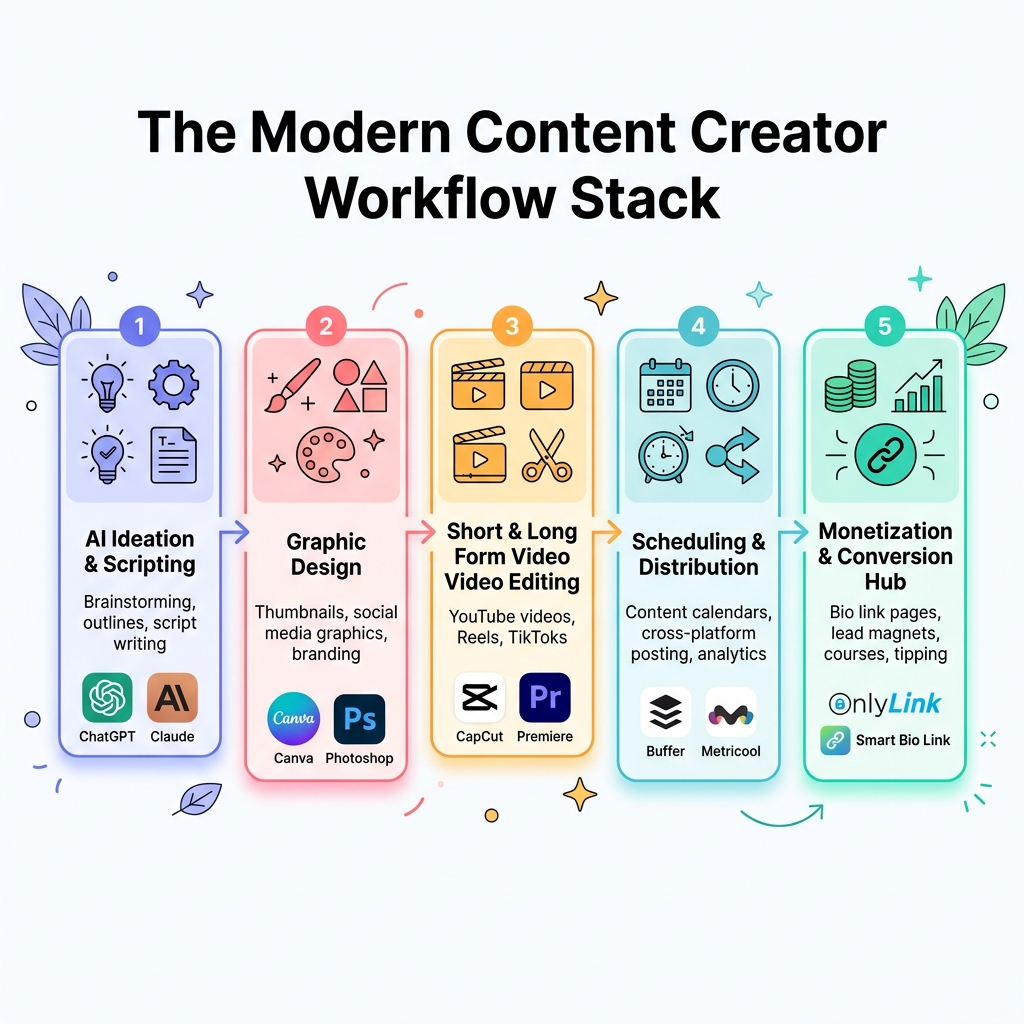
By connecting each stage — from AI ideation to video editing, distribution, and a central bio link hub — you eliminate daily friction and build a scalable content engine.
1. Central Monetization & Bio Link Hub: OnlyLink
Your social media profiles on Instagram, TikTok, YouTube, and X are top-of-funnel channels meant for discovery. However, your bio link is the central hub where scrollers turn into followers, subscribers, and paying customers.
Why OnlyLink is essential for creators:
- Unified Profile Storefront: Consolidate your latest videos, digital products, newsletter signups, and affiliate recommendations under one fast, customizable URL.
- Direct Monetization & Tipping: Sell e-books, presets, templates, or accept micro-donations directly without complex third-party e-commerce setups.
- Real-Time Analytics & CTR Tracking: Monitor profile views, link clicks, and top referral platforms to see exactly which social posts generate revenue.
- Sub-Second Mobile Load Times: Mobile scrollers bounce after 2 seconds of lag. OnlyLink renders instantly on mobile browsers to preserve conversion rates.
Learn more about optimizing your profile strategy in our guide on how creators can increase revenue with a link in bio.
2. AI Scriptwriting & Ideation Tools
Writer’s block and content fatigue are the biggest hurdles for creators. AI writing assistants help you brainstorm viral hooks, outline 10-minute video scripts, and summarize complex research in minutes.
Top AI writing recommendations:
- ChatGPT / Claude: Ideal for brainstorming video titles, writing high-retention video hooks, structuring script outlines, and writing newsletter drafts.
- Notion AI: Perfect for creators who keep their entire content calendar inside Notion. Use it to auto-generate video summaries, action items, and social captions directly within your workspace.
Creator Tip: Never copy-paste AI scripts verbatim. Use AI to generate 80% of the outline, then inject your personal voice, unique anecdotes, and real experience into the final script.
3. Short & Long-Form Video Editing Software
Video dominates modern social platforms. Having editing tools that streamline cutting, auto-captioning, and color grading saves hours per project.
Top video editing recommendations:
- CapCut (Desktop & Mobile): The undisputed king for short-form video (Reels, TikToks, YouTube Shorts). Features one-click auto-captions, trending sound libraries, background removal, and dynamic text animations.
- Adobe Premiere Pro: The industry standard for long-form YouTube videos, documentaries, and podcasts. Offers advanced multi-camera editing, color grading, and native Adobe Creative Cloud integration.
- DaVinci Resolve: A world-class free and paid editor famous for Hollywood-grade color correction, audio mixing (Fairlight), and motion graphics (Fusion).
4. Graphic Design & Thumbnail Creation Tools
Your video thumbnail accounts for up to 90% of a viewer’s decision to click. High-converting visual graphics are critical for high Click-Through Rates (CTR).
Top design software recommendations:
- Canva: Perfect for fast social media graphics, Instagram carousels, channel banners, and quick promo templates.
- Adobe Photoshop: Essential for pro YouTube thumbnails. Photoshop provides advanced subject cutouts, lighting effects, glow filters, and text styling that make thumbnails pop on mobile feeds.
- Figma: Excellent for creators designing digital products, UI kits, media kits, or vector assets.
5. Social Media Scheduling & Multi-Platform Distribution
Posting natively every day across 4 different platforms is exhausting. Content scheduling tools allow you to batch create content on weekends and schedule posts automatically throughout the week.
Top scheduling software recommendations:
- Metricool: An all-in-one scheduler and analytics tool supporting Instagram, TikTok, YouTube, X, Pinterest, and LinkedIn with visual preview calendars and competitor tracking.
- Buffer: Clean, minimalist scheduler for small creators looking for an easy way to queue up weekly social posts.
- Hootsuite: Enterprise-grade social management for larger creator teams handling high-volume campaigns.
6. Audio Enhancement & Voice Tools
Crisp, clear audio is even more important than 4K video. Viewers will tolerate average video quality, but they will instantly click away from bad audio or echo.
Top audio tools recommendations:
- Descript: A game-changing text-based audio/video editor. Edit your video or podcast by editing the transcript text. Features Studio Sound to instantly remove background noise and room echo.
- Audacity: A free, open-source multitrack audio editor ideal for recording clean voiceovers and podcast episodes.
- ElevenLabs: Industry-leading AI voice generator for high-quality voiceovers, multilingual dubbing, and synthetic audio narration.
Creator Tool Stack Comparison
| Category | Recommended Tools | Primary Use Case | Best For |
|---|---|---|---|
| Bio Link & Sales Hub | OnlyLink | Central profile, digital sales, tipping & analytics | All Creators |
| AI Ideation & Scripts | ChatGPT, Claude, Notion AI | Writing video hooks, outlines & newsletter copy | All Creators |
| Short Video Editing | CapCut | Fast vertical video cuts, auto-captions & effects | TikTok / Reels / Shorts |
| Pro Video Editing | Premiere Pro, DaVinci Resolve | Long-form YouTube videos, podcasts & color grading | Video Creators |
| Graphic Design | Canva, Photoshop, Figma | Thumbnails, channel art & social carousels | All Creators |
| Content Scheduling | Metricool, Buffer | Cross-platform post queuing & analytics | Solopreneurs & Teams |
| Audio & Voice | Descript, Audacity, ElevenLabs | Noise cancellation, transcript editing & dubbing | Podcasters & Video Editors |
Summary: Building Your Personal Tech Stack
You don’t need every tool on the market to succeed. Start with the core essentials:
- An AI writing assistant (ChatGPT/Claude) for fast scripting.
- A video editor (CapCut or Premiere) to craft engaging videos.
- A design tool (Canva or Photoshop) for high-CTR thumbnails.
- OnlyLink as your central bio link hub to capture scrollers and monetize your audience.
By assembling a tight, efficient tool stack, you spend less time on repetitive admin work and more time doing what matters most: creating great content.
Ready to build your ultimate bio link hub? Get started with OnlyLink for free today and turn your social traffic into a growing creator business.
Ready to build your link in bio?
Create your free OnlyLink page in under a minute unlimited links, analytics and custom designs.
Get started freeKeep reading
How Dentists Can Share Appointment Booking, Clinic Details, and Patient Resources
Discover how modern dental clinics, orthodontists, and cosmetic practices build a high-speed, light-theme …
How Lawyers Can Build a Professional Online Information Hub
Discover how modern attorneys, solo practitioners, and boutique law firms build an ethical, high-speed, …