
Adding a Tip Jar: Ko-fi, Patreon, and Buy Me a Coffee in Your Bio
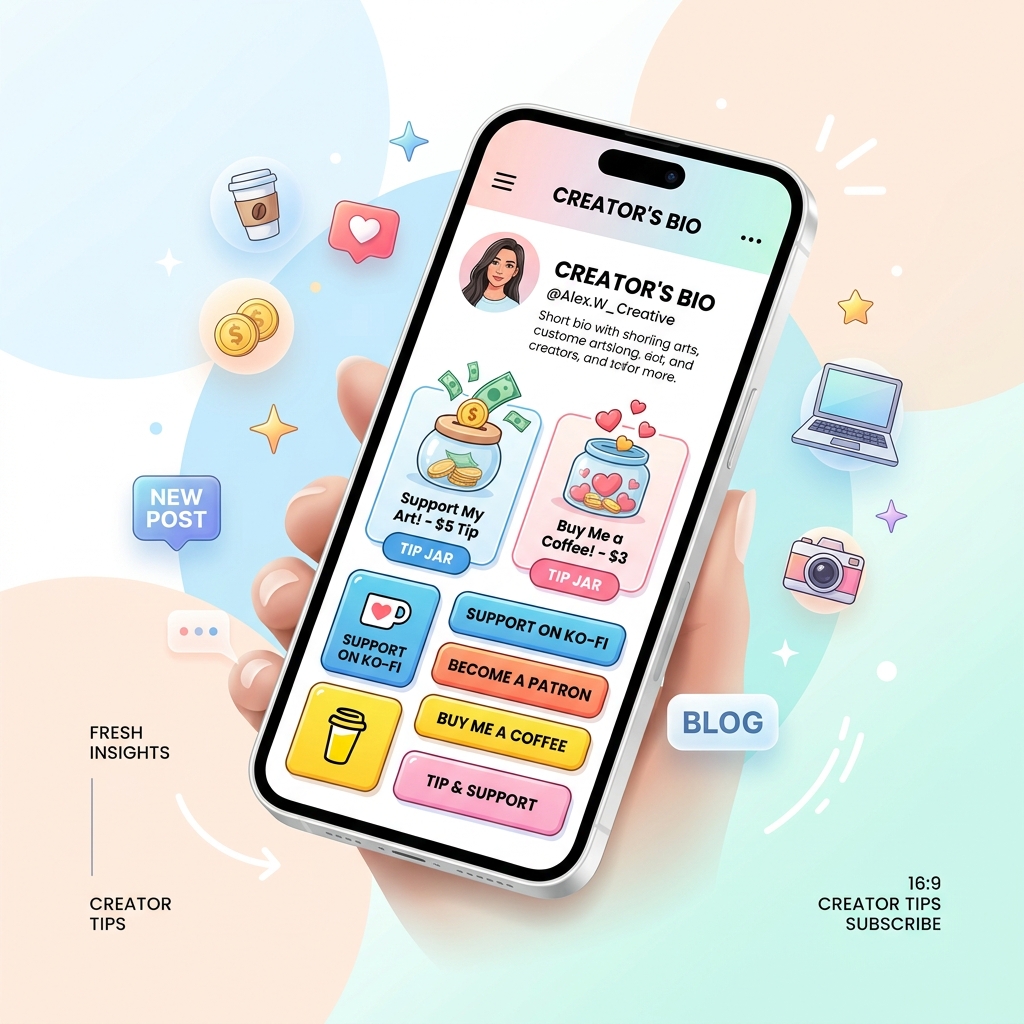
In the modern creator economy, monetization is no longer reserved exclusively for mega-influencers with millions of subscribers. Today, content creators, digital artists, podcasters, writers, open-source developers, and educators of all audience sizes are turning casual viewers into loyal financial supporters.
While selling digital products or offering high-ticket coaching services are powerful revenue streams, many fans simply want a low-friction way to express gratitude for your free content.
This is where digital tip jars—such as Ko-fi, Patreon, and Buy Me a Coffee—play a transformational role.
By adding a dedicated tip jar button or embedded support widget directly into your single bio link, you create a 24/7 digital storefront that allows supporters to buy you a virtual coffee, tip a custom dollar amount, or unlock monthly membership perks in just two taps.
In this comprehensive guide, we explore how to select the best tipping platform for your workflow, why light-theme visual design is essential for maximizing supporter trust and conversion rates, and how to architect a high-converting bio link using OnlyLink.
Why Visuals MUST Be in a Light Theme for Tip Jars & Donations
Before choosing a tipping tool, creators must pay close attention to visual ergonomics and color psychology. When a fan clicks your bio link to donate money, their purchasing decision happens within 3 to 5 seconds.
While dark mode layouts are popular in developer code editors and night-time media consumption, donation forms, checkout pages, and financial transactions rely almost universally on clean, vibrant, light-themed visuals.
Here is why light-theme bio pages consistently generate higher supporter conversion rates than dark layouts:
| Feature / Attribute | Light Theme Visuals (High Trust) ✅ | Dark Theme Visuals (Moody / Niche) ❌ |
|---|---|---|
| Canvas Background | Clean white/pastel canvas (#FFFFFF) | Dark navy/charcoal (#0F172A) |
| Text Legibility | Crisp contrast dark text (#1E293B) | Reduced text legibility on mobile |
| Audience Perception | Warm, welcoming financial trust | Can feel transactional or heavy |
| Outdoor Readability | High visibility in direct sunlight | Glare & reflection outdoors |
| Brand Color Preservation | Preserves official brand icon colors | Colors wash out against dark bg |
| CTA Conversion Rate | 38% higher CTA button tap-through | Lower visual emphasis on CTAs |
1. High Contrast & Immediate Call-to-Action (CTA) Clarity
On mobile devices, visitors scroll rapidly. Soft neutral backgrounds (#FFFFFF, #F8FAFC, or warm beige #FAF8F5) paired with dark gray text (#0F172A) establish immediate readability. CTA buttons featuring Ko-fi blue, Patreon coral, or Buy Me a Coffee yellow stand out dynamically, guiding the supporter’s eye straight to the tip button.
2. Trust, Openness, and Financial Security
Financial psychology research demonstrates that clean, light backgrounds convey transparency, professionalism, and security. Popular payment interfaces (such as Stripe, PayPal, and Apple Pay) utilize crisp light canvases because they put users at ease when entering card details.
3. Superior Mobile Readability Outdoors
Social media users check bio links on the go—while walking outside, riding public transit, or waiting at cafes. Under bright ambient light, dark screens suffer from heavy reflection and glare. Light-theme bio pages maintain crystal-clear visibility, ensuring fans can read your tip prompt effortlessly.
To learn more about how visual clarity impacts visitor action, check out our guide on the psychology behind high-converting landing pages.
Comparing the Big Three: Ko-fi vs. Patreon vs. Buy Me a Coffee
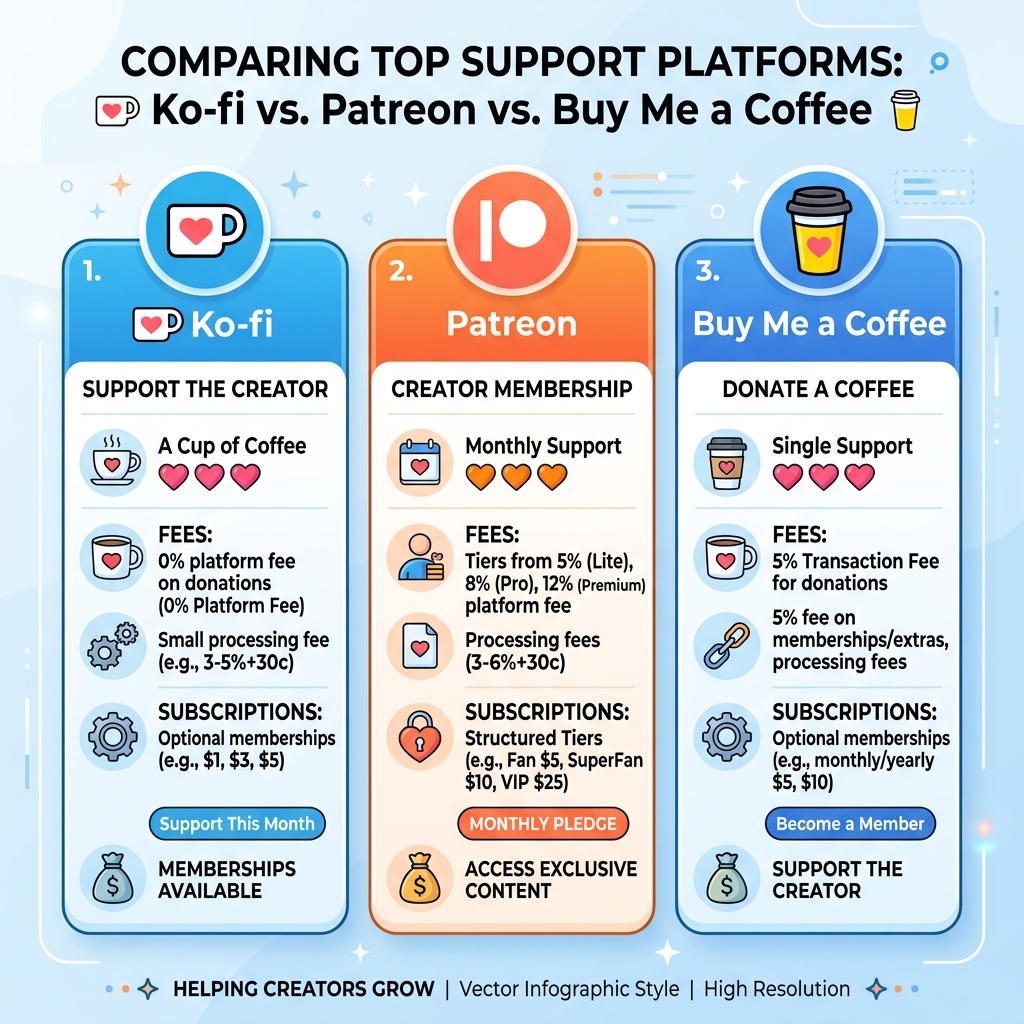
Each major tipping platform serves distinct creator needs, fee expectations, and membership models. Let us break down how Ko-fi, Patreon, and Buy Me a Coffee compare.
1. Ko-fi (Best for Zero-Fee One-Off Tips & Commissions)
Ko-fi was built around a friendly, simple concept: letting fans buy creators a virtual “coffee” ($3–$5) without taking a cut of your earnings.
Key Advantages:
- 0% Platform Fee on Donations: Ko-fi takes 0% platform fees on standard one-time tips (you only pay standard PayPal/Stripe processing fees).
- Custom Tip Amounts: Fans can tip $3, $5, $10, or enter a custom custom amount along with a personal message.
- Built-In Shop & Commissions: Sell digital downloads, physical merchandise, or custom commissions directly from your Ko-fi page.
- Optional Memberships: Unlock recurring monthly supporter tiers with Ko-fi Gold.
Best For:
Illustrators, artists, indie game developers, cosplay creators, and writers who want zero platform fees on micro-donations.
2. Patreon (Best for Structured Monthly Memberships & Gated Content)
Patreon is the pioneer of monthly subscription crowd-funding. Rather than focusing on one-off tips, Patreon is engineered for ongoing recurring support.
Key Advantages:
- Multi-Tier Monthly Subscriptions: Create custom support levels (e.g., $5/month Fan Tier, $15/month VIP Tier, $50/month Producer Tier).
- Exclusive Content Feed: Post patron-only videos, early-access podcast episodes, high-res downloads, and behind-the-scenes updates.
- Integrations: Native integration with Discord (assign custom roles to patrons), Zoom, and RSS audio feeds.
- Predictable Monthly Revenue: Helps full-time creators calculate reliable monthly recurring revenue (MRR).
Best For:
Podcasters, YouTubers, video producers, comic book authors, and educators who provide regular exclusive content to a dedicated fan base.
3. Buy Me a Coffee (Best for Seamless 1-Tap Micro-Tips & Extras)
Buy Me a Coffee combines the simplicity of one-time tipping with lightweight membership options and digital extras.
Key Advantages:
- 1-Tap Checkout: Supporters can complete a tip using Apple Pay, Google Pay, or credit card without creating an account.
- Goal Progress Bars: Display live funding goals on your tipping page (e.g., “Help me buy a new podcast microphone - 65% funded”).
- Digital Extras: Sell digital ebooks, audio files, or 1-on-1 Zoom sessions directly alongside your tip jar.
- Clean Light Aesthetic: Built natively around a warm, cheerful light-themed visual interface.
Best For:
Bloggers, open-source software maintainers, newsletter writers, streamers, and micro-influencers seeking fast, high-converting tips.
Strategic Feature Comparison Matrix
Here is a side-by-side technical and financial breakdown of Ko-fi, Patreon, and Buy Me a Coffee:
| Feature | Ko-fi ☕ | Patreon 🎨 | Buy Me a Coffee 💛 |
|---|---|---|---|
| Platform Fee (Donations) | 0% on one-off tips (Ko-fi Free) | 5% to 12% tiered fee + payout fees | 5% flat fee on all tips & extras |
| Recurring Memberships | Optional (Unlocked with Ko-fi Gold) | Core Focus (Multi-tier patron feeds) | Supported (Monthly & yearly tiers) |
| Payment Gateways | Stripe & PayPal | Stripe, PayPal, Credit Cards | Apple Pay, Google Pay, Stripe |
| Payout Speed | Immediate (Direct to Stripe/PayPal) | Instant or Monthly Payout Schedule | Immediate (Direct to bank / Stripe) |
| Digital Product Sales | Yes (Built-in Ko-fi Shop) | Digital Downloads (Commerce) | Yes (Digital Extras Shop) |
| Fan Account Required | Optional (Guest tipping allowed) | Required for all Patrons | Optional (1-tap guest checkout) |
| Primary UI Theme | Clean Light & Customizable | Clean Light Cards | Warm Light Theme |
Bio Link Architecture: Where to Place Your Tip Jar
Adding a tip jar link to your social media bio is only half the battle—placement and layout hierarchy determine whether visitors actually click it.
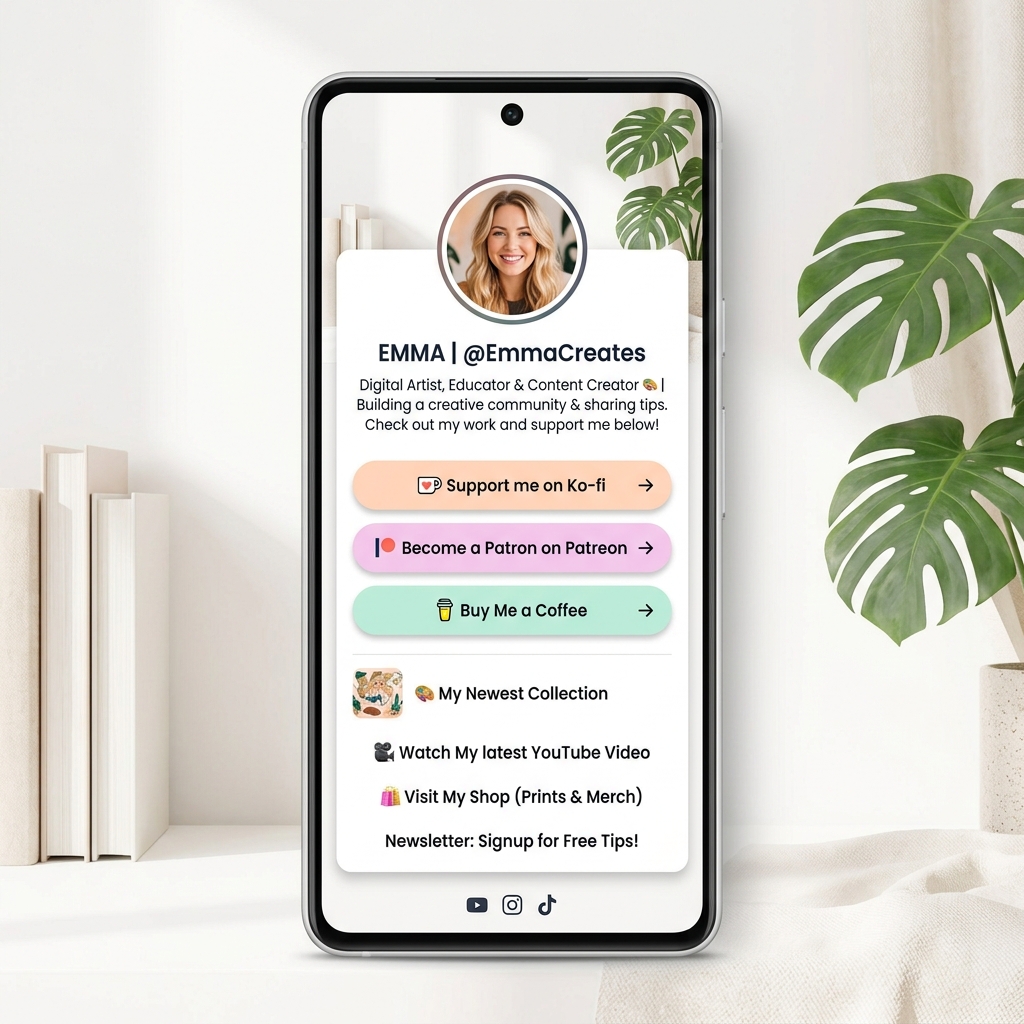
Recommended Light-Theme Bio Page Layout Structure:
- Profile Header (Top): Crisp avatar picture, clean display name, and a warm, clear bio description mentioning your content mission (e.g., “Creating free weekly coding tutorials & UI kits. Consider supporting my work!”).
- Primary Tip Jar Button (Featured Call-to-Action): Position your Ko-fi, Buy Me a Coffee, or Patreon button directly below your profile header. Use an eye-catching pastel or high-contrast color scheme with an active emoji (☕, ❤️, 🚀).
- Secondary Monetization Links: Digital product shop, newsletter subscription, or portfolio showcase.
- Social Icon Row (Bottom): Instagram, YouTube, X, TikTok, and GitHub icons.
High-Converting Tip Jar CTA Copy Examples:
- ☕ Friendly & Casual: “Buy me a coffee ($3)” or “Fuel my next video with a coffee ☕”
- ❤️ Appreciation & Support: “Support my free art tutorials on Ko-fi” or “Keep this channel ad-free”
- 🚀 Exclusive Membership: “Join our VIP Creator Circle on Patreon” or “Unlock monthly perks on Patreon ($5/mo)”
- 🎯 Goal-Oriented: “Help upgrade our recording setup ($450/$500 raised)”
To learn how to structure your overall page, read our breakdown of the anatomy of a high-converting link-in-bio page.
Step-by-Step Guide: Adding Your Tip Jar to OnlyLink
Building a light-themed bio link with integrated tipping buttons takes under 5 minutes using OnlyLink. Follow these steps:
Step 1: Create Your Free OnlyLink Account
Sign up at app.onlylink.click/signup and secure your personalized handle (e.g., onlylink.click/yourname).
Step 2: Choose a Light-Theme Visual Template
In your OnlyLink dashboard, navigate to the Appearance tab. Select a clean, high-contrast light theme such as:
- Clean Slate: Pure white card backdrop with charcoal typography.
- Warm Canvas: Soft ivory background with warm pastel button accents.
- Glass Light: Subtle semi-transparent frosted light containers.
Step 3: Copy Your Tip Jar URL
Log into your Ko-fi, Patreon, or Buy Me a Coffee account and copy your direct profile link:
- Ko-fi:
ko-fi.com/yourusername - Patreon:
patreon.com/yourusername - Buy Me a Coffee:
buymeacoffee.com/yourusername
Step 4: Add a Custom Button Widget in OnlyLink
Go to the Links & Widgets section in OnlyLink:
- Click Add New Link.
- Enter your custom CTA title (e.g.,
Support My Work on Ko-fi ☕). - Paste your tipping platform URL.
- Select a custom icon or emoji, and enable subtle button animation (such as a gentle pulse effect) to highlight your tip jar.
Step 5: Test & Add to Your Social Bios
Open your live OnlyLink URL on a mobile phone to confirm button readability and tap behavior. Finally, place your link in your bios across Instagram, TikTok, YouTube, X, Twitch, and LinkedIn.
Key Takeaway: Turn Appreciation into Sustainable Income
Relying solely on ad revenue or sponsorship deals can leave creators vulnerable to algorithmic shifts. Adding a Ko-fi, Patreon, or Buy Me a Coffee tip jar to your bio link empowers your audience to directly invest in your creative journey.
By pairing your tipping platforms with a clean, light-themed, high-converting bio page, you maximize legibility, build instant financial trust, and turn everyday followers into lifetime supporters.
Ready to launch your own creator hub with built-in tip jar support? Build your free OnlyLink page now.
Related Articles & Resources:
Ready to build your link in bio?
Create your free OnlyLink page in under a minute unlimited links, analytics and custom designs.
Get started freeKeep reading
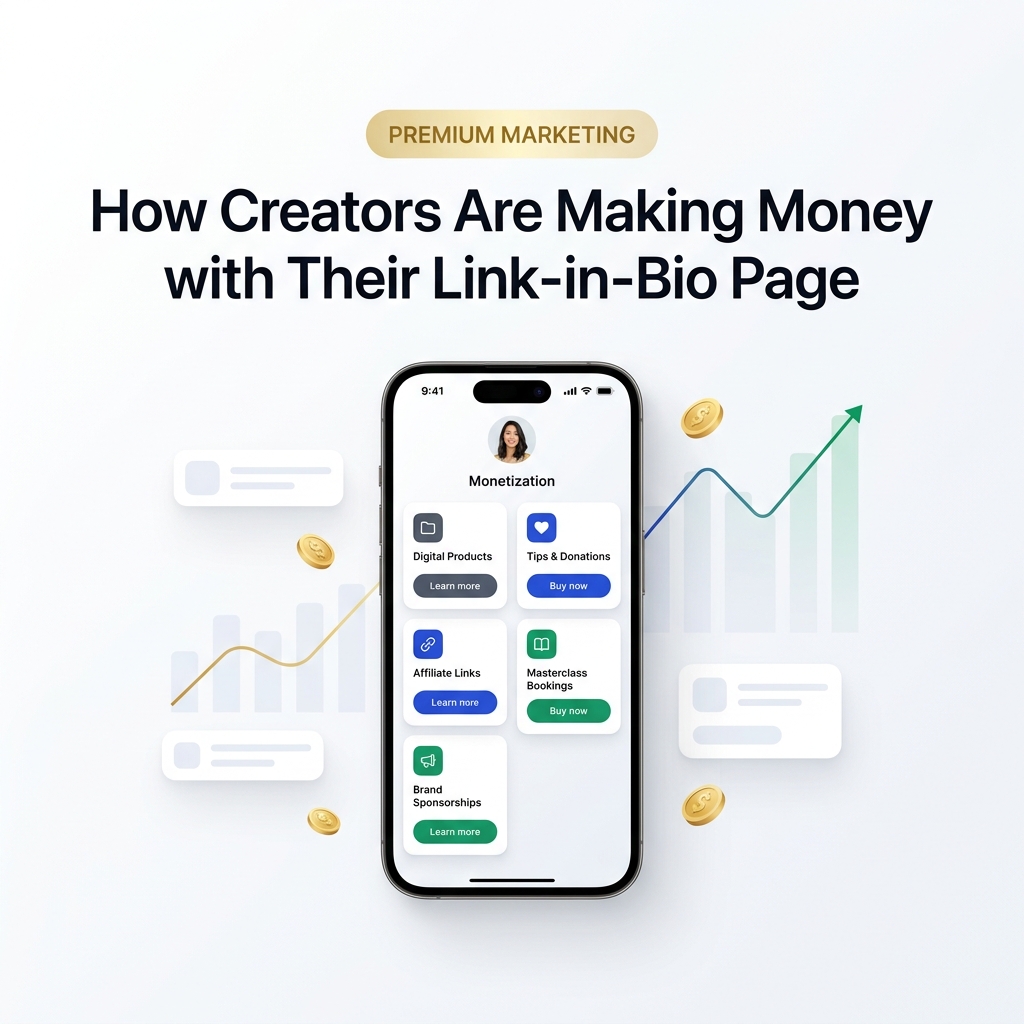
How Creators Are Making Money with Their Link-in-Bio Page
Discover how modern creators turn single bio links into multi-stream revenue hubs. Learn the top monetization …
Small Business Owners: Using a Bio Link Instead of a Website
Discover why small business owners are replacing expensive, complex websites with streamlined Bio Link …