10 Ways to Get More Clicks from Your Instagram Bio
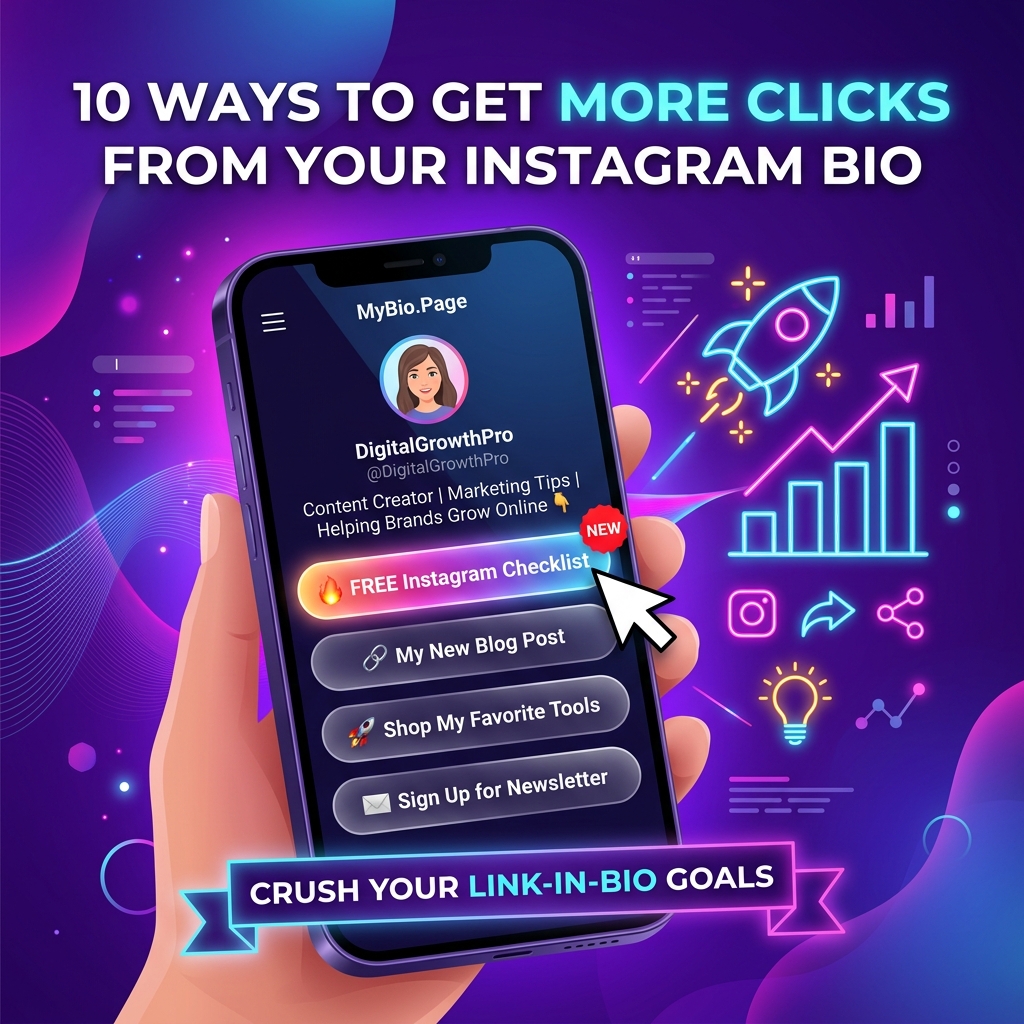
Your Instagram bio is the ultimate storefront of your personal brand or business on social media. You spend hours filming Reels, editing photos, writing engaging captions, and building a follower base — but when scrollers land on your profile, are they actually clicking your link?
For millions of creators, influencers, and brands, the gap between profile views and link clicks is huge. Instagram gives you just 150 characters and one clickable profile link slot to turn casual scrollers into email subscribers, store customers, and loyal readers.
If your profile traffic isn’t converting into clicks, small setup tweaks can make a massive difference. Here are 10 proven ways to get more clicks from your Instagram bio and maximize the return on your social media presence.
1. Craft a clear, value-driven bio headline (Who + What + Why)
The strategy
When someone taps on your Instagram profile, you have less than 3 seconds to capture their attention before they swipe away. Vague titles like “Digital Creator”, “Living my best life ✨”, or a wall of random emojis don’t give visitors a reason to stay or click.
Your bio headline must clearly communicate:
- Who you help or serve.
- What specific value or content you provide.
- Why they should click your link right now.
The formula
“I help [Target Audience] achieve [Desired Result] through [Your Specialty/Product]. 👇 Grab the free guide below!”
Example transformation
- ❌ Vague: “Fitness lover | Plant mom | DM for collabs 🏋️♀️”
- ✅ Actionable: “Helping busy professionals build 20-minute daily workout routines 💪 Get my free 7-Day At-Home Plan 👇”
Clear positioning builds instant trust and gives visitors a direct incentive to scroll down to your bio link.
2. Replace generic link labels with benefit-focused CTAs
The strategy
One of the biggest reasons bio links get ignored is boring, passive button copy. Labeling your links with generic terms like “Website”, “Blog”, “My Shop”, or “Click Here” forces visitors to guess what’s on the other side.
People don’t click buttons because they exist — they click because of the specific benefit or reward waiting for them.
High-converting CTA comparison
| Link Category | Generic CTA (Low CTR) | Benefit-Focused CTA (High CTR) |
|---|---|---|
| Lead Magnet | “Newsletter” | “📩 Get Free 5-Minute Weekly Marketing Tips” |
| E-Commerce | “Shop” | “🔥 Shop 30% Off Summer Collection (Limited Stock)” |
| YouTube | “My Channel” | “🎬 Watch Tour: How I Renovated My Studio in 48 Hours” |
| Services / Booking | “Services” | “📅 Book Your Free 15-Minute Brand Strategy Call” |
| Podcast | “Podcast” | “🎧 Listen to Ep. 42: How to 10x Your Freelance Income” |
Every link on your page should state an explicit outcome so visitors immediately understand the value of clicking.
3. Guide scrollers’ eyes with directional visual cues
The strategy
Visual hierarchy directs user attention. On mobile screens, users scan from top to bottom in a split second. If your bio text is clumped into an unformatted wall of text, key information gets lost.
Use intentional line breaks, clean spacing, and directional pointing emojis (like 👇, ➡️, or 🔗) to create a visual slide that draws the reader’s eye straight from your bio copy down to your clickable link.
Formatting tip
Structure your bio into 3 clean lines:
- Line 1: Value Proposition / Core Offer
- Line 2: Social Proof or Key Highlight (e.g., “Over 50,000+ newsletter readers”)
- Line 3: Clear Call-to-Action with a pointing emoji pointing directly at the link slot.
4. Eliminate choice overload (The 5–8 Link Rule)
The strategy
It’s tempting to add every link you’ve ever created to your bio landing page. However, in behavioral psychology, Hick’s Law proves that the time required to make a decision increases exponentially with every option added.
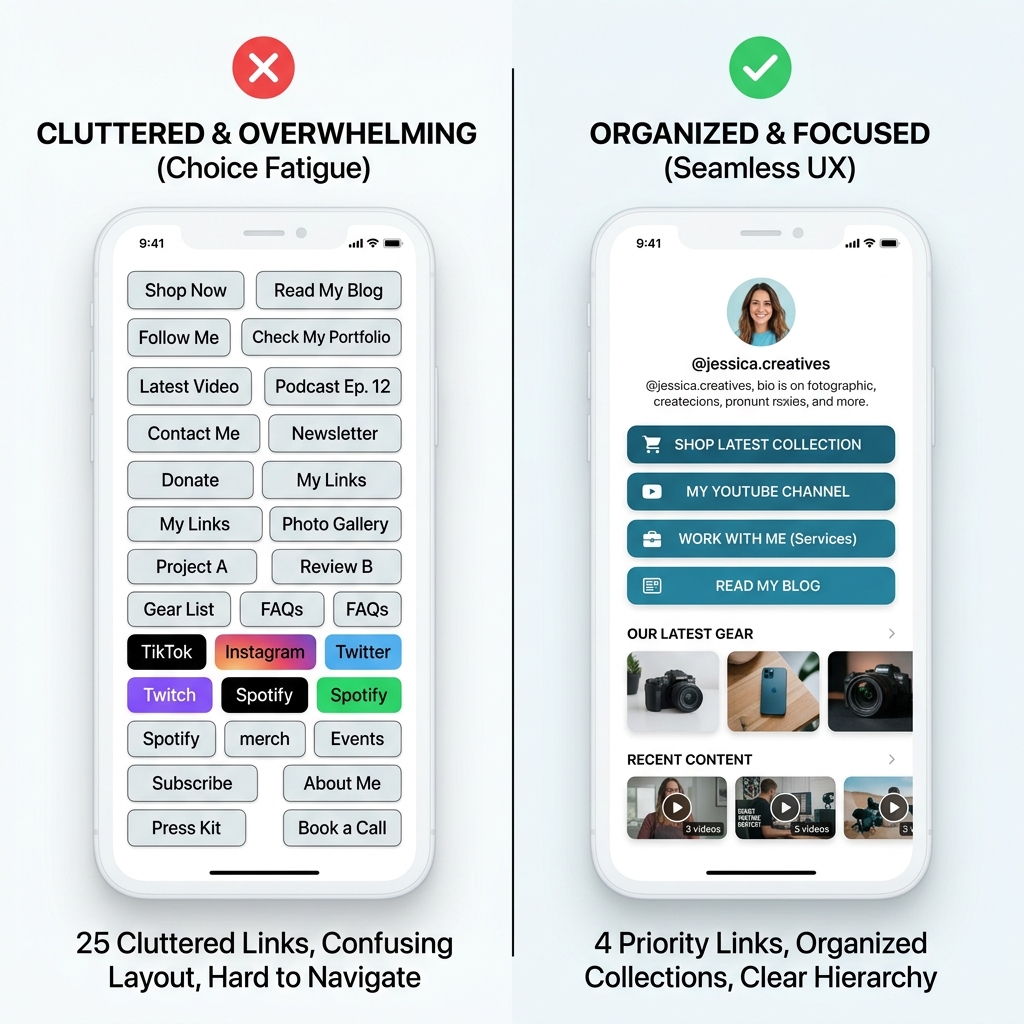
When a visitor lands on a bio page crammed with 25 identical, unorganized buttons, they experience analysis paralysis — and usually hit the back button without clicking anything.
How to fix choice paralysis
- Keep top-level links to 5–8 active buttons: Highlight only your top priorities (e.g., main product, latest content, lead magnet, contact).
- Use Collections and Folders: Group secondary links (e.g., past podcast episodes, media kit, affiliate codes, archive posts) into collapsible folders so your landing page stays clean and uncluttered.
- Pin your #1 priority link at the top: Give your main objective a featured style, badge, or prominent visual highlight.
Read our complete breakdown on common link in bio mistakes that cost you clicks for more structural tips.
5. Build content bridges in your Reels, Posts & Stories
The strategy
Your bio link cannot generate clicks in isolation. You can have the most optimized bio page in the world, but if your Instagram content doesn’t actively send traffic to your profile, click rates will remain flat.
Create a content bridge between every piece of content you post and your bio link:
Actionable content tactics
- Reels & TikToks: End your video with a specific verbal call-out and screen overlay: “Get the free step-by-step checklist linked in my bio!”
- Instagram Stories: Use the Link Sticker to drive immediate story clicks, and add a text caption reminding viewers: “Missed the story? You can always access this resource anytime via the bio link!”
- Feed Captions: Don’t just write “Link in bio”. Give a compelling reason: “I broke down all 5 tools used in this transformation — grab the full list via the link in my bio.”
6. Feature playable rich media (Videos, Podcasts & Playlists)
The strategy
Static text links force visitors to navigate away from your landing page into external apps. If someone has to leave Instagram, open browser tabs, or switch applications, drop-off rates surge.
Incorporate interactive rich media embeds directly onto your bio landing page:
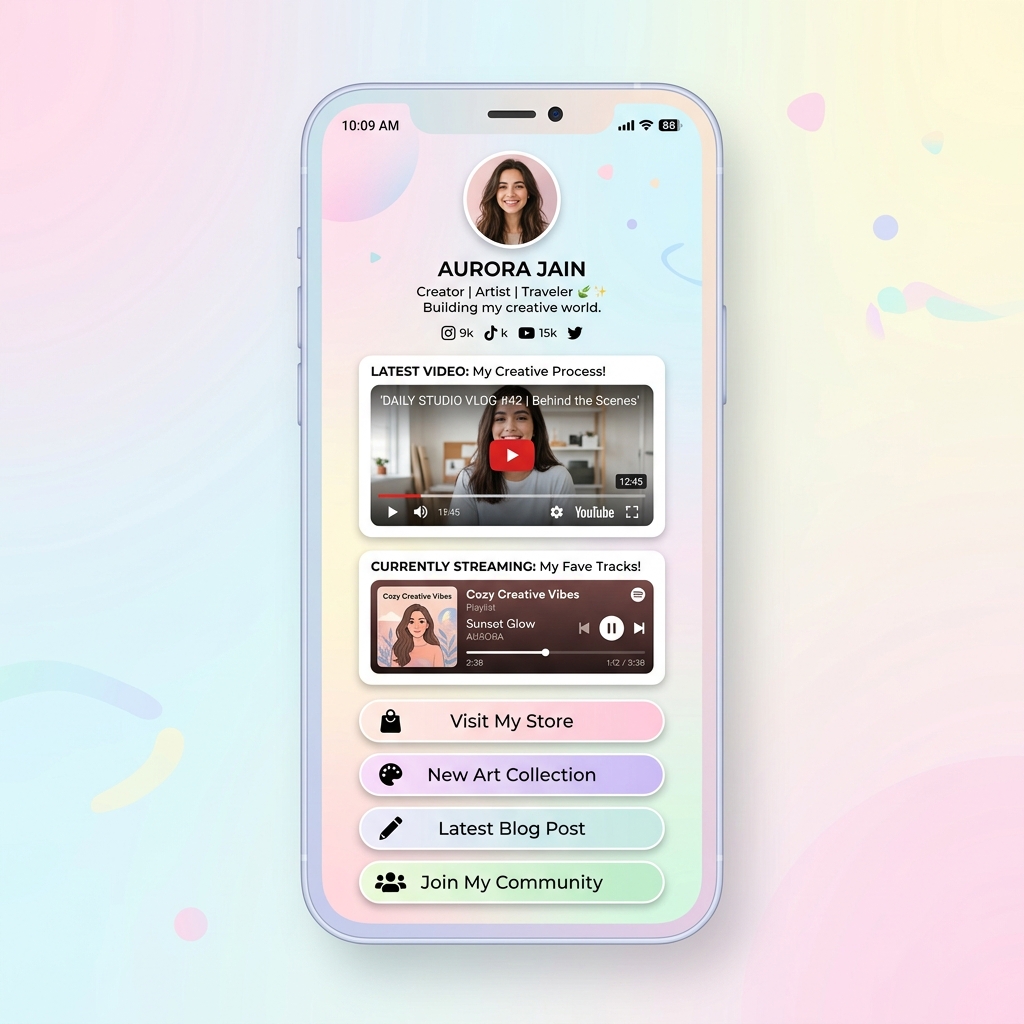
- YouTube & TikTok Video Embeds: Let visitors watch your channel trailers, product demos, or video teasers without leaving your bio page.
- Spotify & Apple Music Embeds: Play full podcast episodes or single tracks right on the page.
- Interactive Forms & Newsletters: Allow users to subscribe to your newsletter with a single tap directly on the page.
Playable media increases time-on-page and builds deeper engagement, leading to higher downstream conversions.
7. Leverage Pinned Posts and Story Highlights as pre-funnel touchpoints
The strategy
When new profile visitors land on your Instagram page, they don’t always jump straight to your link. Many explore your Pinned Grid Posts (up to 3 posts pinned at the top of your feed) and your Story Highlights.
Treat these elements as your profile’s pre-funnel navigation menu:
- Pin 3 Strategic Posts:
- Post 1: Who you are / your story / pinning your flagship offer.
- Post 2: Your highest-performing Reel or case study.
- Post 3: A direct tutorial or announcement pointing to your bio link.
- Curate Story Highlights with Custom Covers:
- Create Highlights titled “Start Here”, “Freebies”, “Reviews”, or “Shop”.
- Include clear visual arrows inside your Highlight slides telling viewers to click your bio link for details.
8. Optimize for blazing mobile load speeds (< 1 second)
The strategy
Over 90% of Instagram bio link clicks occur on mobile devices over cellular networks (4G/5G). Research from Google demonstrates that as mobile page load time increases from 1 second to 3 seconds, the probability of a bounce increases by 32%.
If your bio link page relies on heavy, uncompressed 10MB images or clunky landing page builders, scrollers will abandon the page before it even finishes loading.
Mobile speed optimization checklist
- Choose a lightweight, mobile-first bio link tool like OnlyLink that serves optimized WebP assets and fast global CDN responses.
- Test your bio page link on mobile cellular data to verify sub-second loading times.
- Keep background styling clean and contrast-optimized for mobile screens under bright sunlight.
9. Maintain seamless visual brand consistency
The strategy
When a follower clicks your link, they expect a seamless transition. If your Instagram profile features a minimalist dark aesthetic with purple accents, but your bio page opens to a generic bright-yellow default template, it creates visual friction and distrust.
Visitors may wonder if they clicked a spam link or got redirected to an unsafe site.
Branding best practices
- Avatar: Use the exact same profile picture or logo on your bio landing page as your Instagram avatar.
- Color Palette: Match button background colors, text colors, and gradients to your brand palette.
- Typography & Tone: Keep button styling and copywriting consistent with your Instagram brand voice.
Visual consistency builds immediate credibility, reassuring scrollers that they are in the right place.
10. Track real-time analytics & continuously A/B test
The strategy
Optimizing your Instagram bio link is an ongoing process, not a one-time event. Without clear analytics, you’re guessing what works instead of using data.
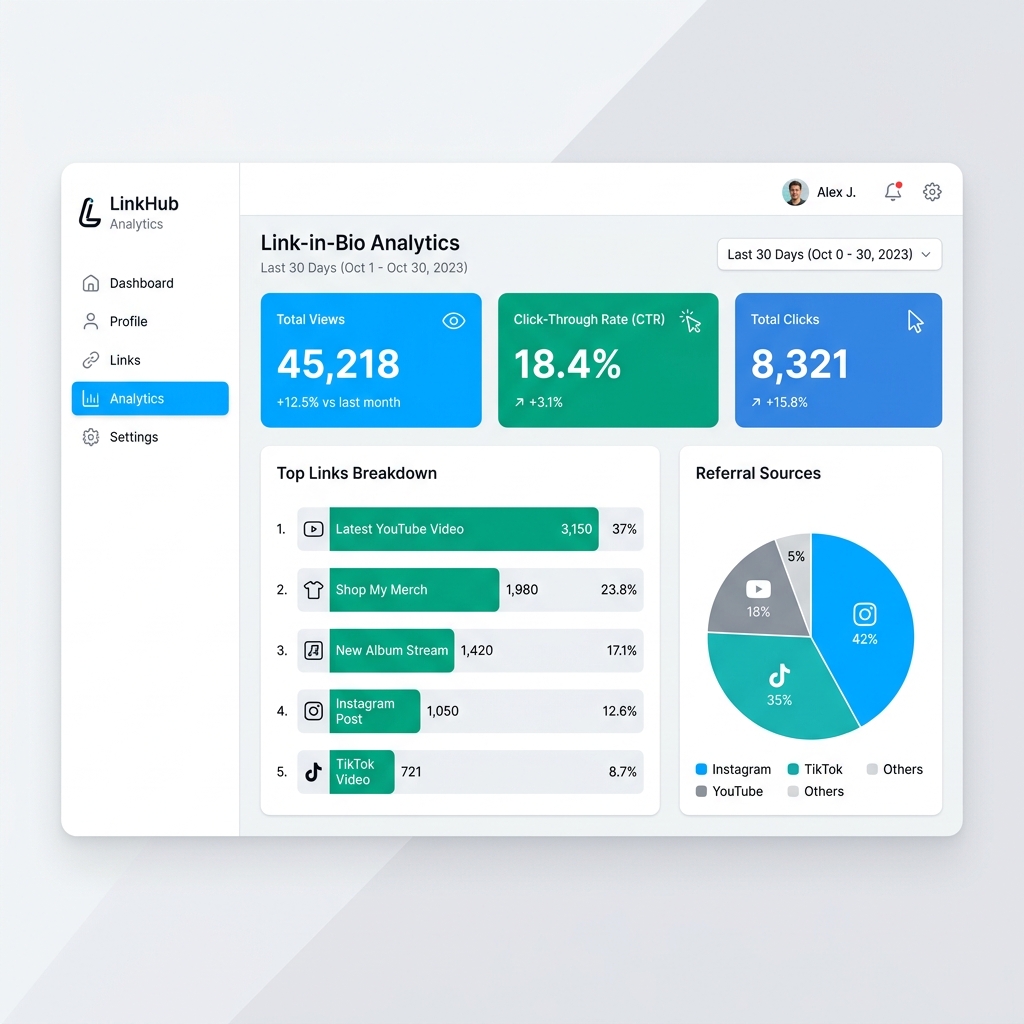
Key metrics to monitor
- Click-Through Rate (CTR):
(Total Link Clicks / Total Profile Bio Views) * 100. Aim for a CTR above 15–20%. - Top Link Performance: Identify which CTAs get the highest engagement and which buttons get ignored.
- Referral Traffic: Compare traffic coming from Instagram versus TikTok, YouTube, or X.
Continuous optimization routine
- Audit weekly: Check if any active links are broken or outdated.
- Move top performers up: Place your highest-converting CTA in the top 2 slots.
- Rephrase low performers: If a link receives low clicks, test a new benefit-driven headline or change its icon.
Summary: Instagram Bio Click Optimization Matrix
| # | Optimization Strategy | Primary Action Item | CTR Impact |
|---|---|---|---|
| 1 | Value-Driven Headline | Define Who + What + Why in 150 characters | ⭐⭐⭐⭐⭐ (Highest) |
| 2 | Benefit-Focused CTAs | Replace generic words with outcome-driven copy | ⭐⭐⭐⭐⭐ (Highest) |
| 3 | Directional Visual Cues | Add line breaks and pointing emojis (👇) | ⭐⭐⭐⭐ (High) |
| 4 | Eliminate Choice Overload | Cap top links at 5–8; group rest into collections | ⭐⭐⭐⭐⭐ (Highest) |
| 5 | Content Bridges | Add verbal & caption CTAs in Reels, Stories & Posts | ⭐⭐⭐⭐⭐ (Highest) |
| 6 | Playable Rich Media | Embed YouTube videos & Spotify audio directly | ⭐⭐⭐⭐ (High) |
| 7 | Pinned Grid & Highlights | Direct profile visitors from Pinned posts to bio | ⭐⭐⭐ (Moderate) |
| 8 | Sub-Second Mobile Speed | Use fast, mobile-optimized bio link tools | ⭐⭐⭐⭐⭐ (Highest) |
| 9 | Visual Brand Consistency | Match avatar, fonts & color scheme | ⭐⭐⭐⭐ (High) |
| 10 | Analytics & A/B Testing | Monitor CTR and reorder links weekly | ⭐⭐⭐⭐ (High) |
Turn your Instagram bio into a conversion machine with OnlyLink
Implementing these 10 strategies is fast and simple when you have the right bio link platform.
With OnlyLink, you can create a sleek, fast, and high-converting bio link page in under 2 minutes:
- Unlimited links & structured collections to keep your page organized.
- Benefit-driven CTA buttons with custom icons, badges, and animations.
- Playable rich media embeds for YouTube, TikTok, Spotify, and Apple Music.
- Real-time analytics dashboard to track views, clicks, CTR, and top links.
- Sub-second mobile speed powered by global CDN infrastructure.
- Custom domain support & free handles for complete brand control.
Ready to start getting more clicks from your profile?
👉 Claim your free OnlyLink handle today and transform your Instagram bio link in minutes!
Related Guides & Strategy Articles
Ready to build your link in bio?
Create your free OnlyLink page in under a minute unlimited links, analytics and custom designs.
Get started freeKeep reading
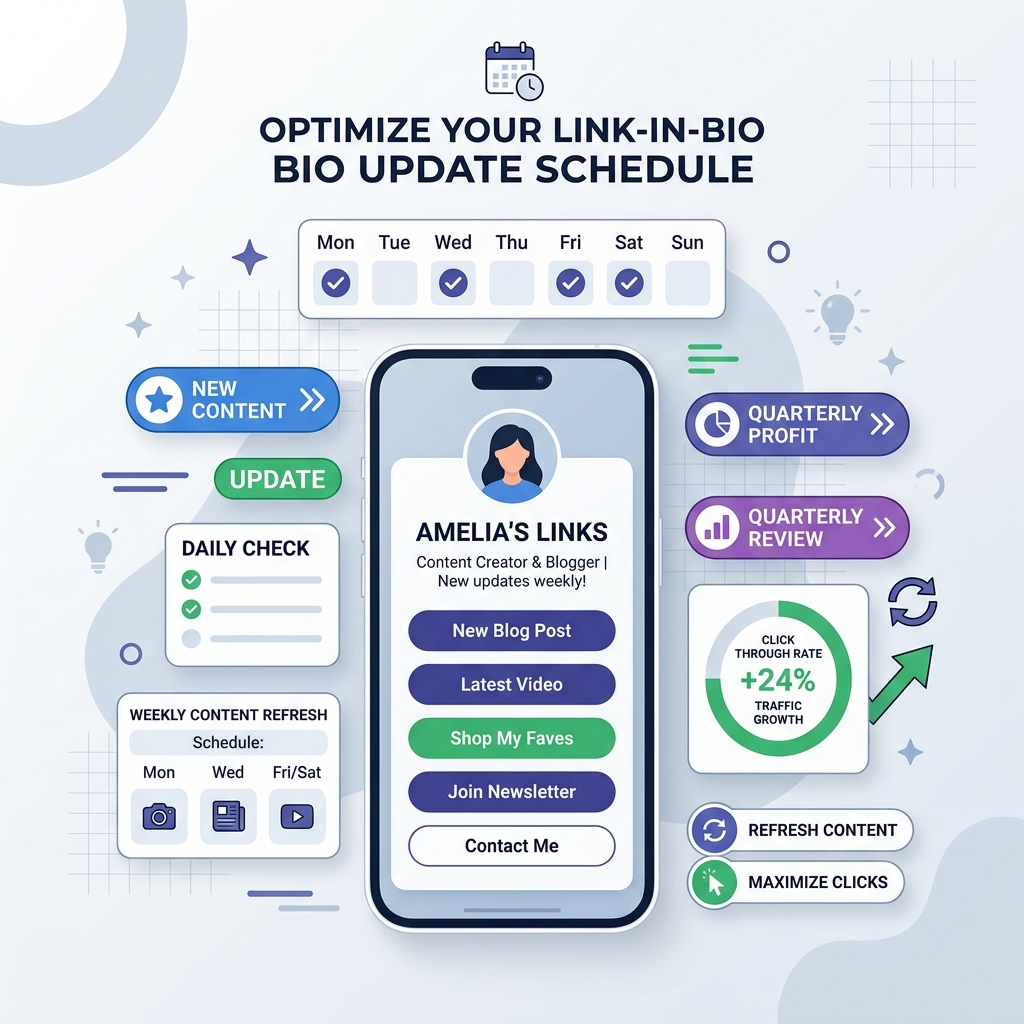
How Often Should You Update Your Link-in-Bio Page?
Discover the ideal update frequency for your link-in-bio page based on your creator persona, content output, …
When to Refresh Your Bio Link (And What to Change)
Discover the critical signals that indicate it is time to update your link in bio page, and get a step-by-step …